16 ChroMate™ Operator’s Manual Doc. 4300 Rev. E
Steps Prompts/Screen Display
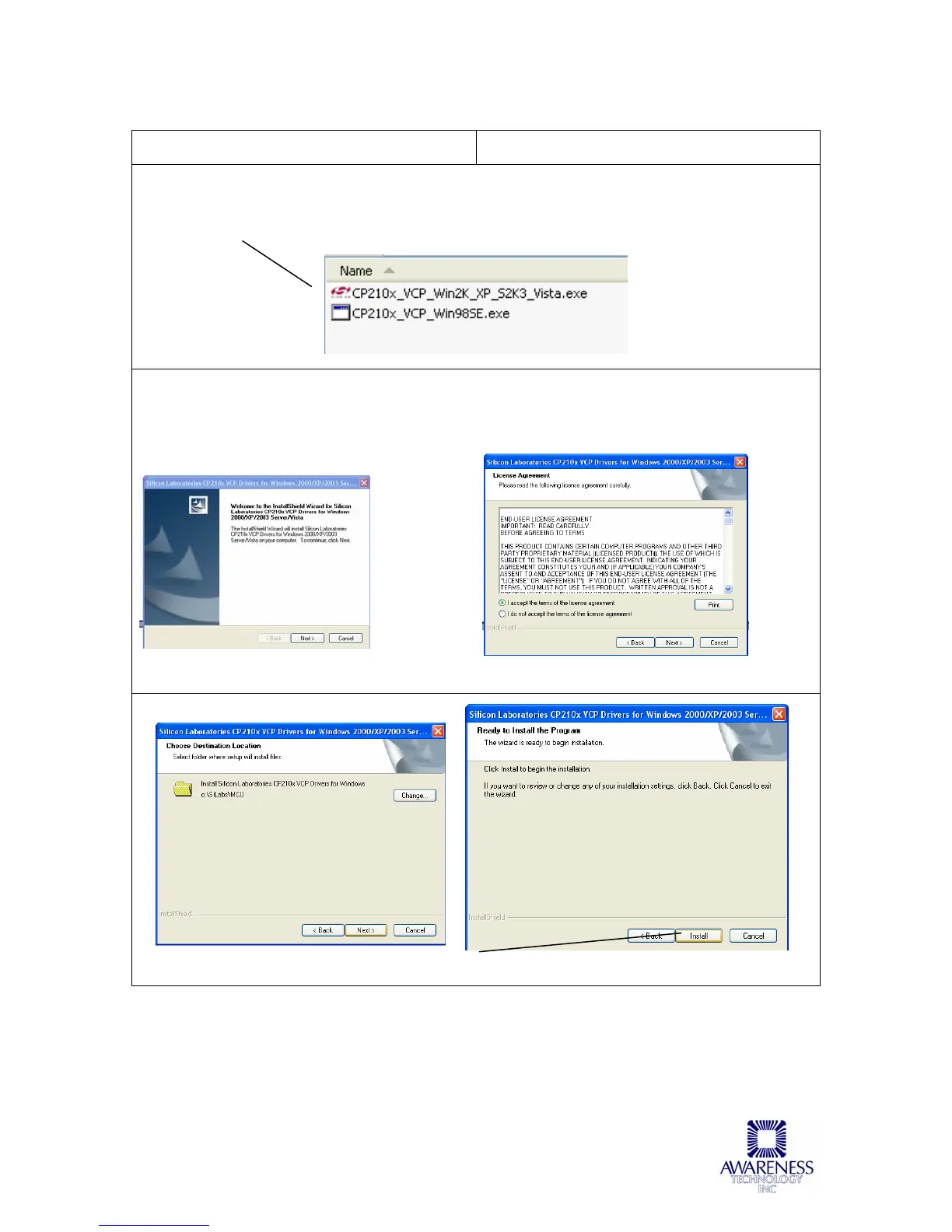
Install the virtual com port (VCP) drivers from the file located in the folder C:\Chromate\USB
drivers (or “[Installation Folder]\USB drivers if you changed the install directory name). From
the USB Drivers folder click on the appropriate executable (.exe) file for the operating system
on your computer (i.e., XP, Vista, Windows98):
The following is an example of the screens that you will encounter during the virtual com port
installation process. Note that the drivers for an XP operating system were chosen for this
example.
Click the Next button:
VCP Driver Welcome Window License Agreement
Destination folder Click the Install button to begin the install process



 To Next Page