18 ChroMate™ Operator’s Manual Doc. 4300 Rev. E
The PC COM port setting does not require an adjustment before activating ChroMate
Manager. However, instructions on how to view and adjust the setting are provided in
Section 6.2.1 PC Communication (COM) Port Setting.
The 4300 ChroMate COM port setting does not require an adjustment to match the
computer’s COM Port setting. However, steps have been provided in Section 6.2.2
ChroMate Communication (COM) Port Setting to view/adjust the setting if necessary.
3.3.2 USB Port Connection
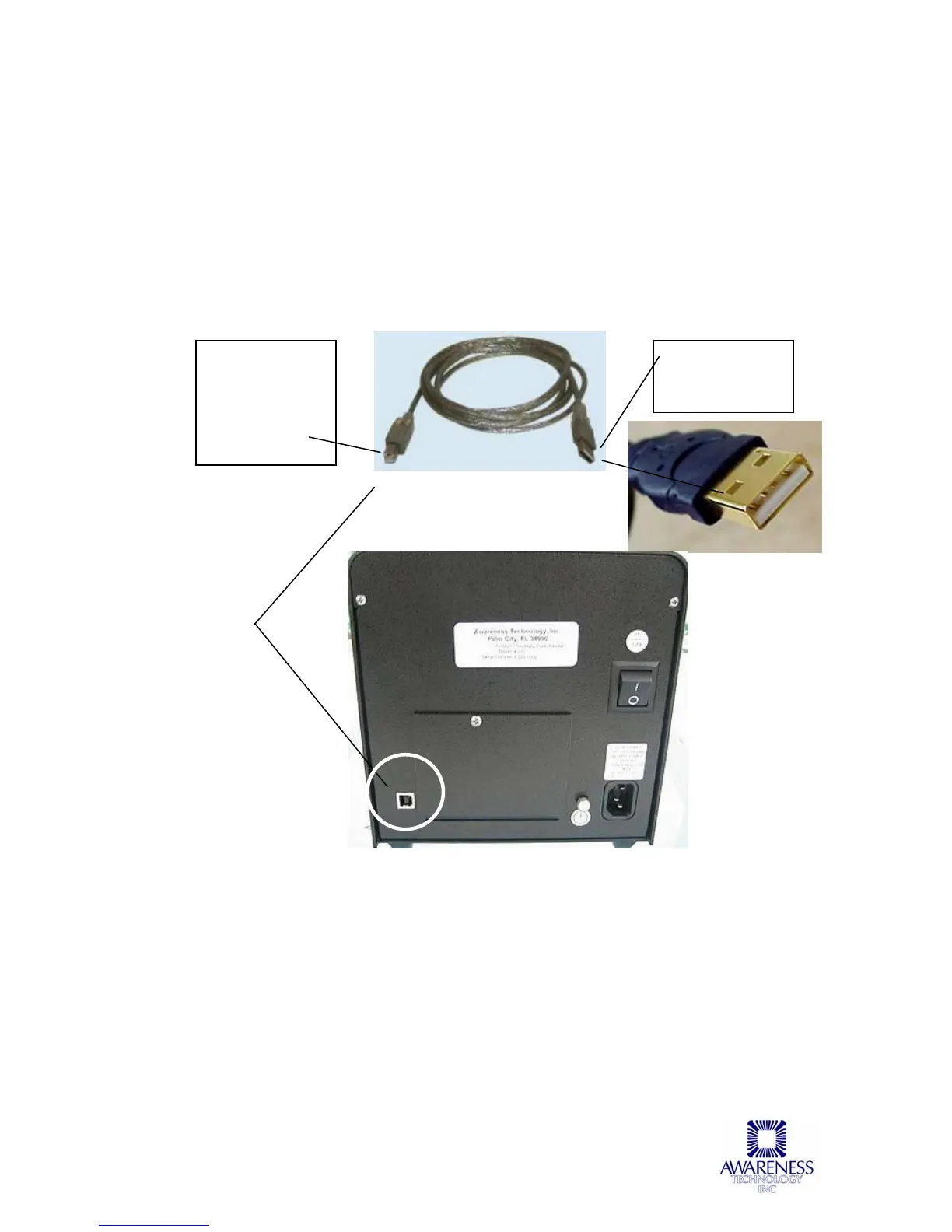
Using the USB cable provided, connect the computer’s USB port to the 4300
ChroMate USB port (reference Figure 3.3.2-1 Back of Instrument).
USB cable
F
igure 3.3.2-1 Back of Instrument
A
Connect to the
USB port
connection on the
back of the
ChroMate
instrument (A)
Connect to the
computer’s USB
port



 To Next Page