ChroMate™ ChroMate™ Operator’s Manual Doc. 4300 Rev. E 51
5.2.6.1.1.2 Sample Database Settings
OPTION DESCRIPTION
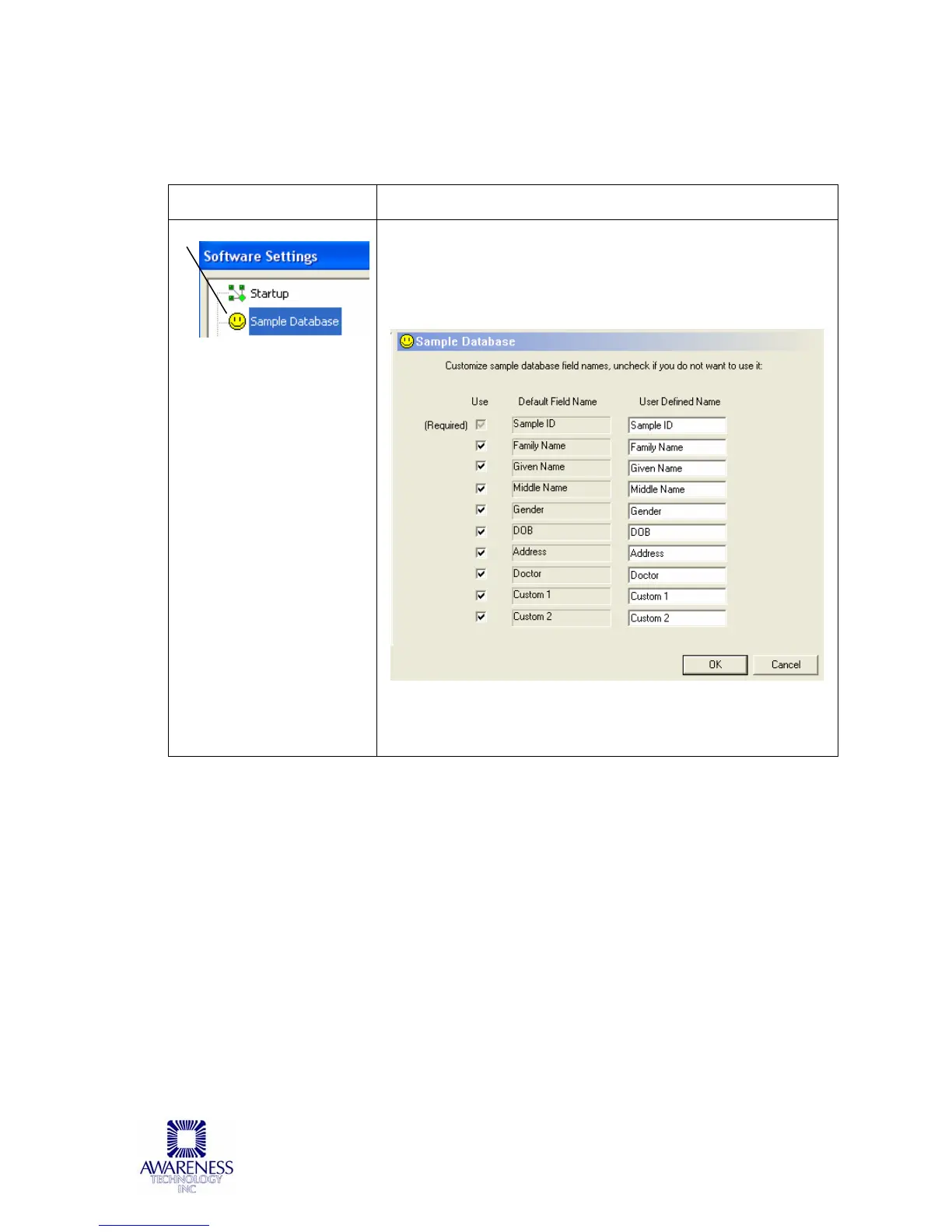
Sample Database
Allows the user to customize the field names used in the
sample database. Click on the checkbox to uncheck the
selection; only selections that are checked boxes will be
applied. Click the OK button once all the selections have
been made.



 To Next Page