ChroMate™ ChroMate™ Operator’s Manual Doc. 4300 Rev. E 57
5.2.7 Maintenance
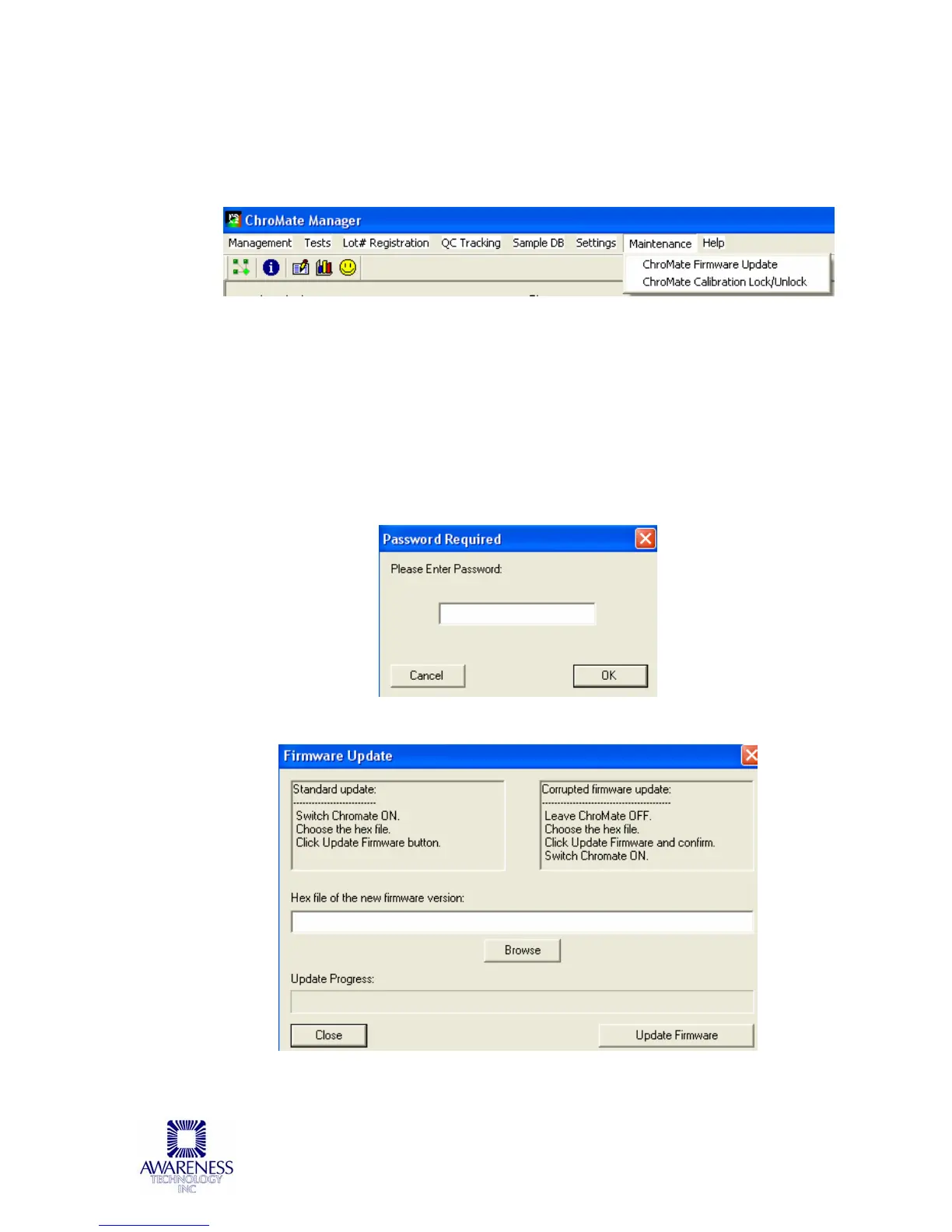
The Maintenance option allows the user to update the firmware via the
ChroMate Firmware Update selection; and lock / unlock calibration via the
ChroMate Calibration Lock/Unlock option.
5.2.7.1 Firmware Update
The Firmware Update option allows the user to update to a new firmware
version. Access to this option is password protected. Contact technical support
for the password.
Once the correct password is entered the Firmware Update window will open
enabling the user to browse the list of files. Technical support will advise which
file to select. The progress of the update is displayed in the Update Progress
field.
NOTE: The instrument will reboot itself after the firmware update is complete.
Figure 5.2.7.1 Firmware Update



 To Next Page