54 ChroMate™ Operator’s Manual Doc. 4300 Rev. E
5.2.6.2 Custom Report Settings
OPTION DESCRIPTION
Custom Report…
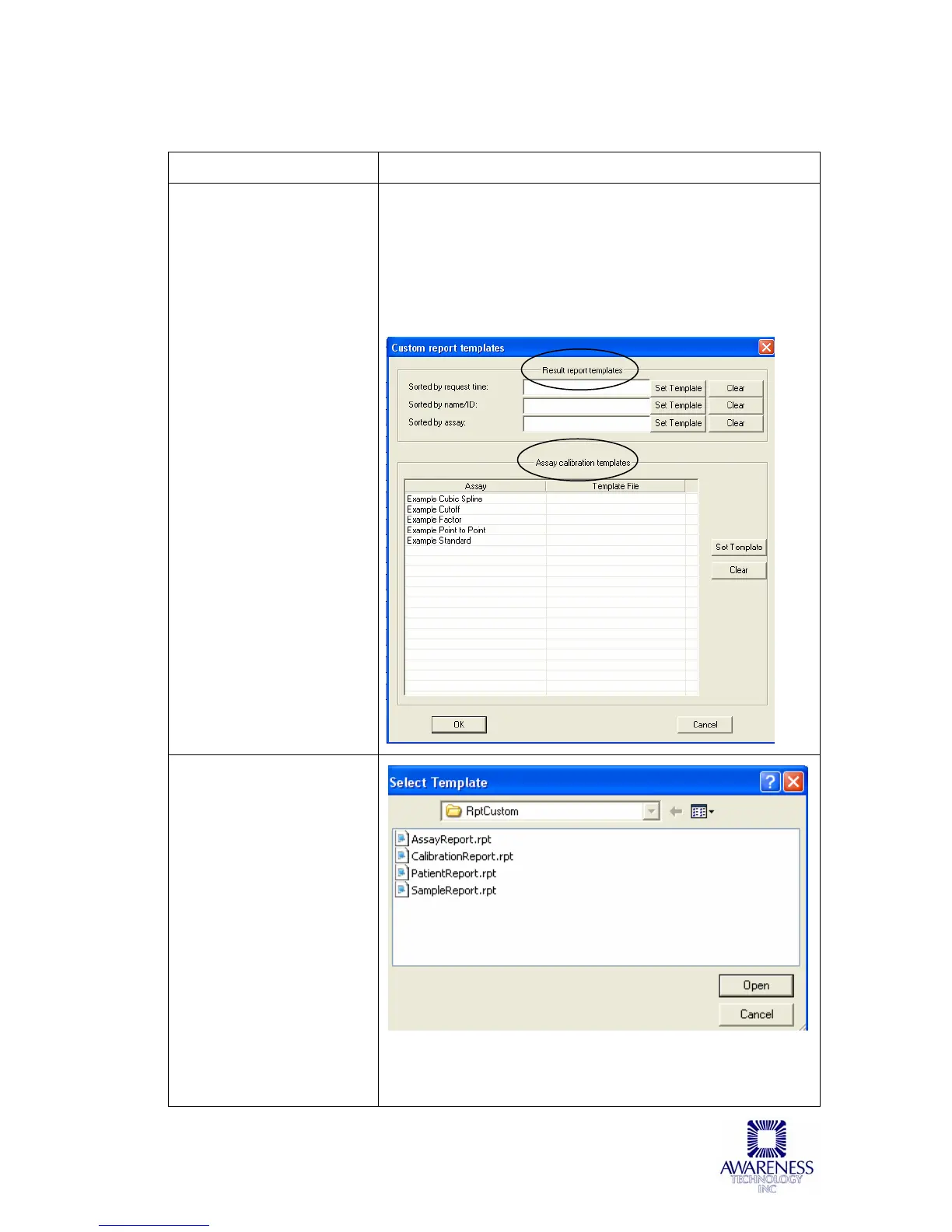
Two types of Custom
Report Templates are
available:
A) Result report
templates which are
for custom reports that
have been sorted by
request time, sorted by
name/ID, or sorted by
assay.
B) Assay specific
calibration templates
allow the user to
produce a report from
the data of a specific
assay.
The Custom Report Template screen allows users to
choose a report template for each type of report they
desire to run.
Choose the type of report to run and click on the Set
Template button. The report will be formatted according to
the chosen template until the Custom Report template has
been cleared by clicking on the Clear button.
Custom Report…
Click on the Set Template
button to select a Custom
Report template. Preview
calibration reports via the
Calibration Tab and
preview button; preview
sample reports via the
Report Tab and preview
button. Modify the
example Custom Report
and save it to a new file
name.



 To Next Page