ChroMate™ ChroMate™ Operator’s Manual Doc. 4300 Rev. E 73
5.3.5 Report Tab
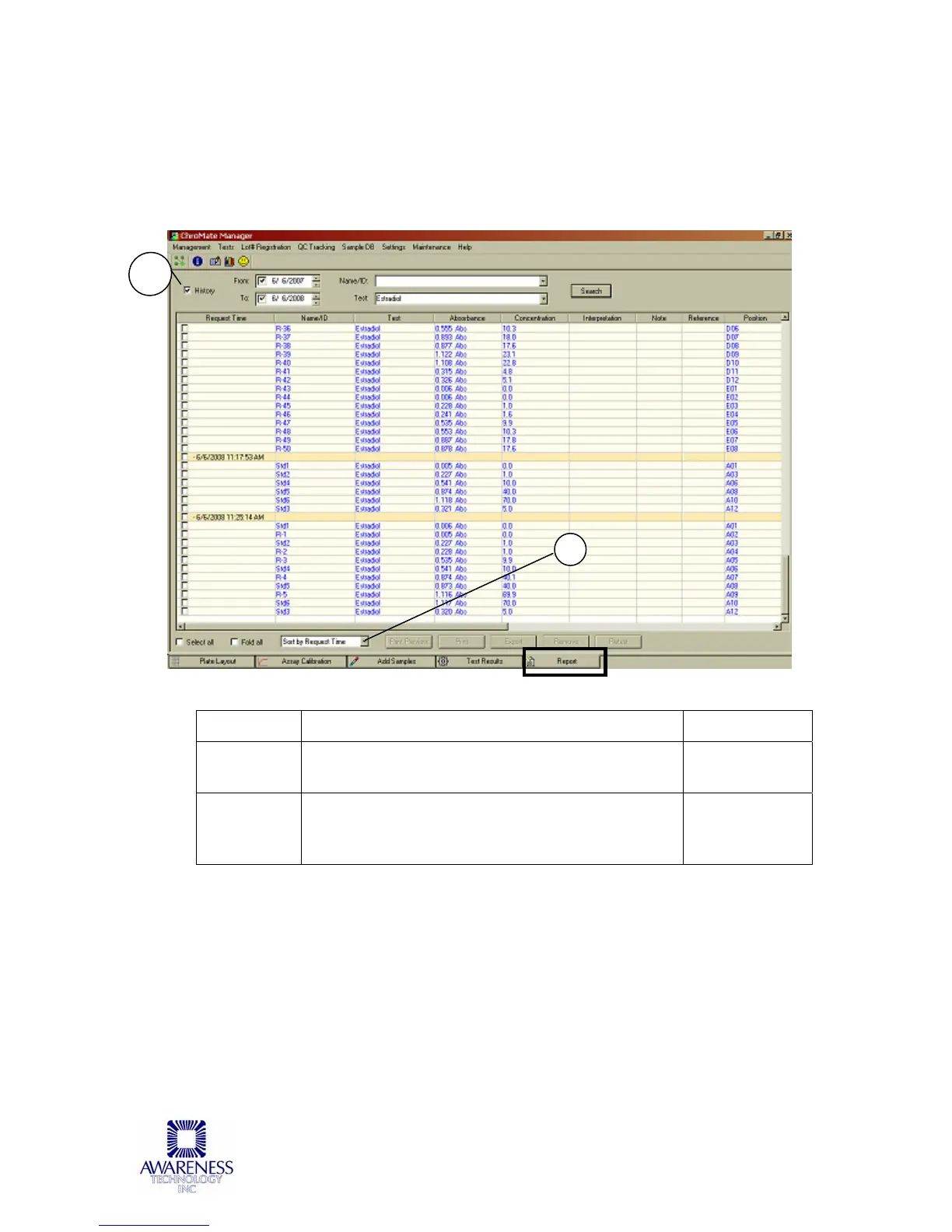
By default, the Report Tab shows the information from the most recent test run.
However, by clicking on the History checkbox (1) it is possible to search by date,
Name/ID or test name and display those test results.
Results may be sorted by Request Time, Name/ID, Test, or Interpretation (2).
Feature: Description: Item No.:
History
Checkbox
Select the History checkbox to begin searching
for results by date, Name/ID or test name.
1
Sorting
Option
Select the Sorting Option from the drop down
menu to change the way the results are
displayed.
2
2



 To Next Page