68 ChroMate™ Operator’s Manual Doc. 4300 Rev. E
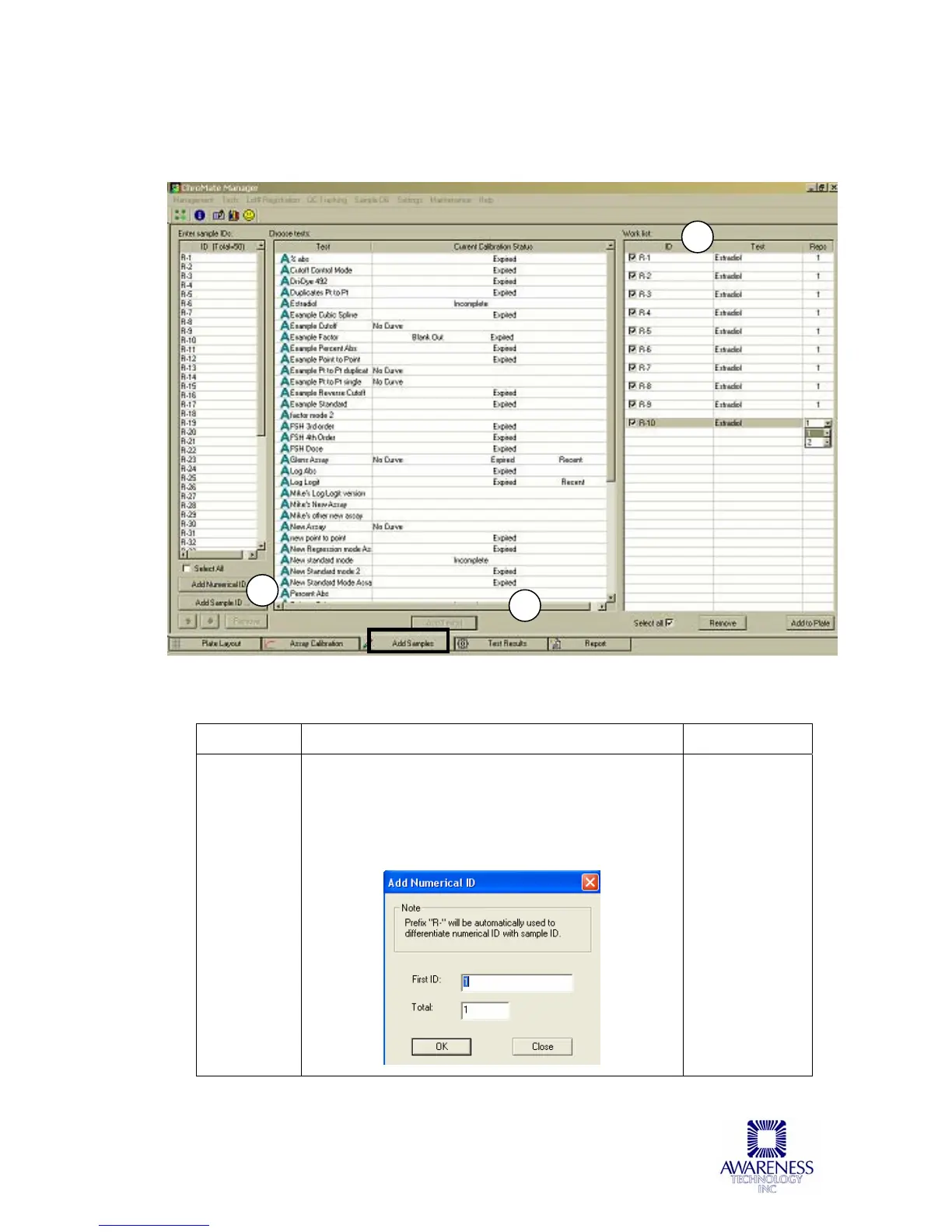
5.3.3 Add Samples Tab
The Add Samples Tab may be used to set up a quick and easy work list. After
the Assay is run, return to the Assay Calibration tab to view curve data.
Figure 5.3.3-1 Add Samples Tab
Feature: Description: Item No.:
Enter
Sample IDs
Press the ‘Add Sample ID’ to choose a patient
from the Sample Database (refer to Section
5.2.5).
Press the ‘Add Numerical ID’ button to enter
samples by number.
1
1
2
3



 To Next Page