32 ChroMate™ Operator’s Manual Doc. 4300 Rev. E
5.2 Main Menu Selections & Features
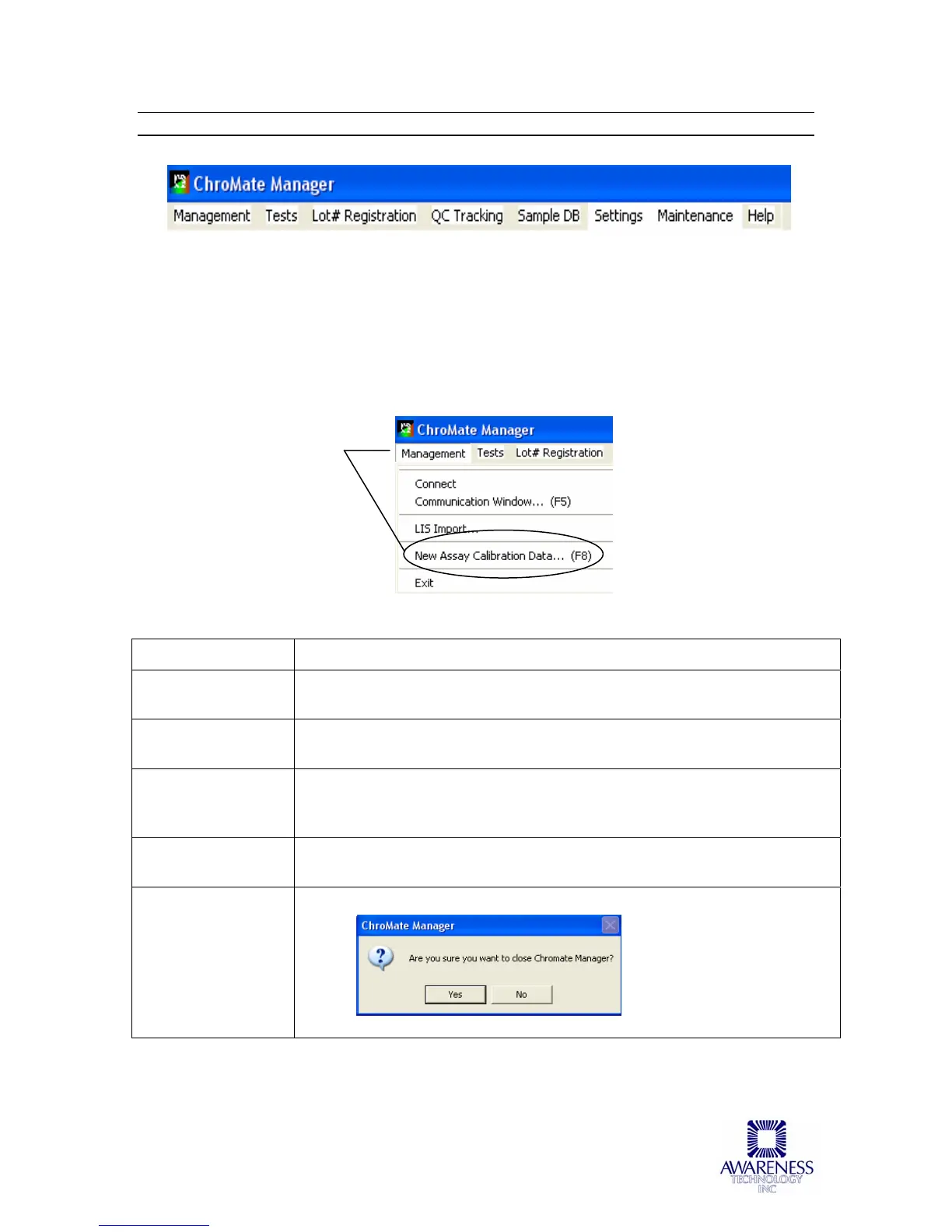
Figure 5.2-1 ChroMate Manager Menu Bar
5.2.1 Management Menu
When ChroMate is finished reading, the New Assay Calibration Data can be viewed by
selecting this option from the Management drop down menu or by pressing the F8 key
on your keyboard at any time. This window shows whether the new curves and controls
were accepted. If the curve is not accepted, this procedure must be repeated.
OPTION DESCRIPTION
Connect Establishes or re-establishes communication between Chromate
software on the PC to the 4300 instrument.
Communication
Window
Opens the interactive Communication Window used for certain
diagnostics. Should only be used by trained service personnel.
LIS Import See Laboratory Information System (LIS) section in the Appendix for
information explaining the LIS Import Option and examples of import
and export files.
New Assay
Calibration Data
Refer to the section entitled Calibrators for more information
Exit Exit the ChroMate Manager Software



 To Next Page