ChroMate™ ChroMate™ Operator’s Manual Doc. 4300 Rev. E 69
Add Samples Tab (Continued)
Feature: Description: Item No.:
Choose
Tests
Click on one or more of the numeric/sample ID’s
on the left to highlight, choose a test to run with
the chosen IDs. Click on the test and press ‘Add
Test’.
2
Work List The Work List area of the screen lists the IDs and
assays assigned to each, and the number of
requested copies (Reps).
To add more copies to a test, high light that row
and use the hidden pull down to change the
number and click on Add to Plate.
3
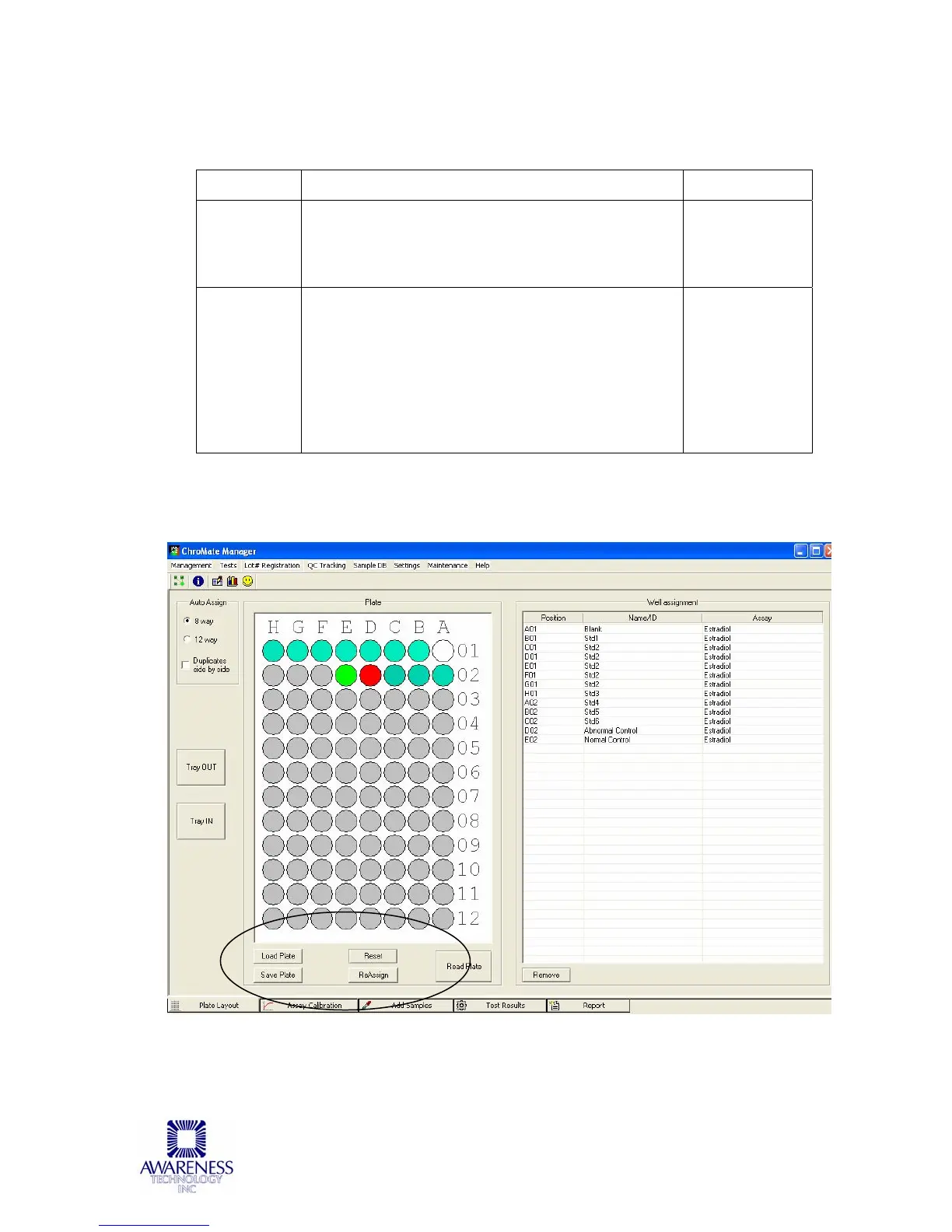
If the Add to Plate button has been selected, the screen will be directed to Plate
Layout where you will have several options: Load Plate, Save Plate, Reset, Re-
Assign, Read Plate or Remove.



 To Next Page