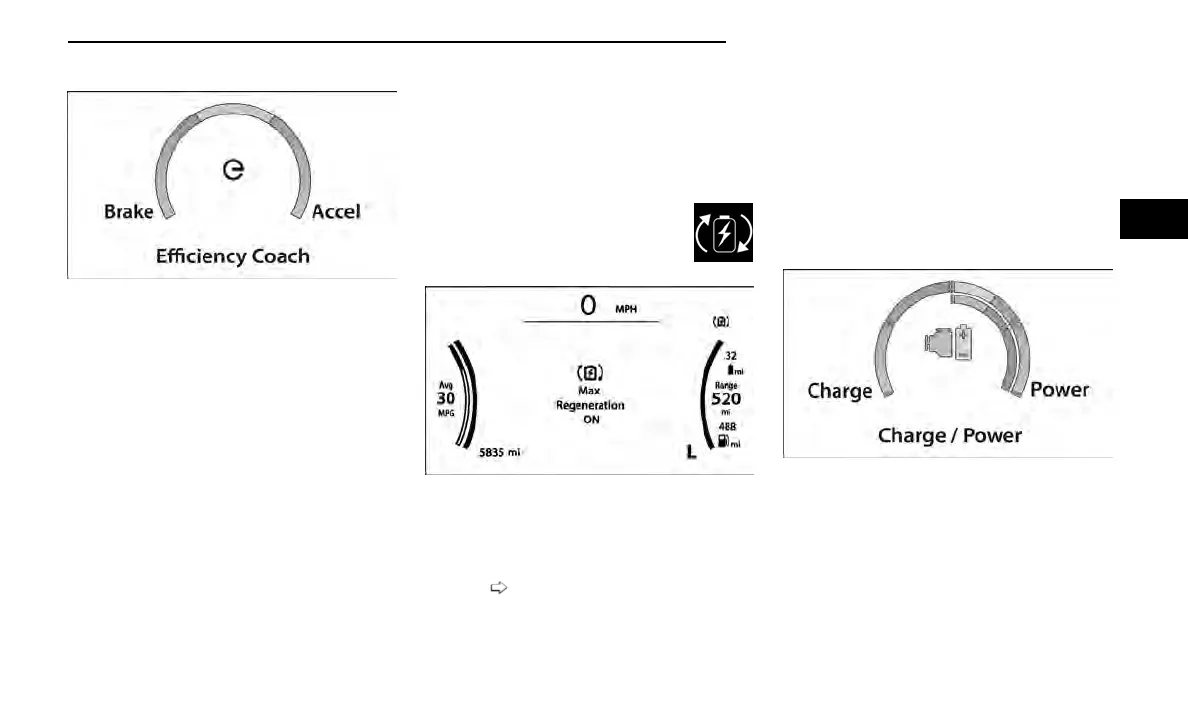
Efficiency Coach
Efficiency Coach will monitor your current driving to
help you drive as efficient as possible.
•
“Accel” is based on amount of acceleration (Differ-
ent from MPG).
○ The gauge will only move up when accelerator
pedal is pushed (or accelerating with Cruise Con-
trol or ACC).
○ Above a certain rate of change will be considered
inefficient.
○ The color of the gauge bar will change from green
to yellow to orange.
•
“Brake” is based on amount of deceleration
(slowing down).
○ The gauge will only move down when brake pedal
is pushed (or decelerating with Cruise Control or
ACC).
○ The color of the gauge bar will change from green
to yellow to orange.
•
The gauge bar color will transition smoothly up and
down, and have a gradual change based on
efficiency.
○ Center of gauge is 0% Accel and 0% Brake.
○ +/-0-35% of gauge fills green, +/-36-80% yellow,
and +/-81-100% orange (with a blend between
each color).
•
When Rotary Shifter is shifted to L:
○ Max Regen Telltale is displayed in the
upper right hand corner of the instru-
ment cluster
○ Max Regeneration ON’ Message is
displayed for 5 seconds
NOTE:
While attempting to shift into L, if “vehicle speed is
too high to shift to L” message is displayed, the Max
Regen ON/OFF message/TT should not be Dis-
played
page 103
•
When Rotary Shifter is shifted back to P/R/N/D:
○ Max Regen Telltale goes away
○ Max Regeneration OFF Message is displayed for
5 seconds
NOTE:
While attempting to shift out of L, if “vehicle speed
is too High to shift to P (or R)” message is displayed,
the Max Regen OFF/ON message should not be dis-
played. The Telltale should continue to display as
long as the vehicle is in L gear.
Charge/Power
•
Charging is represented by the gauge filling on the
left hand side.
•
Power is represented by the gauge filling on the
right hand side.
Efficiency Coach Gauge
Max Regen Cluster Message
Charge/Power Gauge
GETTING TO KNOW YOUR INSTRUMENT PANEL 107
3















 To Next Page