Floor Mode
Air comes from the floor outlets. A slight
amount of air is directed through the defrost
and side window demister outlets.
Mix Mode
Air is directed through the floor, defrost, and
side window demister outlets. This setting
works best in cold or snowy conditions that
require extra heat to the windshield. This
setting is good for maintaining comfort while reducing
moisture on the windshield.
Climate Control OFF Button
Press and release this button on the touch-
screen or push and release the button on
the faceplate to turn the Climate Control
ON/OFF.
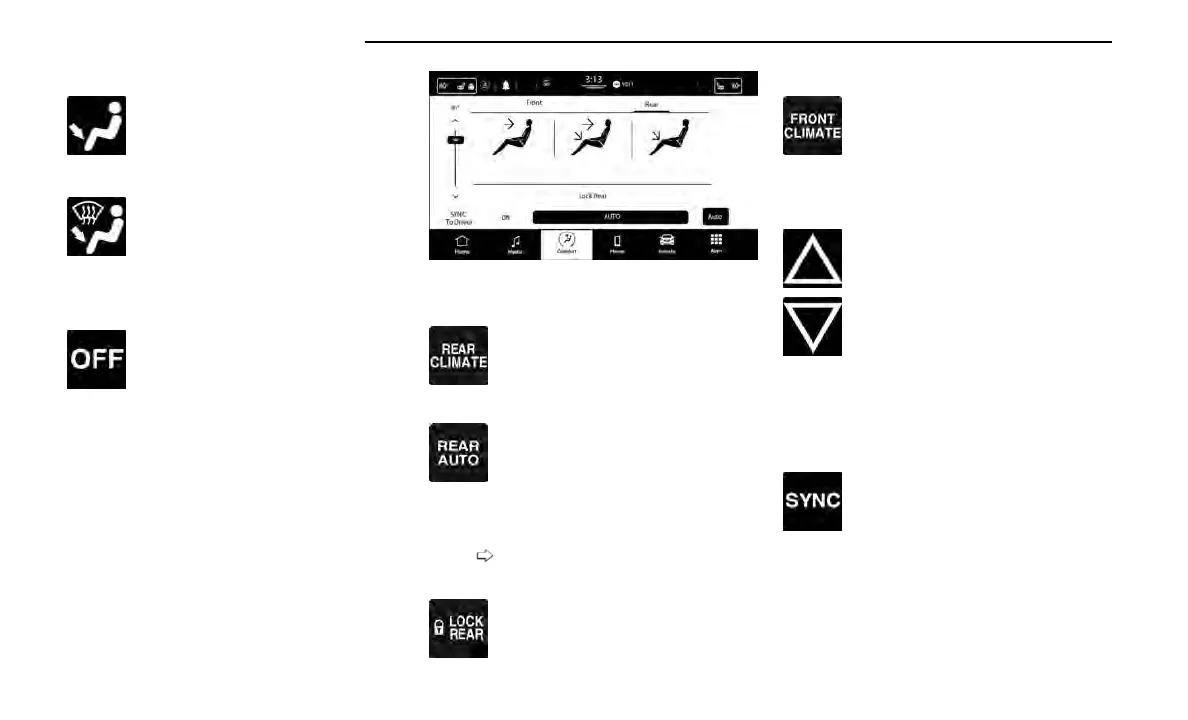
Controlling The Rear Climate Controls
From The Front ATC Panel—If Equipped
The Three-Zone Automatic Temperature Control (ATC)
system allows for adjustment of the rear climate con-
trols from the front ATC panel.
To change the rear system settings:
•
Press the Rear Climate button on the touchscreen to
display the rear climate controls. Control functions
now operate the rear system.
•
To return to the Front screen on the Uconnect sys-
tem, press the Front Climate or Done button on the
touchscreen.
REAR CLIMATE CONTROL BUTTON
Press and release the Rear button to access
the rear climate controls. The indicator will
illuminate when the rear climate controls are
on.
REAR AUTO BUTTON
Press and release the AUTO button on the
touchscreen, within the Rear screen, to
change the current setting. The REAR AUTO
indicator will illuminate when REAR AUTO is
on. This feature automatically controls the rear interior
cabin temperature by adjusting airflow distribution and
amount. Toggling this function will cause the rear sys-
tem to switch between manual mode and automatic
modes
page 76.
REAR LOCK BUTTON
Press and release this button to lock out the
rear manual temperature controls from
adjusting the rear temperature and blower
settings.
FRONT CLIMATE BUTTON
Press and release the Front button to
change the display on the Uconnect system
back to the Front Climate Controls.
REAR TEMPERATURE CONTROL
These buttons provide the front occupants with the abil-
ity to control the rear temperature.
Push the up arrow button on the touch-
screen to increase the temperature.
Push the down arrow button on the touch-
screen to decrease the temperature.
NOTE:
When the SYNC feature is active, the passenger’s tem-
perature will move up and down with the driver’s
temperature.
SYNC BUTTON
Press the SYNC To Driver button on the
touchscreen to toggle the SYNC feature
on/off. The SYNC indicator is illuminated
when this feature is enabled. SYNC is used
to synchronize the front and rear passenger tempera-
ture settings with the driver temperature setting.
Changing the front or rear passenger temperature/
mode/blower settings while in SYNC will automatically
exit this feature.
NOTE:
The SYNC setting is only available on the touchscreen.
Uconnect 5 With 10.1-in Display Rear Control Screen
70 GETTING TO KNOW YOUR VEHICLE















 To Next Page