20-5
Catalyst 2950 and Catalyst 2955 Switch Software Configuration Guide
78-11380-10
Chapter 20 Configuring DHCP Features
Configuring DHCP Features
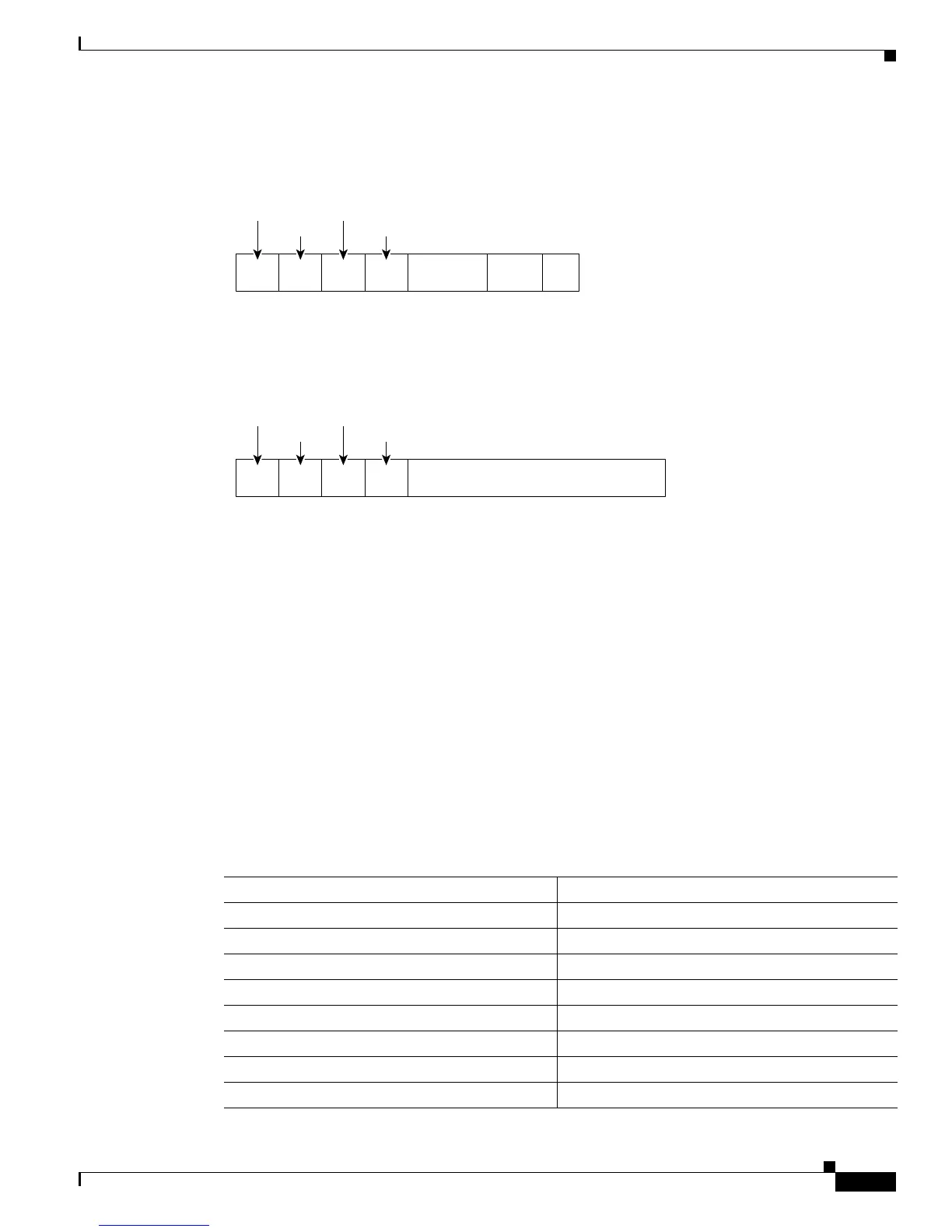
Figure 20-2 Suboption Packet Formats
Configuring DHCP Features
These sections describe how to configure DHCP snooping and option 82 on your switch:
• Default DHCP Configuration, page 20-5
• DHCP Snooping Configuration Guidelines, page 20-6
• Configuring the DHCP Server, page 20-6
• Enabling DHCP Snooping and Option 82, page 20-7
Default DHCP Configuration
Table 20-1 shows the default DHCP configuration.
Length Length
Circuit
ID type
Suboption
type
Circuit ID Suboption Frame Format
Remote ID Suboption Frame Format
6 bytes
MAC address
1 byte 1 byte 1 byte
Suboption
type
1 byte
Length Length
Remote
ID type
1 byte 1 byte 1 byte1 byte
116300
4061
6082
Module Port
1 byte 1 byte2 bytes
VLAN
Table 20-1 Default DHCP Configuration
Feature Default Setting
DHCP server Enabled
1
DHCP relay agent Enabled
2
DHCP packet forwarding address None configured
Checking the relay agent information Enabled (invalid messages are dropped)
2
DHCP relay agent forwarding policy Replace the existing relay agent information
2
DHCP snooping enabled globally Disabled
DHCP snooping information option Enabled
DHCP snooping limit rate None configured









 To Next Page