16-11
Cisco IE 3000 Switch Software Configuration Guide
OL-13018-01
Chapter 16 Configuring STP
Configuring Spanning-Tree Features
• Disabling Spanning Tree, page 16-14 (optional)
• Configuring the Root Switch, page 16-14 (optional)
• Configuring a Secondary Root Switch, page 16-16 (optional)
• Configuring Port Priority, page 16-16 (optional)
• Configuring Path Cost, page 16-18 (optional)
• Configuring the Switch Priority of a VLAN, page 16-19 (optional)
• Configuring Spanning-Tree Timers, page 16-20 (optional)
Default Spanning-Tree Configuration
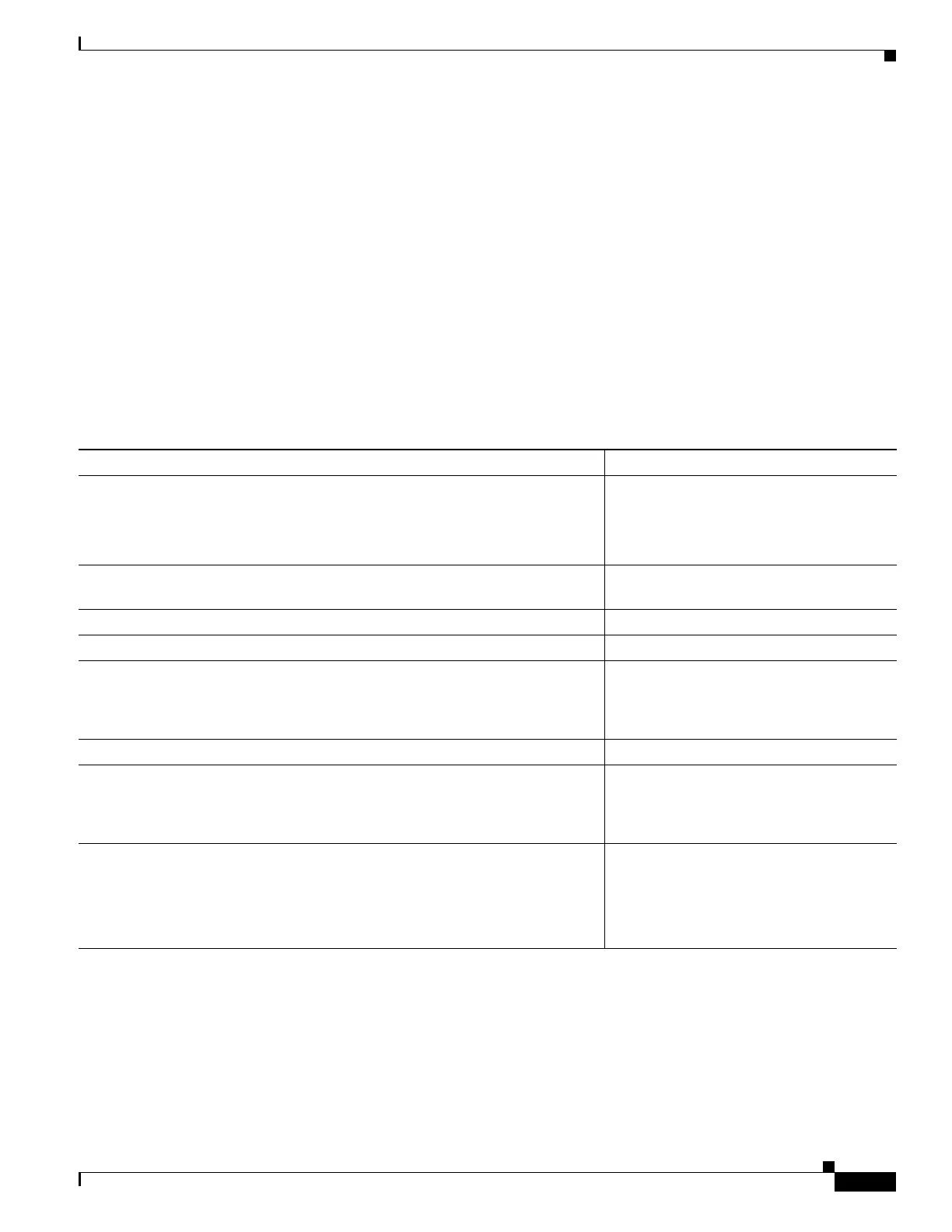
Table 16-3 shows the default spanning-tree configuration.
Ta b l e 16-3 Default Spanning-Tree Configuration
Feature Default Setting
Enable state Enabled on VLAN 1.
For more information, see the “Supported
Spanning-Tree Instances” section on
page 16-9.
Spanning-tree mode PVST+. (Rapid PVST+ and MSTP are
disabled.)
Switch priority 32768.
Spanning-tree port priority (configurable on a per-interface basis) 128.
Spanning-tree port cost (configurable on a per-interface basis) 1000 Mb/s: 4.
100 Mb/s: 19.
10 Mb/s: 100.
Spanning-tree VLAN port priority (configurable on a per-VLAN basis) 128.
Spanning-tree VLAN port cost (configurable on a per-VLAN basis) 1000 Mb/s: 4.
100 Mb/s: 19.
10 Mb/s: 100.
Spanning-tree timers Hello time: 2 seconds.
Forward-delay time: 15 seconds.
Maximum-aging time: 20 seconds.
Transmit hold count: 6 BPDUs






 To Next Page