Chapter 3: Calls, faxes and SMS
Use the MCDU 91
3333
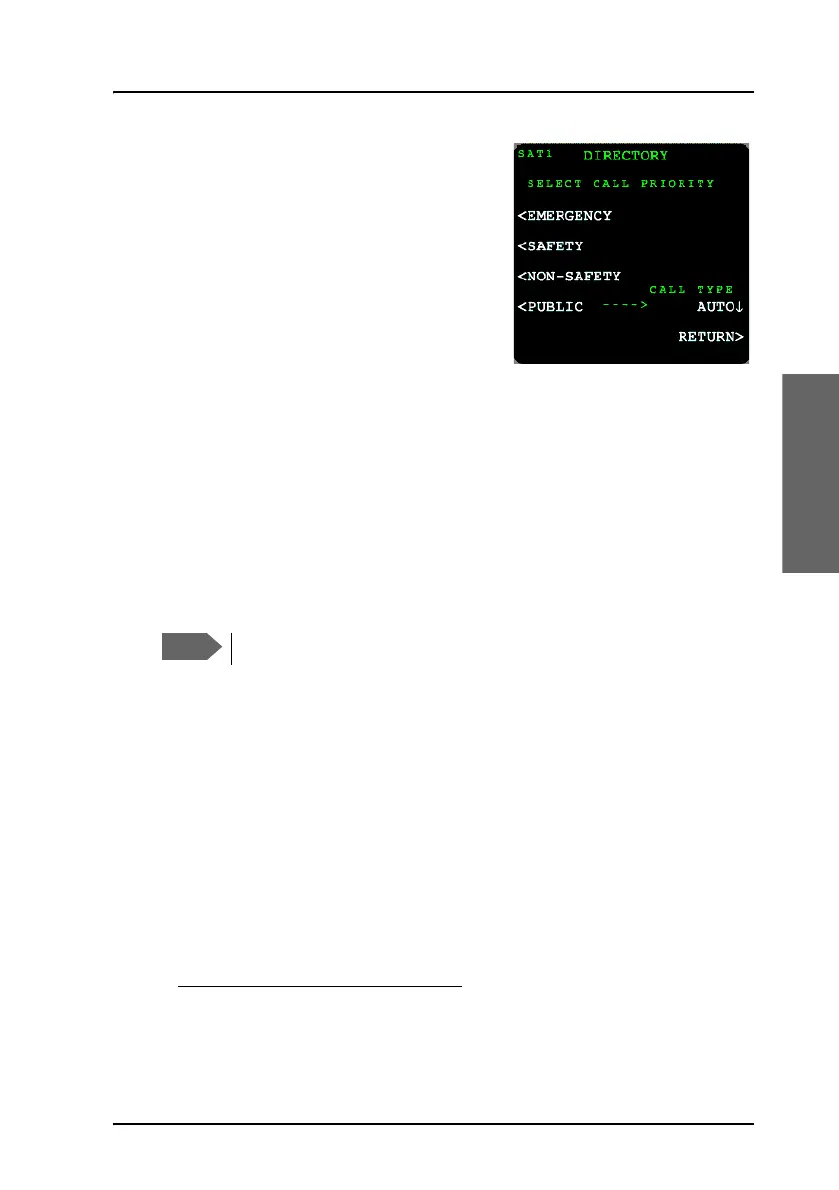
2. Select a call priority: EMERGENCY,
SAFETY, NON_SAFETY or PUBLIC
to display the phone book entries for
this call priority. If you want to
override the call type press Auto and
select H
+
or HSD.
3. Select the number you want to call
1
.
The display lists all numbers assigned
to the selected call priority. If there is
more than one page, use the keys PREV and NEXT to scroll through the
pages.
To redial a number (MCDU)
To redial a number, do as follows:
1. Select REDIAL. The display shows a list of the last 10 called numbers.
2. Select the number you want to dial.
2
A call to the selected number is activated.
To handle incoming calls using the switchboard (MCDU)
The switchboard makes it more straight forward to handle incoming calls.
When an incoming call is established, do as follows:
1. Enter the menu MORE and select SWITCHBOARD.
The display shows a list of all connected handsets and their current
states:
• READY — the handset is free for a call.
• BUSY — the handset is currently used for a call.
1. If in latched mode, activate the call by switching on the Mic Switch.
2. If in latched mode, activate and terminate the call by switching the Mic
Switch.
Systems with two MCDUs share the redial list.



 To Next Page