Chapter 4: Use a computer
104 Use a computer over SwiftBroadband
LAN and WLAN interfaces
If the Built-In Router option is activated you can connect several PCs and
other IP devices to the AVIATOR 700 system. Then the system operates as
a router. It handles IP data traffic so the AVIATOR 700 system can be used
with multiple computers for e-mail, Internet access, VPN, intranet and other
applications that use the packet switched connection.
If you have purchased the Wireless Option you can connect multiple
computers and other IP devices to the system via the Wireless Access
Point. For more information on these options see Built-in router and
Wireless options on page 8.
To connect a computer to the SBU you have several possibilities:
• Use one of the six LAN connectors (Ethernet) to connect user
computers or other LAN equipment. Check how many of the LAN
connectors are available in your installation and where to find them in
the cabin.
• If installed, use the Wireless Option to connect computers and other
devices using IP to the network.
There is also the front Maintenance connector on the front plate of the
SwiftBroadband Unit. This connector is typically not accessible during
flight. It is reserved for service and maintenance purposes.
Customize network use
With the built-in router functionality the AVIATOR 700 system offers a
flexible use of the data channel of the SwiftBroadband service. The system
administrator can configure the use of the data channel by defining
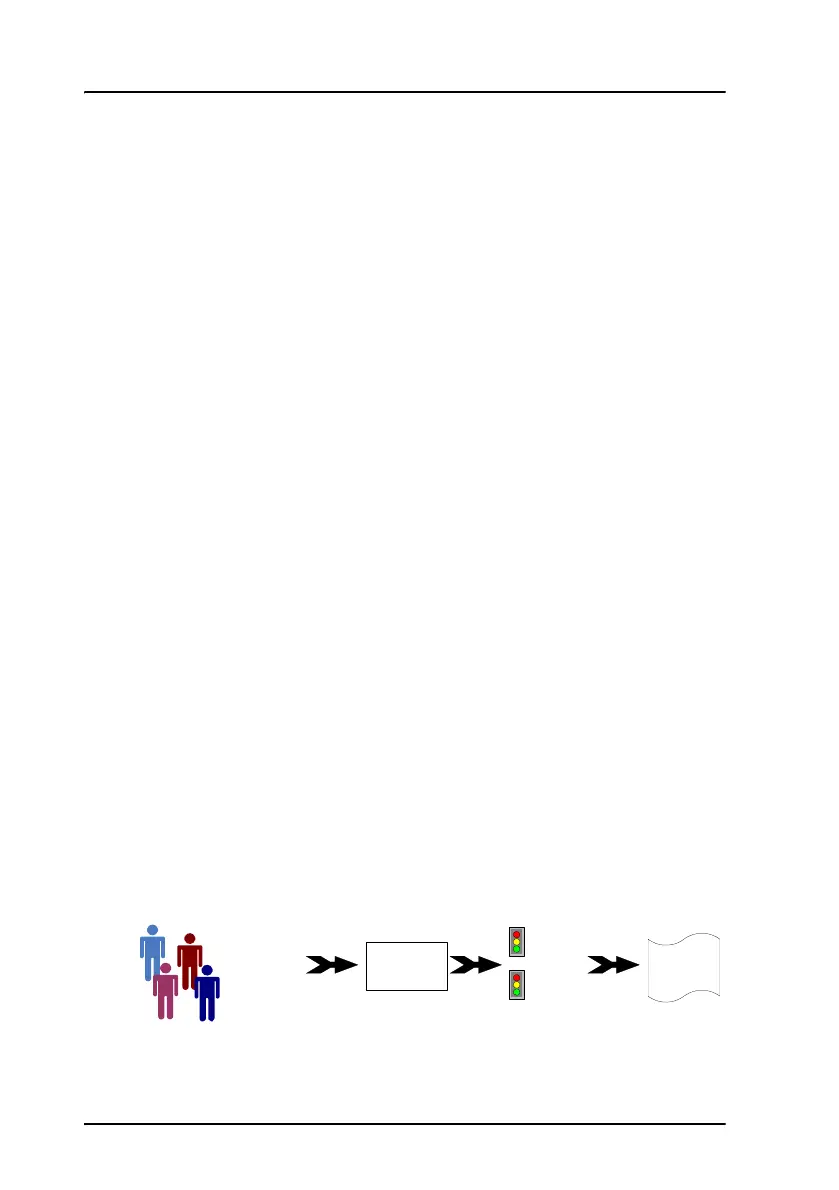
network user groups and profiles. The following picture gives an overview
over the parameters and functions involved.
MAC address
IP address
LAN port
Network
user
group
Primary
profile
Secondary
profile
Traffic flow
filters
Desired IP
connection


 To Next Page