Chapter 3: Calls, faxes and SMS
Use the MCDU 83
3333
Use the MCDU
Operate the MCDU
The MCDU is used to control and operate the SATCOM equipment from
the cockpit. A subset of the MCDU menus and functions are identical to
those of the Full Feature handsets. The following sections describe the
AVIATOR 700 menu functions of the MCDU and explain how to navigate
the MCDU.
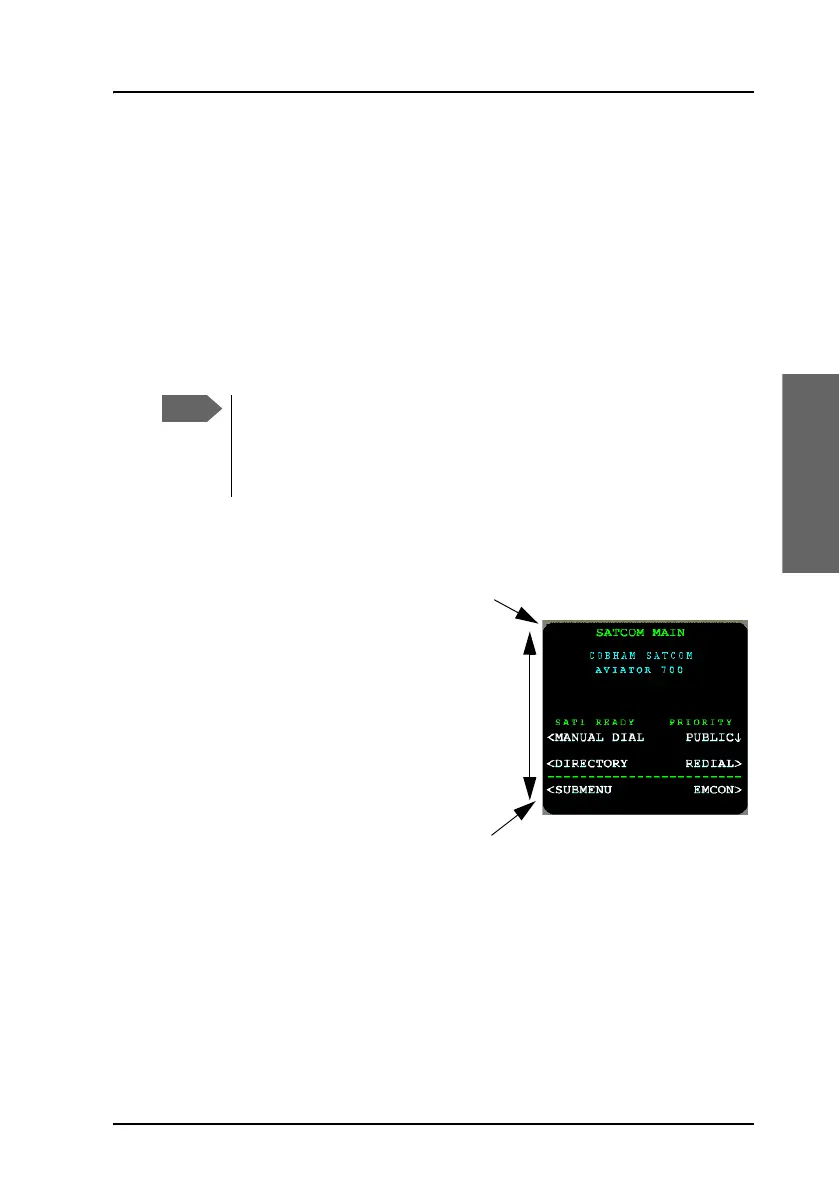
MCDU display
The MCDU display holds 14 rows of
24 characters each. The top line is
the title line and the bottom line (the
Scratch Pad) is used to display
messages to the crew and to show
keyboard entry of data.
If the contents consist of multiple
pages, the current page and total
number of pages are displayed on
the first line. Press the keys NEXT
and PREV to view all pages.
This chapter only describes the part of the MCDU functions that
concerns the AVIATOR 700 system. For information on other
functions in the MCDU, refer to the documentation delivered with
your MCDU and, if relevant, with any other connected equipment.
Scratch pad
14 rows
Title line



 To Next Page