Chapter 4: Use a computer
Use a computer over SwiftBroadband 111
4444
Start or stop a Streaming connection
The AVIATOR 700 system supports 8, 16, 32, 64 and 128 kbps streaming
classes. Note that streaming classes are charged by the time the service is
being used (per minute charge). A started Streaming session will stay active
until you manually stop it. On the Dashboard you can see whether the
network user group you belong to has been set up to support streaming
sessions.
To start or stop a Streaming session do as follows:
1. Open your Internet browser and enter the IP address of the AVIATOR
700 system (default: http://192.168.0.1) to access the Dashboard of the
web interface.
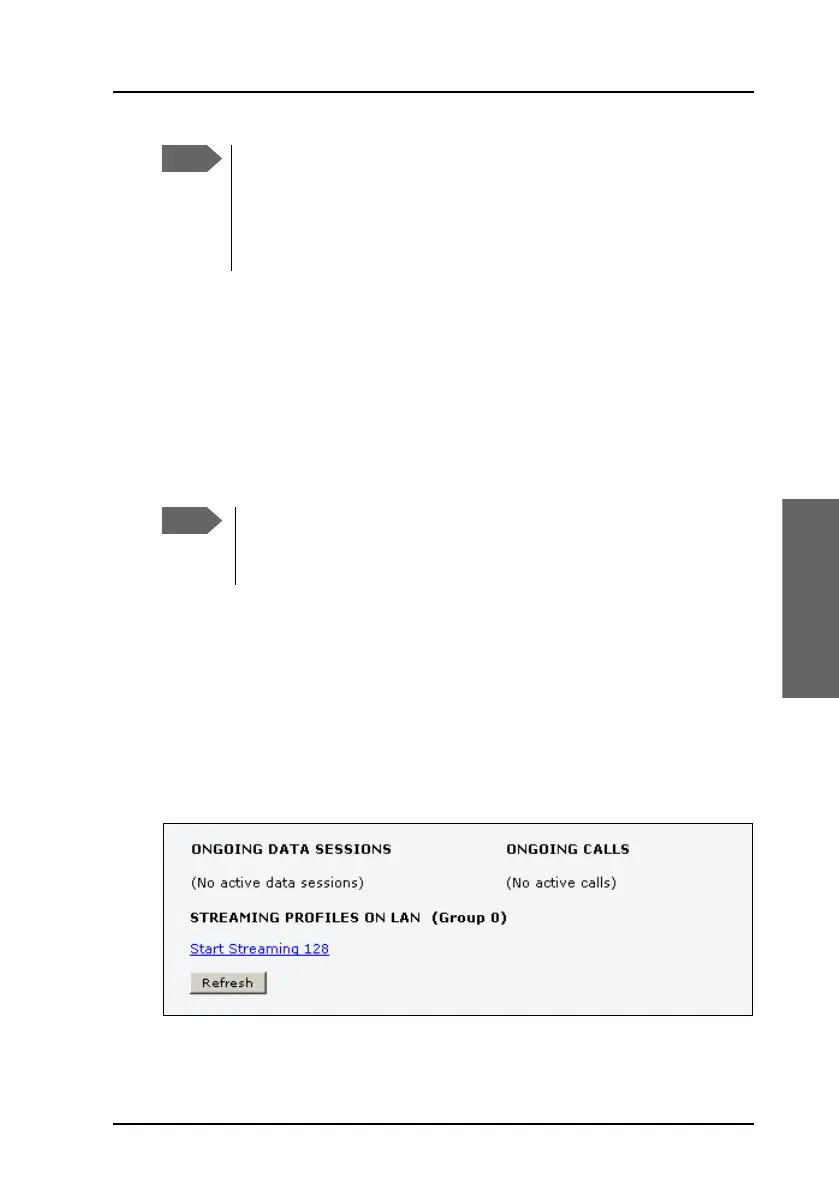
2. Locate STREAMING PROFILES ON LAN.
3. Click the link with the name of the Streaming profile that has been set
up for you.
If a primary profile is already active, your new profile will not
appear as a link but as plain text. The active primary profile is
displayed as a link with the text “Stop <name of profile>”. Click this
link first to stop the active profile. Then click your new profile,
which is now displayed as a link, to start your new profile.
You can only start a Streaming session if the administrator has set
up a Streaming profile for your user group. Contact your system
administrator if you need a streaming connection.



 To Next Page