Chapter 5: System operation
Use the SBU web interface 175
5555
To delete all entries in the phone book
To delete all the entries in the phone book, click Delete all entries in
phone book at the bottom of the PHONE BOOK page.
To view the mobile numbers and additional numbers
1
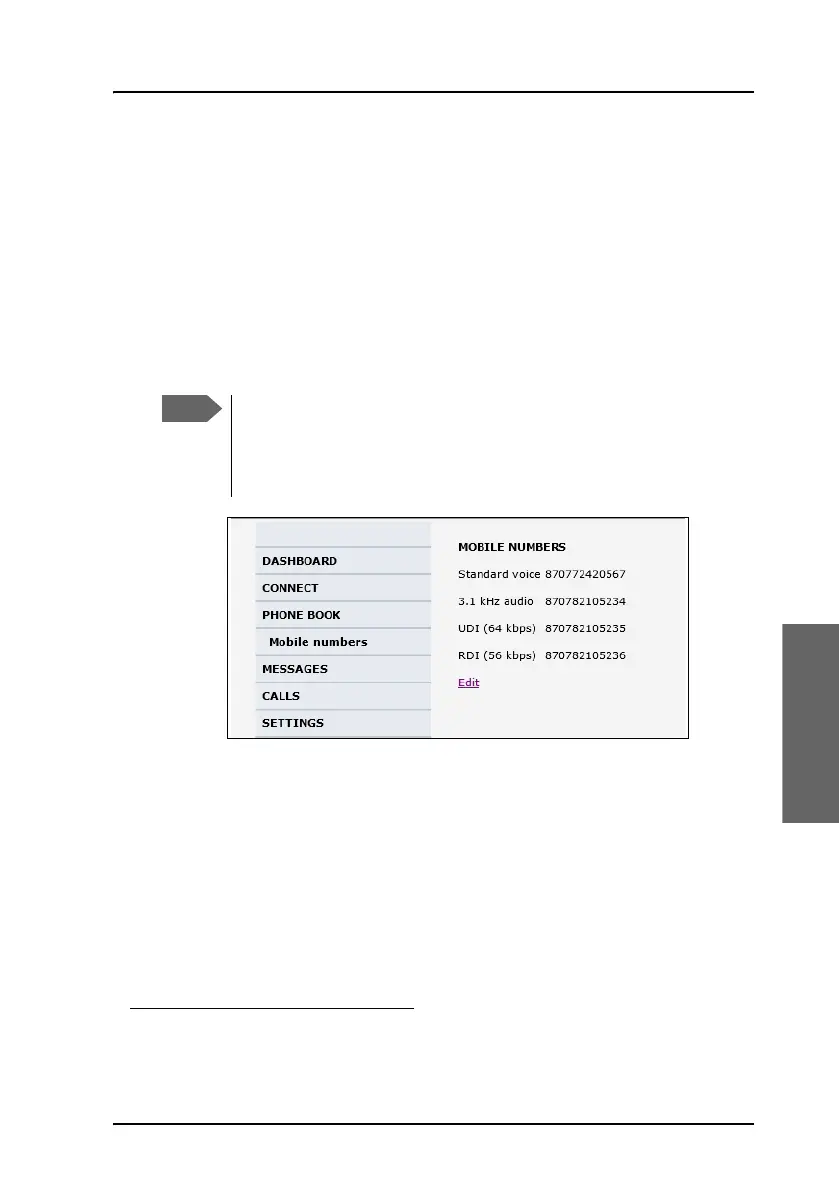
To view the mobile numbers of the AVIATOR 700 system, select PHONE
BOOK > Mobile numbers from the left navigation pane. The mobile
numbers are the phone numbers to use when making a call to the AVIATOR
700 system.
The example above is for a system without Multi-voice.
To enter or edit the mobile numbers
To enter or edit the mobile numbers, click Edit at the bottom of the page,
type in the numbers received from your service and airtime provider and
click OK.
If Multi-voice is part of your system, the additional numbers from
your airtime provider can be entered in the web interface
1. Available for systems with Multi-voice and subscriptions with
additional numbers.
These numbers are not listed at delivery. They may have been
entered during initial configuration of the system or can be
entered at a later stage. The numbers are stated in the
documentation from the service and airtime provider.


 To Next Page