Horizon Starter Manual 1-3
Setting Up the Imager
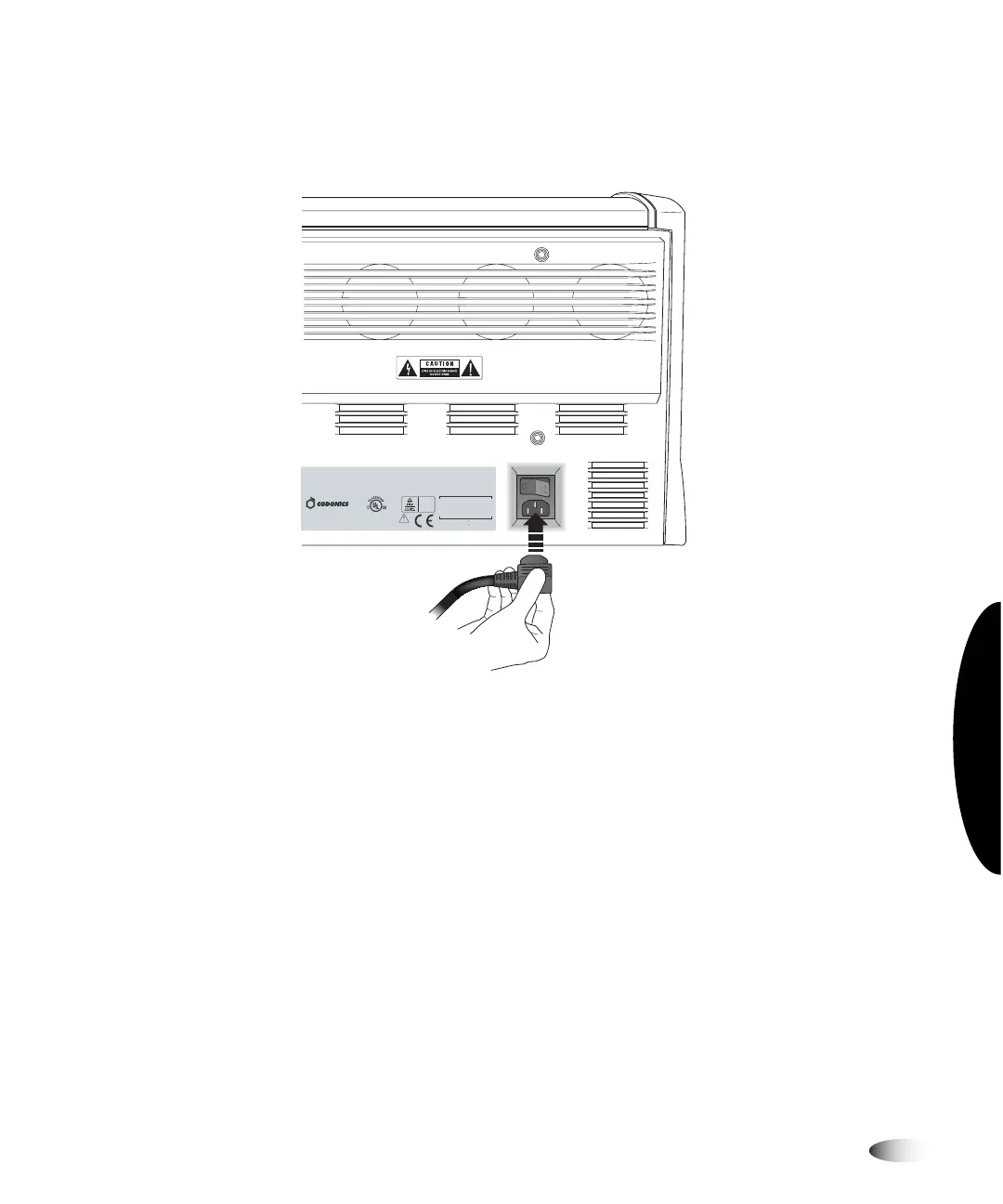
5. Retrieve the power cord from the Accessories box and plug its
right-angle connector into the power connection at the rear of
the imager.
6. Plug the other end of the power cord into the UPS or electrical
outlet.
This equipment has been type tested and found to comply with the requirements in part 15 of FCC rules and Canadian Department of communications for a Class B
computing device. See instruction manual. Operation in a residential area may cause unacceptable interference to radio and TV reception requiring the operator to
take whatever steps are necessary to correct the interference.
Le pr sent appareil num rique n' met pas de bruits radio lectr iques d passant les limites applicables aux appareils numr iques de la Classe B prescrites dans le
R glement sur le brouillage r adio lectr ique dict par le minist re des Comm unications du Canada.
This product is in conformity with the requirements of EC Council directive 93/42/EEC on the approximation of the laws of the Member States relating to medical
devices. This product satisfies the Class B limits of EN 55011 and CISPR 11.
MEDICAL ELECTRICAL EQUIPMENT
UL.2601-1, CAN/CSA C22.2 NO.601.1
31EB
COMPLIES WITH 21 CFR 1040.10 AND 1040.11
CODONICS, INC.
17991 ENGLEWOOD DR.
MIDDLEBURG HTS., OH 44130 U.S.A.
MADE IN THE U.S.A.
Patents Pending, All Rights Reserved
AR: CEpartner4U, 2635 HL 33.NL
Tel: +31(0)6-516.536.26
100-120V , 50-60Hz, 6.0A
230
V , 50-60Hz, 3.0A
HORIZON MEDICAL PRINT IMAGER
EN 60601-1



 To Next Page