Horizon Start Manual 7-3
Preventive Maintenance
.
1. Press the imager’s key.
The Main Menu displays.
2. Select the
Open Top Cover
menu option.
The imager pauses and, after up to a minute to allow internal
components to cool, the top cover pops partially open.
3. Open the top cover all the way.
If a color ribbon is loaded, go to step 4. Otherwise, go to step 7.
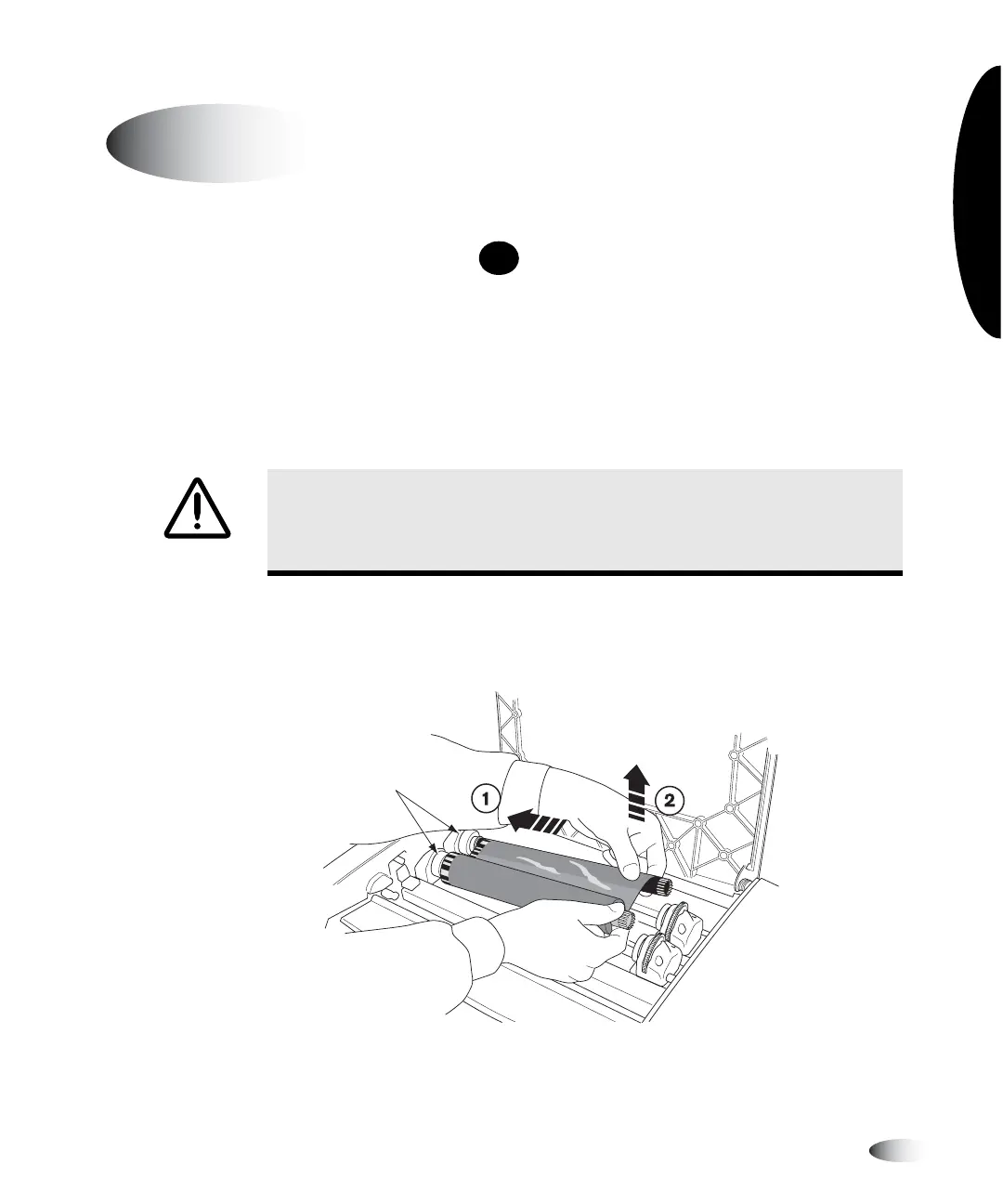
4. Remove the color ribbon, as shown in the following figure.
NOTE:
Care should be taken to protect the ribbon from dust and dirt when not loaded in the
imager. Avoid resting the ribbon on a table; static charge will attract dust from the table top.
Cleaning the Thermal Print Head
and Platen Roller
WARNING With the imager cover open, touch only those internal components
that are colored green (except for the pick tires, refer to the figure on page xx).
Remove rings, ties, jewelry, and other items, and tie back hair, so that they do
not fall into or get caught in the imager.
MENU
Spring-loaded
spindles
3



 To Next Page