7-4 Preventive Maintenance
5. From the
Open Top Cover
menu, select the
Move Ribbon Carriage
menu option.
6. Press the key to move the ribbon carriage down and out of
the way.
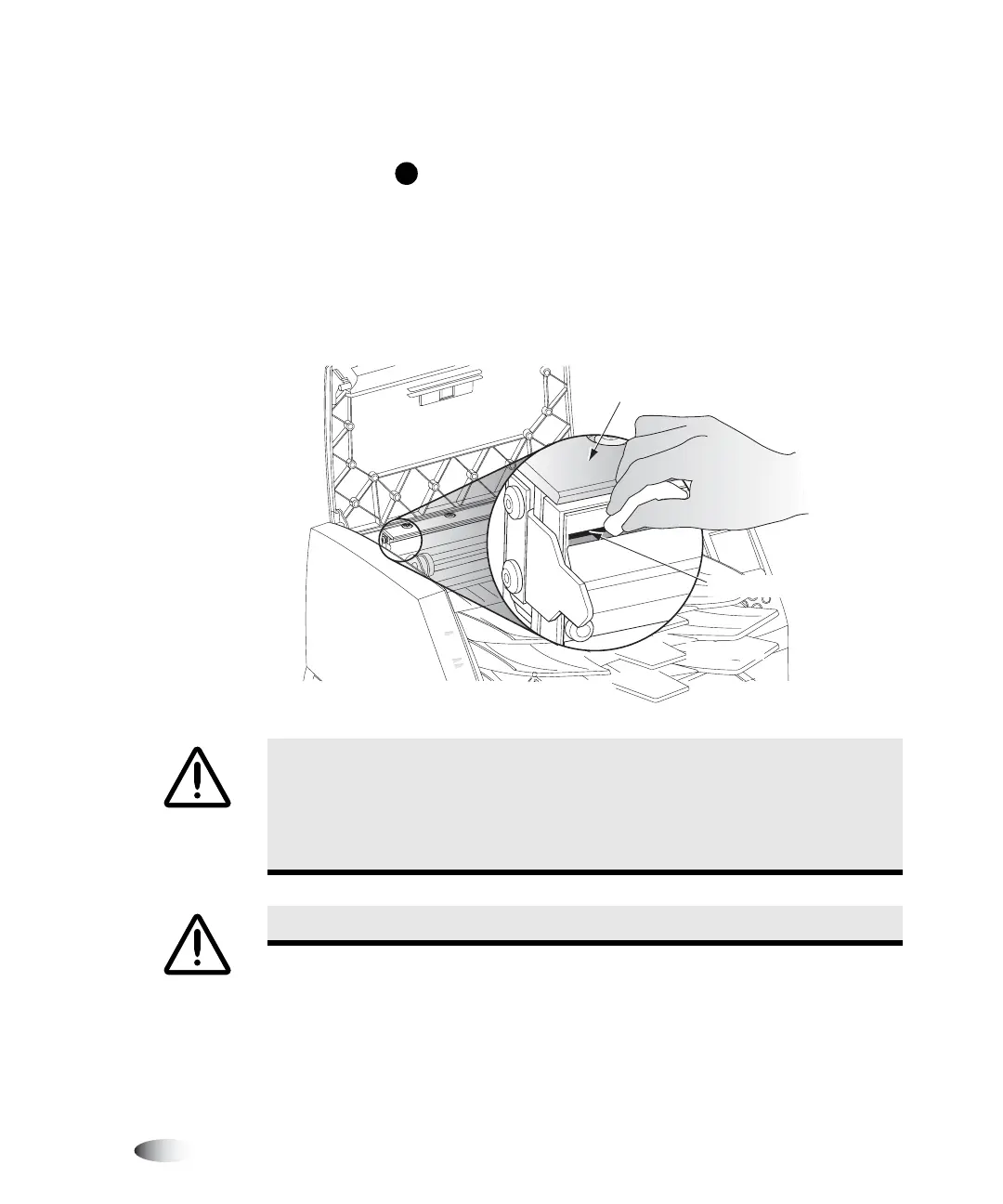
7. Locate the print bead and nosepiece, shown in the following
figure.
CAUTION
To avoid thermal print head damage:
• Use only the print head cleaning wipe when cleaning.
• Do not touch the glass surface of the thermal print head with fingers;
wearing gloves is advised.
WARNING The thermal print head may be hot.
T
Carefully wipe along
print bead until clean
Nosepiece
Print bead



 To Next Page