2-10 Setting Up the Hardware
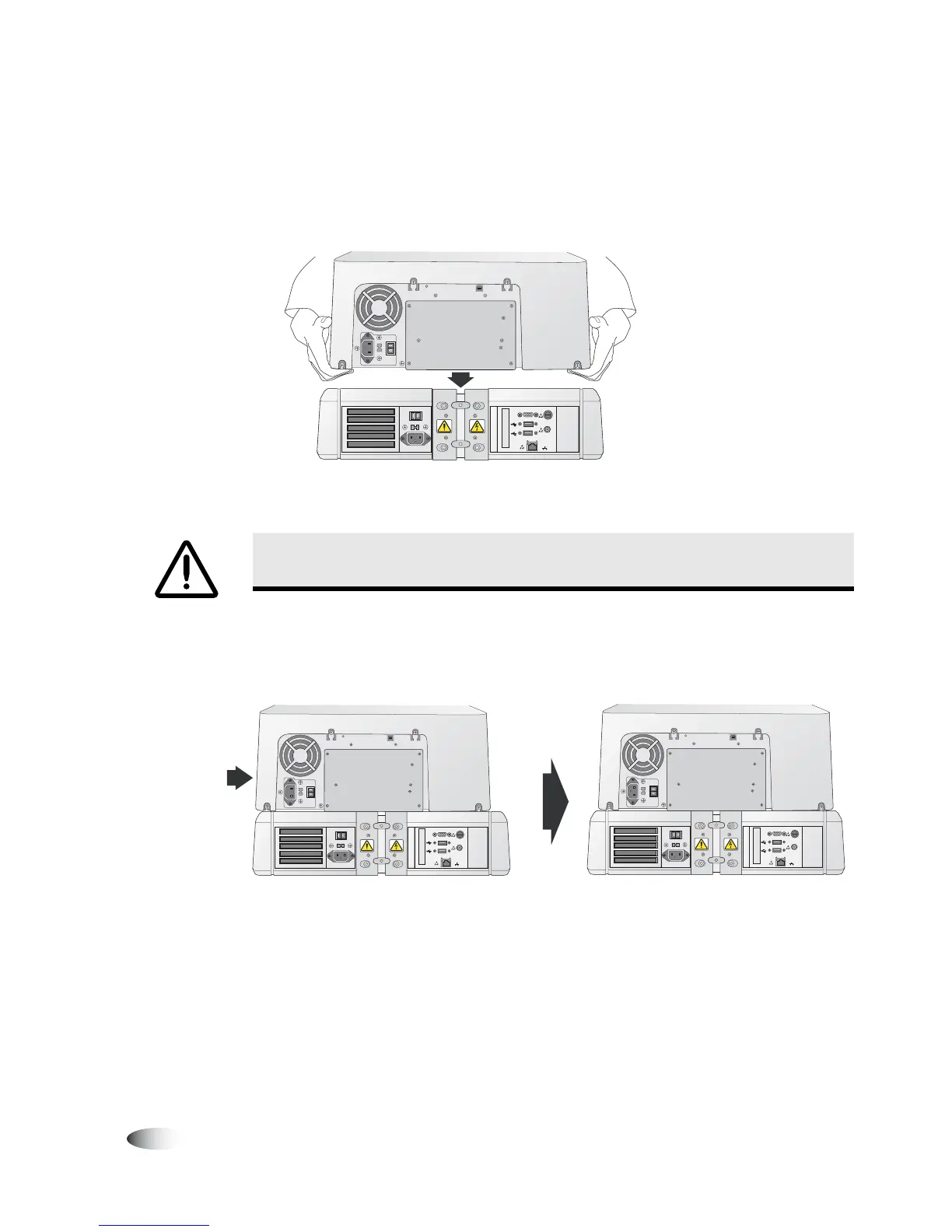
2. Place the Recorder on the Controller with the Recorder feet
slightly to the side of the depressions in the top of the Controller
to prevent pinching your fingers.
Recorder being placed on the Controller
3. Slide the Recorder until its feet are in the depressions in the top
of the Controller.
Sliding Recorder into position on top of Controller
When positioned properly, the bottom edge of the Recorder is
aligned with the top edge of the Controller.
WARNING Before placing the Recorder on top of the Controller, make sure your
fingers are not under the Recorder to avoid pinching them.
VGA
USB
USB
FUSE
LCD
PWR
NETWORK
VGA
USB
USB
FUSE
LCD
PWR
NETWOR
K
VGA
USB
USB
FUSE
LCD
PWR
NETWORK



 To Next Page