Codonics Virtua User’s Manual 2-11
Setting Up the Hardware
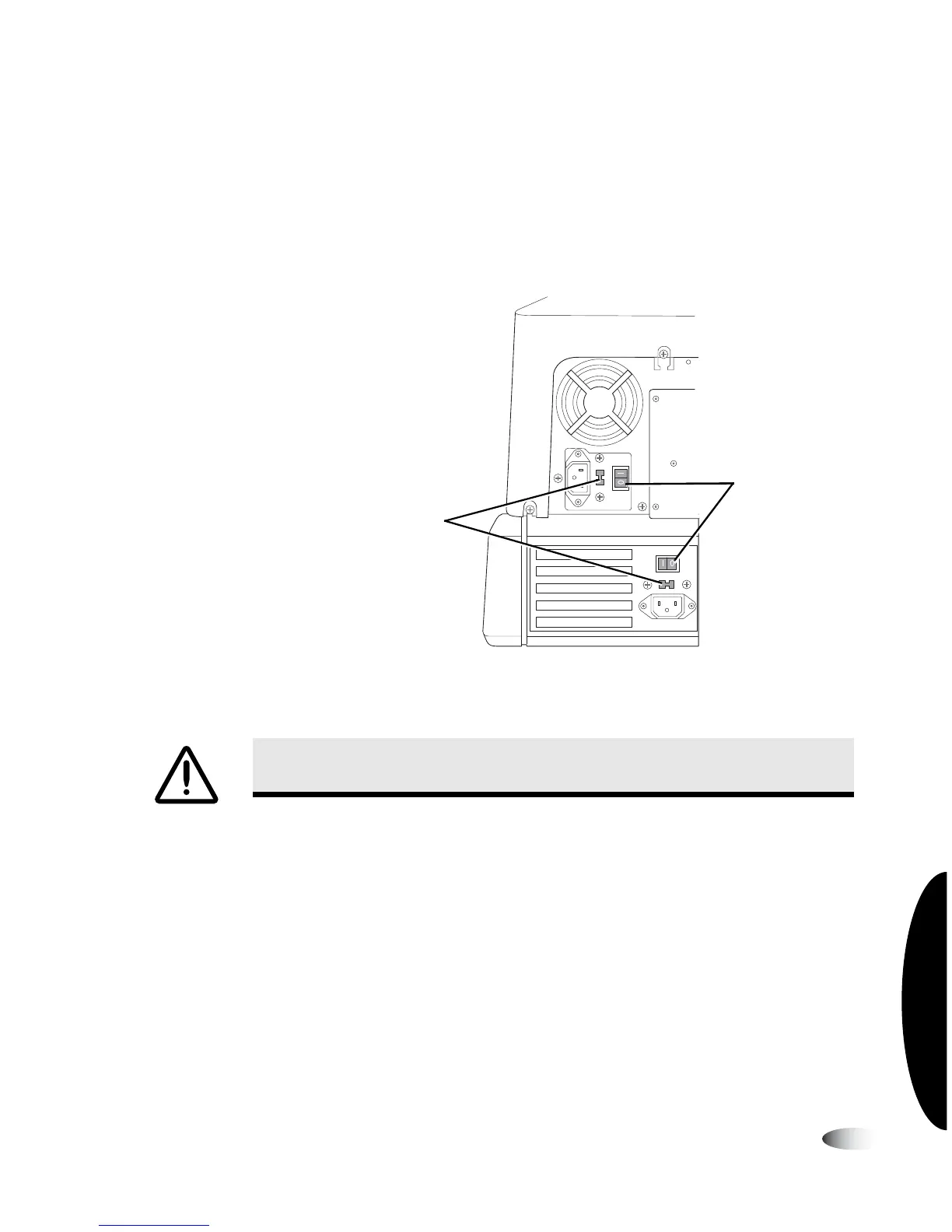
4. Make sure the Controller and Recorder hard power switches are
set to the
0
(off) position
5. For the Virtua-1-PS1 model, make sure that both power supply
voltage selection switches are set to the proper voltage for your
country.
Controller and Recorder hard power switches and, for the Virtua-1-PS1
model, voltage supply selection switches
6. Lift the Recorder cover and remove any packing tape.
WARNING Make sure that the voltage supply selection switches are set to the
appropriate voltage for the applicable country.
Hard power
switches
Power supply voltage
selection switches
(Virtua-1-PS1 model only)



 To Next Page