ENVIRONMENTS
39
Comau Robotics Product Instruction
Allows copying, pasting and cutting parts of the text
– Find - Replace
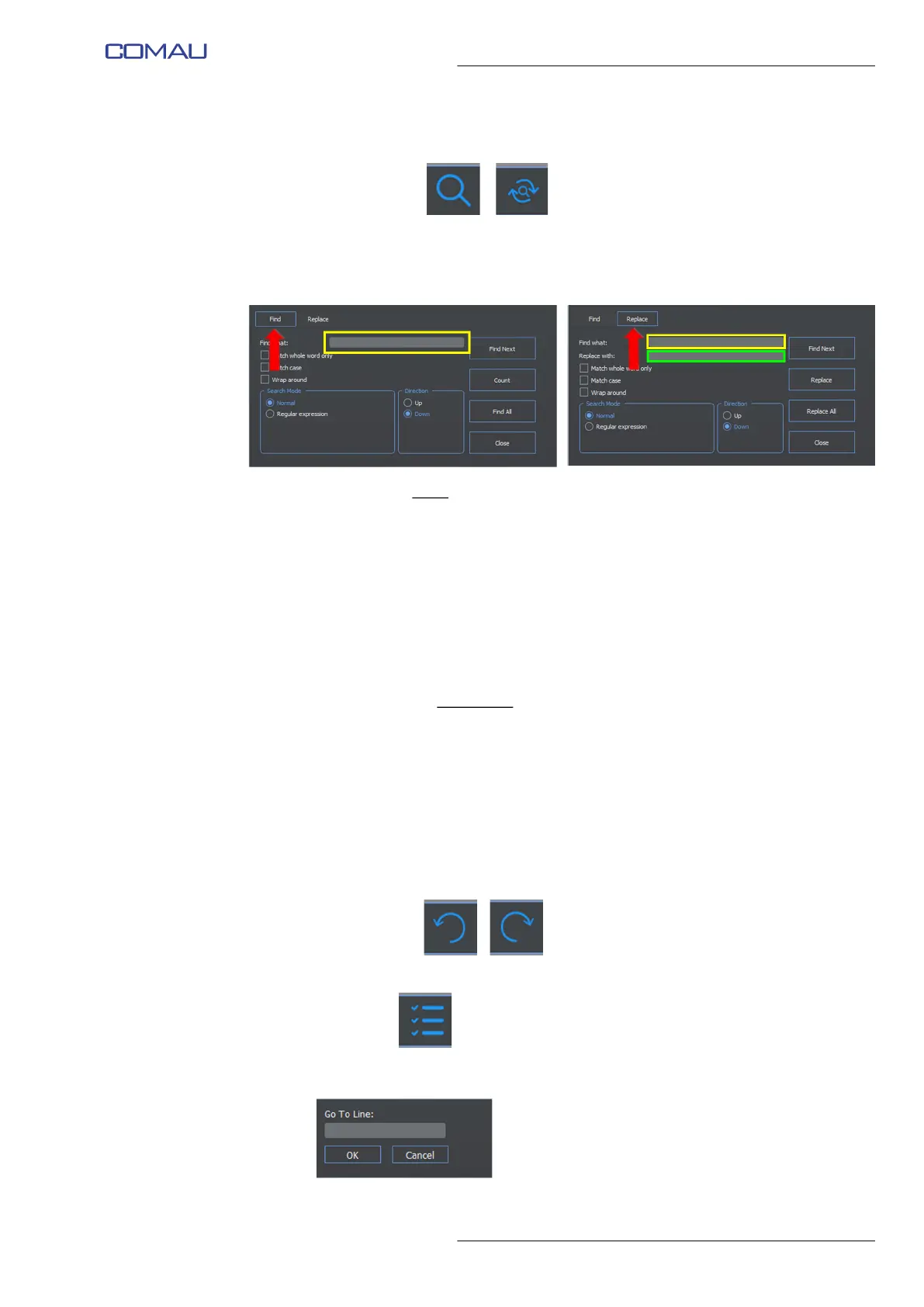
Allows finding, in the file, the text specified by the user and, if wished, replacing it
with another text. The two keys opens the Find or Replace window to perform the
wished command.
The figures below show, respectively, the Find functionality and the Replace one.
The following fields
are available:
• Find what - text to be found (highlighted in yellow)
• Replace with - text to be replaced (highlighted in green)
• Match whole word only - looks for the whole word only
• Match case - matches uppercase/lowercase
• Wrap around - continues finding starting from the beginning, when the file
end (or the file beginning) is reached
• Search Mode - search modality
• Direction - indicates whether searching is to be performed towards the file
end (Down) or the file start (Up)
and the following commands
:
• Find Next - looks for the specified text next occurrence
• Count - displays the total amount of occurencies found in the file, for the
specified text
• Find All - looks for and highlights all the occurencies of the specified text, in
the current file
• Replace - substitutes the specified text to the found one
• Replace All - substitutes the specified text to the found one, everywhere in
the current file
• Close - closes the Find or Replace window.
– Undo - Redo
allow canceling the previous operations (Undo) or execute them again (Redo)
– Goto line
opens the corresponding window and, when OK key is clicked, moves the cursor
to the line specified in the Go To Line field.



 To Next Page