USER MANUAL FOR mPICO SERIES
Copyright - refer to title page
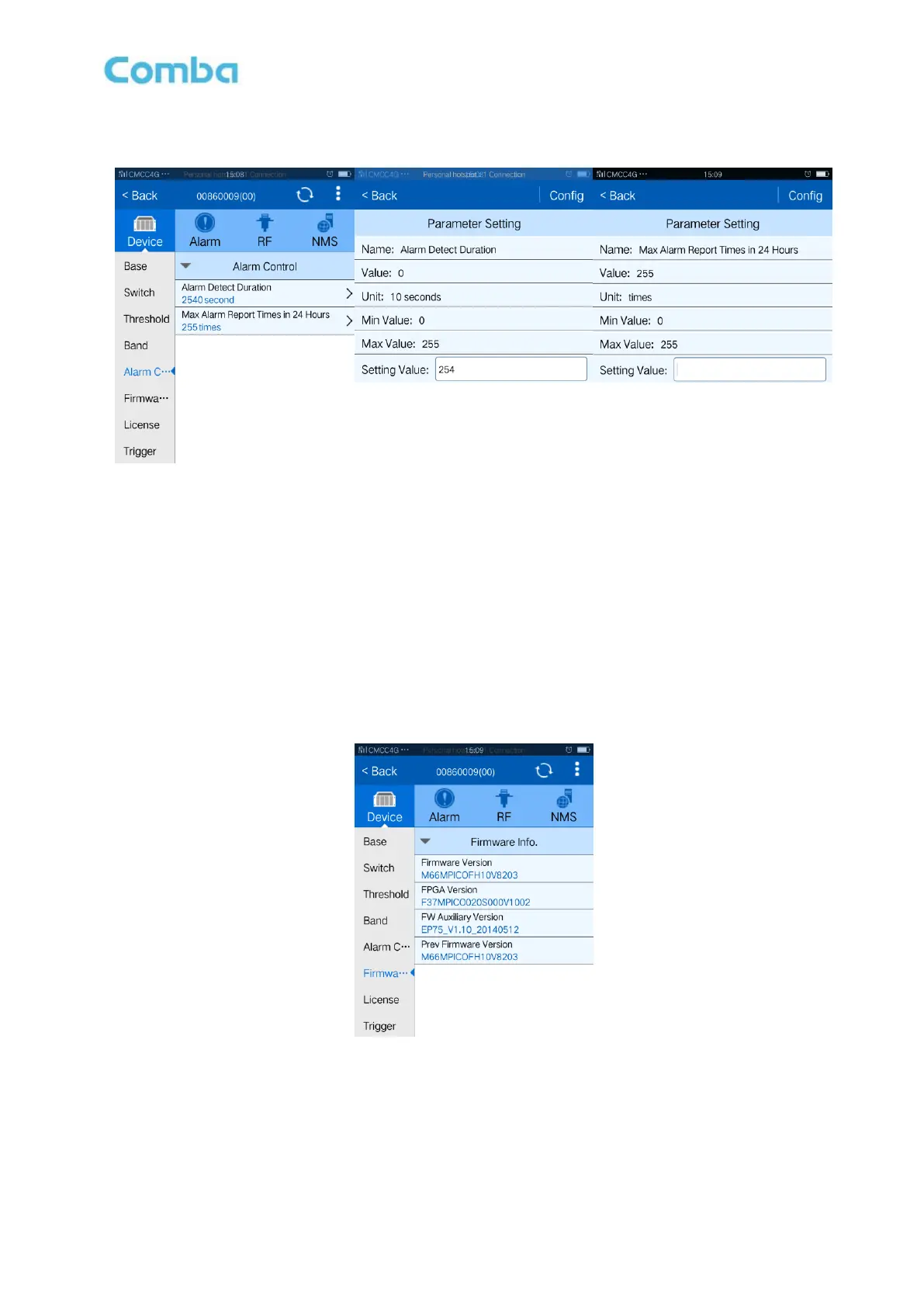
5.2.5 ALARM CONTROL
Figure 22: Alarm Control
Config:
Enter the required value in setting columns and click [Config] button to finish the configuration operation.
The default value of [Alarm Detect Duration] is 0. 0 and 254 are special, 0 means 1800 seconds and 254
means real time.
The default value of [Max Alarm Report Times in 24 Hours] is 255. 0 is special, it means no alarm report.
5.2.6 FIRMWARE INFO.
Firmware info. is referring to equipment configuration.
Figure 23: Firmware info.



 To Next Page