USER MANUAL FOR mPICO SERIES
Copyright - refer to title page
5.7 LOCAL AND REMOTE CONNECTIONS TO OMT
5.7.1 CONNECTION FROM PC TO OMT
Before accessing to the OMT, physical connection between the OMT software and the equipment must
be made. A Micro-USB cable shall be applied for the connection.
Before connection, please install corresponding drive (USB-ETHERNET). The below instruction is for
Windows7 only. It is recommended to use mobile APP connection.
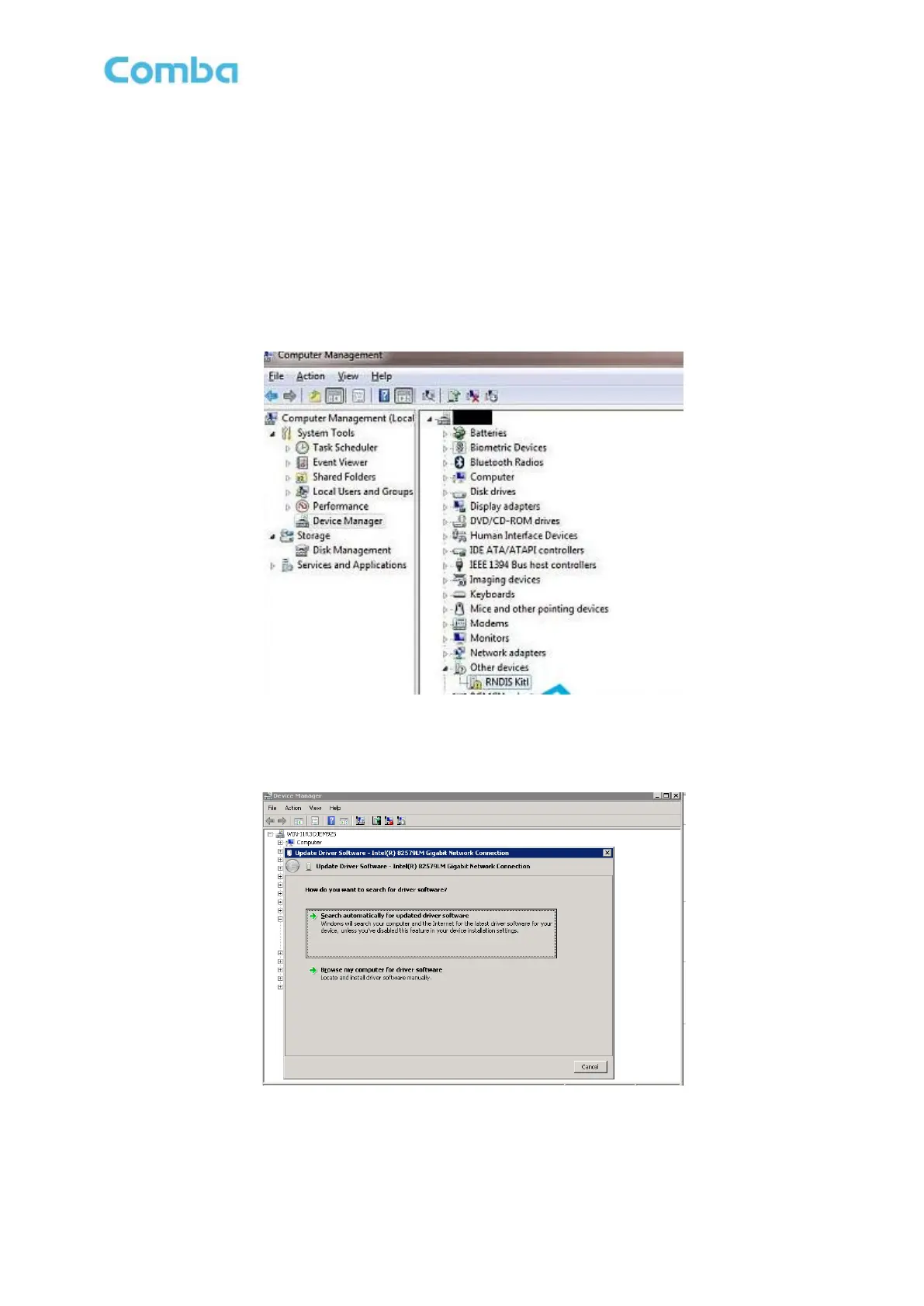
Right click on the "computer" icon in the desktop, choose ‘Management’ → ‘Device Manager’, you can
see ‘RNDIS Kitl’ hasn't been installed like below.
Figure 51: Driver Installation 1
Right click this equipment, choose ‘Update Driver Software’ → ‘browse my computer for driver software’
like below.
Figure 52: Driver Installation 2
Select the ‘Network Adapters’ from device list like below.



 To Next Page