USER MANUAL FOR mPICO SERIES
Copyright - refer to title page
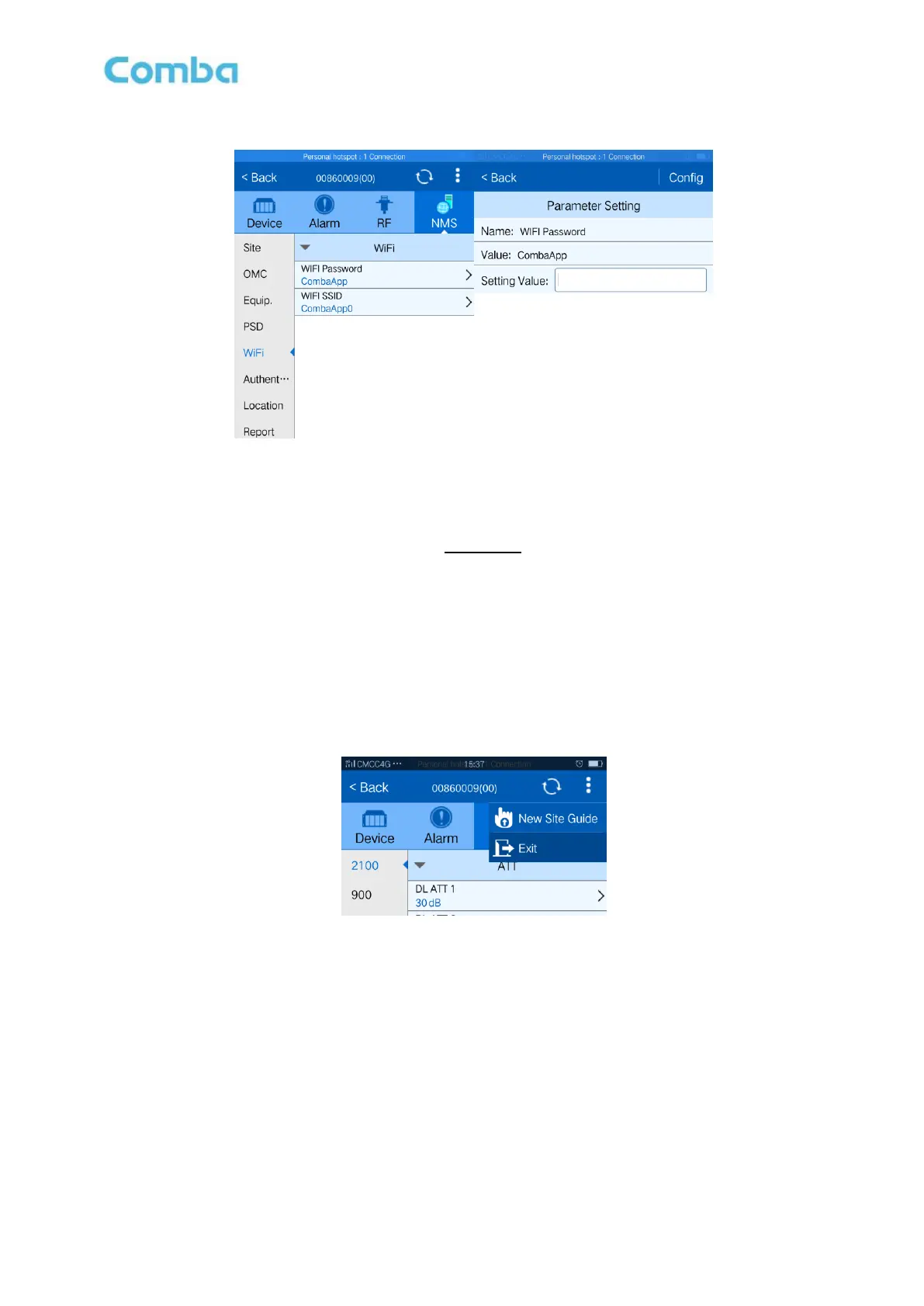
5.5.3 WIFI (CHANGE CONNECTION PASSWORD)
Figure 44: WiFi SSID
Config:
Enter the required value in setting columns and press [Config] button to finish the configuration operation.
Both WiFi SSID and password default value are CombaApp.
Note: The default WiFi SSID and password is for first connection, suggest changing password after
commissioning.
5.6 COMMISSION PROCEDURE
To complete the installation and commissioning, users need to follow the steps below.
Sep 1: Click the top right corner of menu bar and press [New Site Guide], a work flow will show up.
Figure 45: New Site Guide
Step 2: Click desired item, users can set the information.
Click [Site ID], enter the required information.
Select a frequency band (2100) that need to commission.
Click [Working Band Network Type] to select desired network type (GSM, WCDMA or LTE
etc). Click [Working Band Fre.] to set the working bandwith.
Click [RF Switch] to turn on the switch.Then turn on [Working Channel No. Switch], if only 1
working channel need, just keep the other channel off.
NOTE: At the end of first frequency band setting, user can start other frequency band setting.



 To Next Page