USER MANUAL FOR mPICO SERIES
Copyright - refer to title page
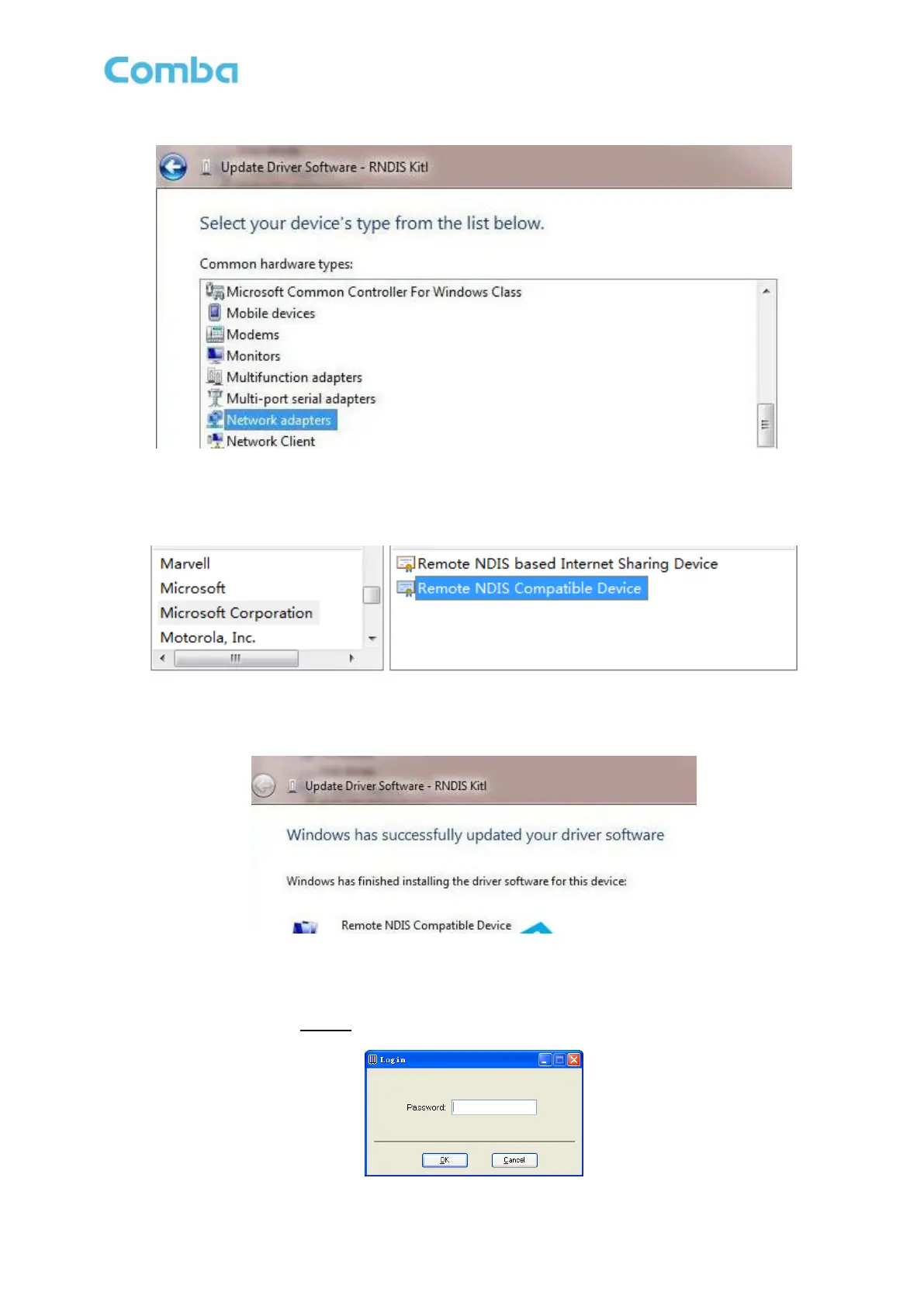
Figure 53: Driver Installation 3
Select ‘Microsoft Corporation’ in the Manufacturer list and select ‘Remote NDIS Compatible Device’
follow below.
Figure 54: Driver Installation 4
Click ‘Next’ and wait, RNDIS Kitl will be installed successfully like below.
Figure 55: Driver Installation 5
After installing OMT software on the PC, connection to the equipment can be done locally or remotely.
Double click the OMT explorer icon, the OMT Explorer main screen window will appear, and enter the
password (the password is 888888) to access.



 To Next Page