BS Controller for AC SERVO PRESS
Instruction Manual Ver1.08
BS-M3A-1B
- 41 -
Fig. 9-6, when status is displayed, communication is not performed normally.
Please improve a setup from the beginning of Chapter 9.
Fig.9-5 Status bar Alarm state
Fig.9-6 Status bar Communication error state
Starting of two Configurators
It is also possible to install two BS Configurators in one PC, and to start
simultaneously. Starting of the 2nd Configurator displays the message "the
port cannot be used." It is because the 1st Configurator has already used the
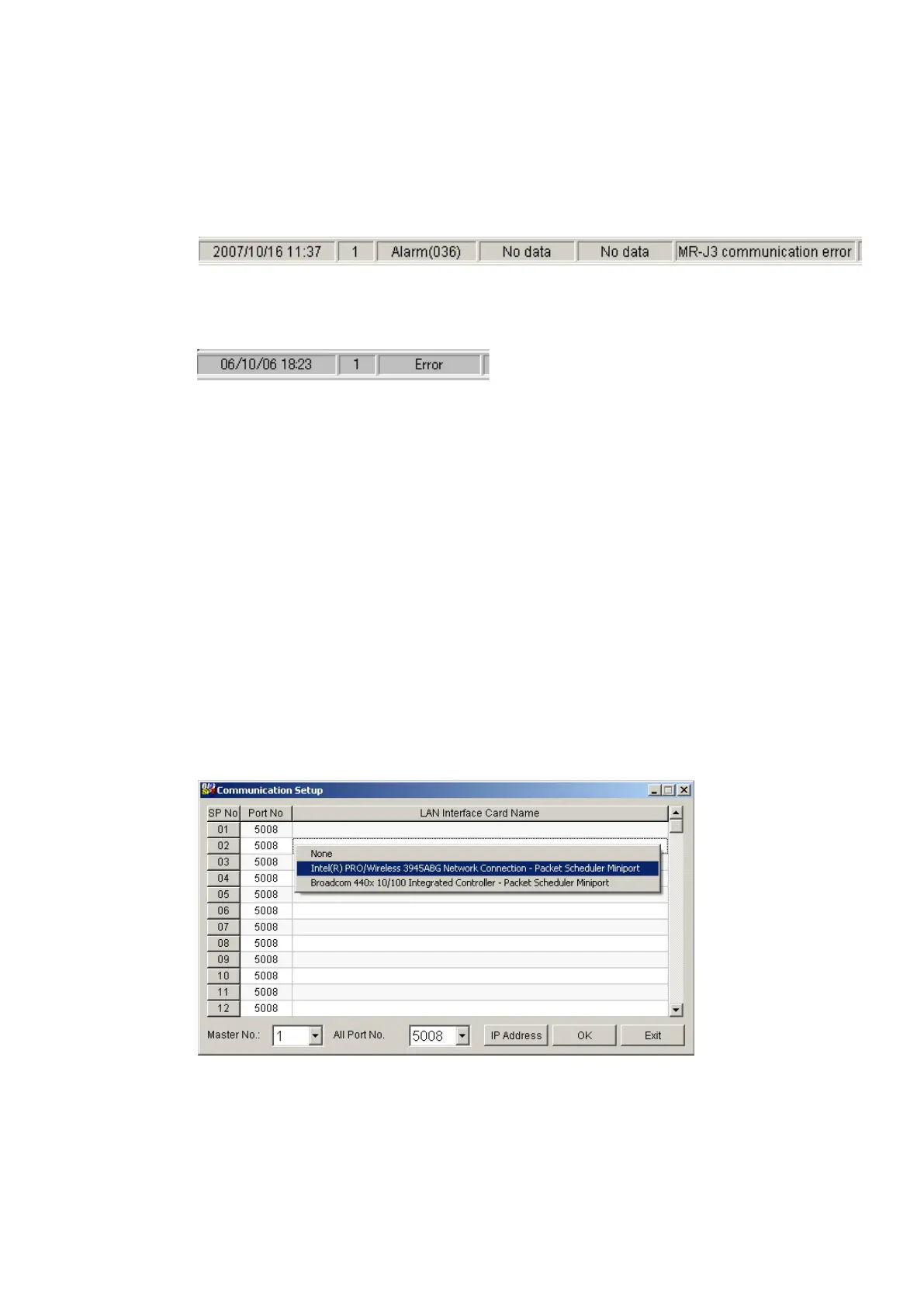
port number 5008 (default value). Then, at the 2nd Configurator, it is set up so
that the port number except 5008 may be used. In the menu of the 2nd
Configurator,Setup-Data collection-Communication is chosen, and the
communication setting screen is opened.
Please choose 5009 at the list-box of All Port No. button, and click O.K. button.
Please re-start the 2nd Configurator. Two Configurators can be used if the
message about a port is not displayed. If two Configurators are used, data can
be displayed by the station.
Fig. 9-5 Communication Setup screen



 To Next Page