EasyManua.ls Logo

Coretec BS Series - Parameter Setup of BS Controller

Default Icon
68 pages
Print Icon
To Next Page IconTo Next Page
To Previous Page IconTo Previous Page
Loading...
BS Controller for AC SERVO PRESS
Instruction Manual Ver1.08
BS-M3A-1B
- 49 -
PD09
*DI7
For manufacturer setting
00000000
00000000-0000
0000h
PD10
*DI8
Input signal device selection 8
(CN1-43)
00000A0A
00000000-003F
3F3Fh
PD11
*DI9
Input signal device selection 9
(CN1-44)
00000B0B
00000000-003F
3F3Fh
PD12
*DI10
Input signal device selection 10
(CN1-45)
00232323
00000000-003F
3F3Fh
PD13
*DO1
Output signal device selection 1
(CN1-22)
0004
0000-3F3Fh
PD14
*DO2
Output signal device selection 2
(CN1-23)
000C
0000-3F3Fh
PD15
*DO3
Output signal device selection 3
(CN1-24)
0008
0000-3F3Fh
*
PD16
*DO4
Output signal device selection 4
(CN1-25)
0007
0000-3F3Fh
PD17
*DO5
For manufacturer setting
0003
0000-3F3Fh
PD18
*DO6
Output signal device selection 6
(CN1-49)
0002
0003-0003h
PD19
*DIF
Response level setting
0002
0000-3F3Fh
PD20
*DOP1
Function selection D-1
0000
0000-0011h
PD21
*DOP2
For manufacturer setting
0000
0000-0111h
PD22
*DOP3
Function selection D-3
0000
0000-0211h
PD23
*DOP4
For manufacturer setting
0000
0000-0111h
PD24
*DOP5
Function selection D-5
0000
0000-FFFFh
PD25
For manufacturer setting
0000
0000-FFFFh
PD26
For manufacturer setting
0000
0000-FFFFh
PD27
For manufacturer setting
0000
0000-FFFFh
PD28
For manufacturer setting
0000
0000-FFFFh
PD29
For manufacturer setting
0000
0000-FFFFh
PD30
For manufacturer setting
0000
0000-FFFFh
10.3.
Parameter setup of BS controller
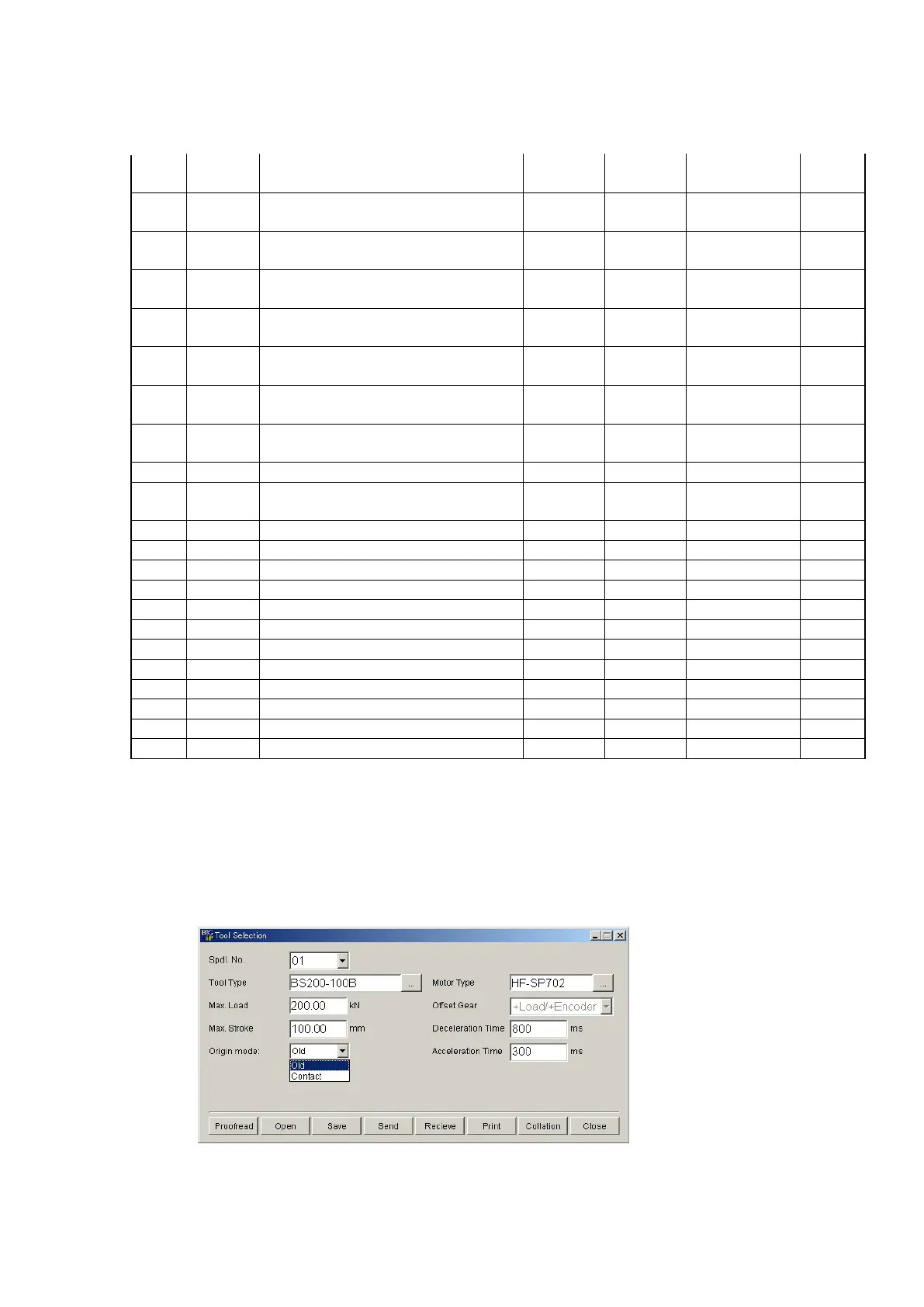
A parameter required in order to start a program is only tool type selection.
Please setup a stroke limit, acceleration time, and deceleration time if needed.
These can be set up from the tool selection screen of exclusive PC application
BS Configurator. The tool selection screen is shown in Fig. 10-3-1.
Fig. 10-3-1 Tool selection screen

Table of Contents