BS Controller for AC SERVO PRESS
Instruction Manual Ver1.08
BS-M3A-1B
- 42 -
Use of two or more network interface cards
If LAN Interface Card Name in the Communication Setup screen of Fig. 9-5 is
used, the communication route between a PC and controllers can be specified.
Mixture of a network is avoidable if this function is used when using two or
more network interface cards. Moreover, if two Configurators are started and
data collection is performed by the separated network interface card, the time
of data collection can be shortened.
As shown in Fig. 9-5, the network interface card names are displayed in a
floating window by right click of the lower part of LAN Interface Card Name.
A setup will become effective, if LAN Interface Card Name of you wish is
chosen and O.K. button is clicked.
Arbitrary IP address setup
Arbitrary IP addresses can be set up now to the controller of a version 1.02.26
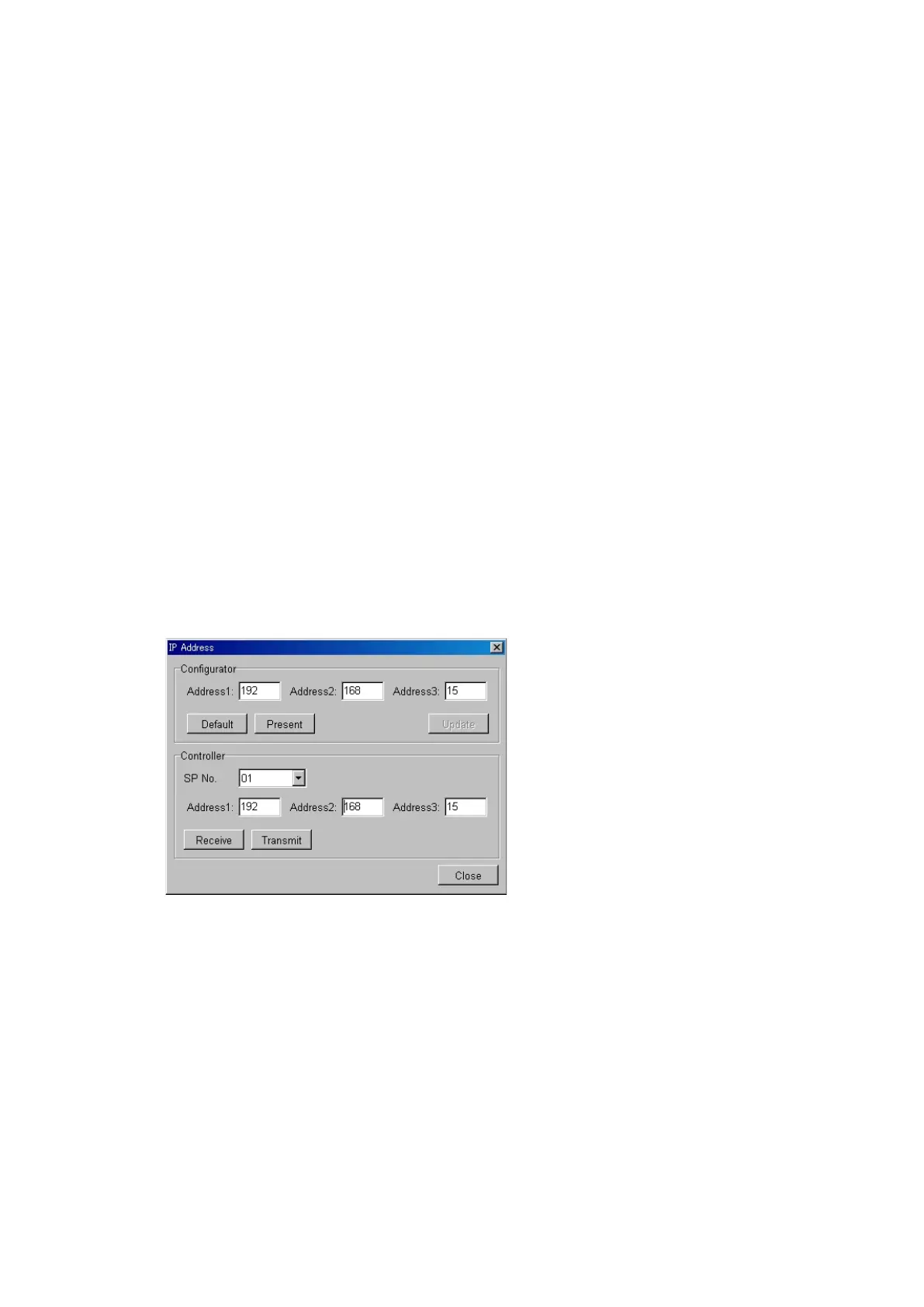
or later. On Fig. 9-5 Communication Setup screen if IP Address button is
clicked, Fig.9-6 IP Address Setup screen will open. The IP address of
Configurator and the IP address of a controller can be arbitrarily set up on this
screen. Address 4 is decided by the
spindle number. A spindle number
is set up with the rotary SWs of the
front upper part of a controller. The
setting range of a spindle number is
from 1 to 31.
Fig.9-6 IP Address Setup screen
Communication is impossible unless Configurator and a controller are the
same IP addresses. Moreover, it is necessary to also change the IP address of
the network interface card used with a personal computer. Please setup
addresses 1 and 2 with the same addresses of a controller.
A setup of a controller becomes effective after a re-injection of a power supply.



 To Next Page