Product Manual — Doc. 8559B 4-Series™ Control Systems • 95
PRO4 Installation
Use the following procedures to install the PRO4.
Install the Control System
The control system may be mounted into a rack or placed onto a flat surface.
Rack Mounting
The control systemoccupies 2Uof rack space.
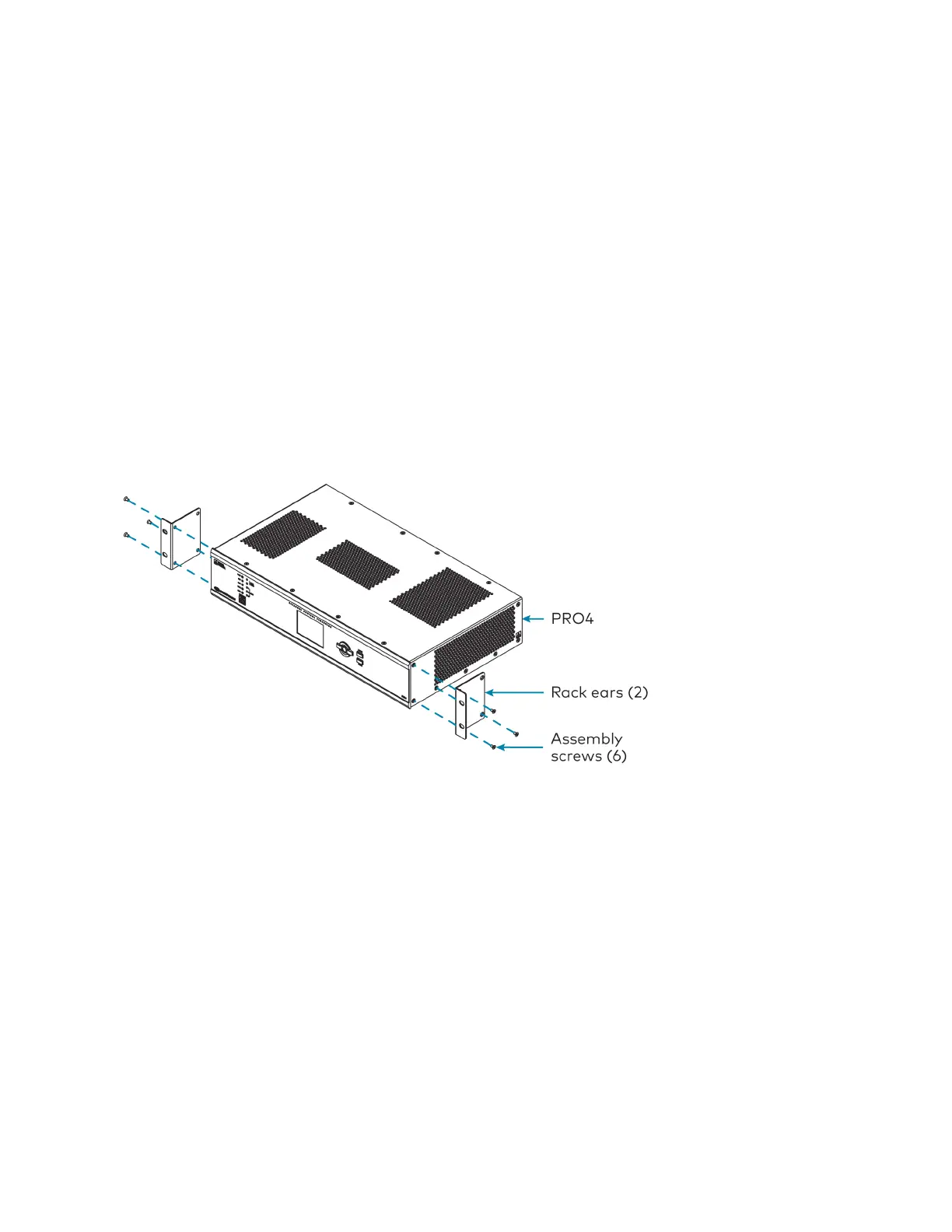
1. Use a #1 Phillips screwdriver to remove the six required screws from the control system
assembly (shown in the illustration below).
2. Attach the two included rack ears with the removed screws.
3. Mount the control system into the rack with four mounting screws (not included).
Surface Placement
1. Attach the four adhesive rubber feet near the corners on the underside of the control
system.
2. Place onto a flat surface or stack with other equipment.
Connect the Control System
Make all necessary connections to the control system as shown in the following diagram.



 To Next Page