Product Manual — Doc. 8559B 4-Series™ Control Systems • 93
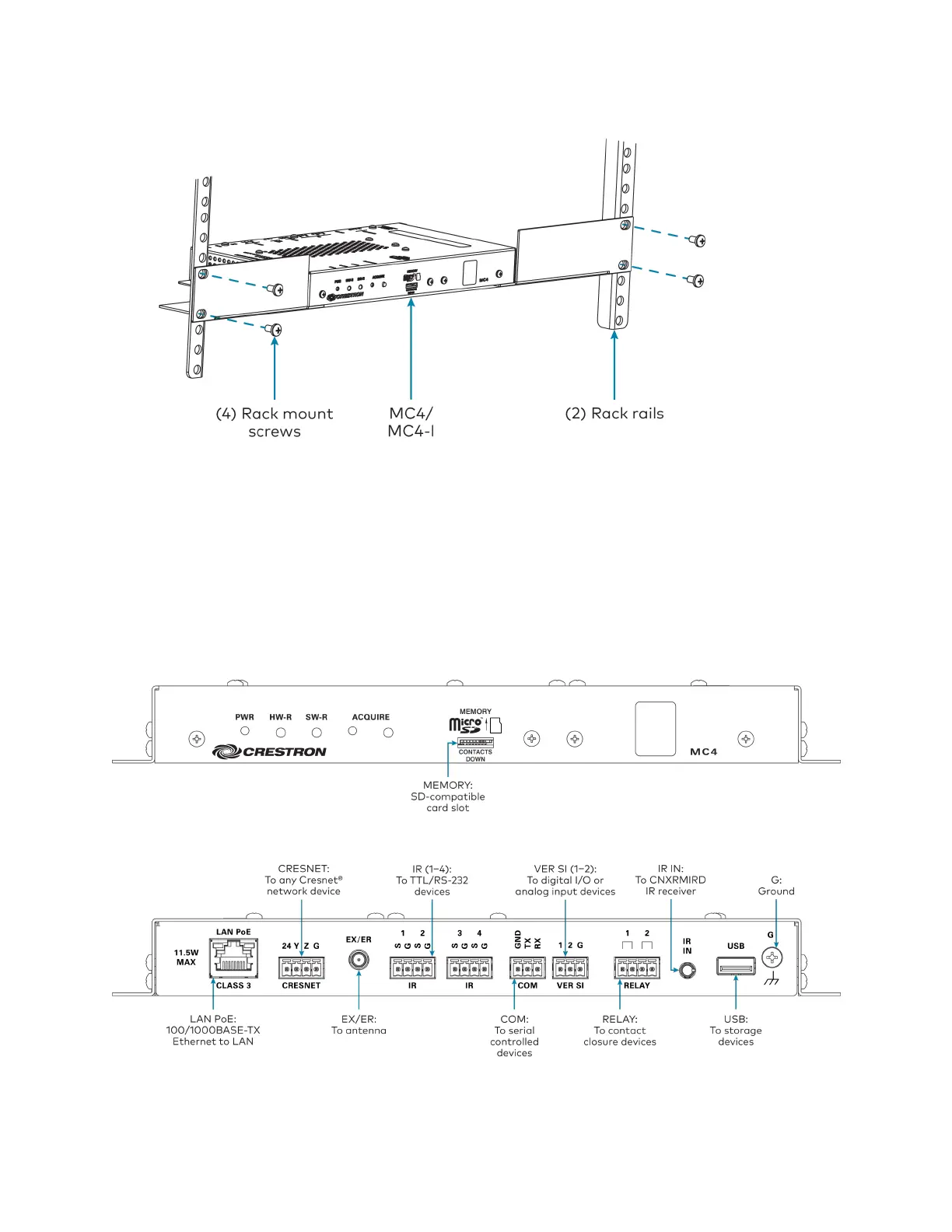
2. Secure the control system to the rack rails using four rack mounting screws (not provided).
Surface Mounting
Use four mounting screws(not provided)to mount the control system to a flat surface such as a
wall or under a table. The control system can also be mounted behind a flat panel display or
similar equipment.
Connect the Control System
Make all necessary connections to the control system as shown in the following diagrams.
Front Panel Connections
Rear Panel Connections



 To Next Page