152 • 4-Series™ Control Systems Product Manual — Doc. 8559B
Establish Communications
The control system must establish communications with a computer in order to upload
programs, troubleshoot, or perform diagnostics.
NOTE:The user must create an admin account username and password after connecting to
the device for the first time. For more information, refer to Authentication (on page157).
Depending on the control system capabilities, the following communication protocols may be
used to connect with a 4-Series control system:
l
USB communication with a PC via the COMPUTER port on the control system (requires
Crestron Toolbox software)
l
Ethernet communication via SSH
USB Connection
To connect to the control system via USB:
1. Connect the COMPUTER USB port of the control system to the USB port of a computer.
2. Open Crestron Toolbox software.
3.
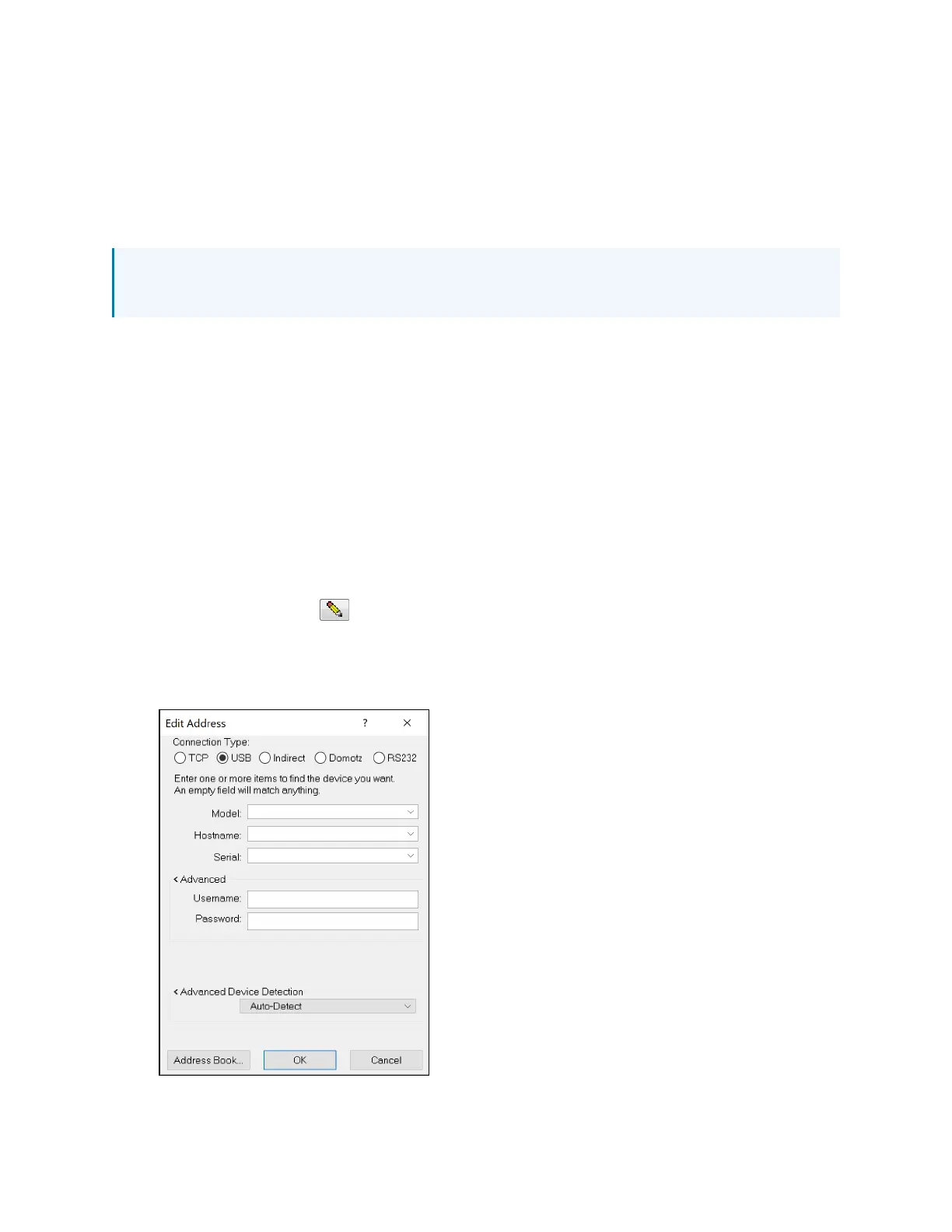
Select the pencil icon at the bottom left of any tool in Crestron Toolbox. A dialog box
for editing the connection type is displayed.
4. Select the USB radio button.
Connection Type Dialog Box - USB



 To Next Page