92 • 4-Series™ Control Systems Product Manual — Doc. 8559B
MC4-I Installation
Use the following procedures to install the MC4-I.
Install the Control System
The control system may be mounted into a rack or onto a flat surface.
Rack Mounting
The control system occupies 1U of rack space with the provided rack ears. The control system can
also be mounted to a single rack rail using its integrated flanges.
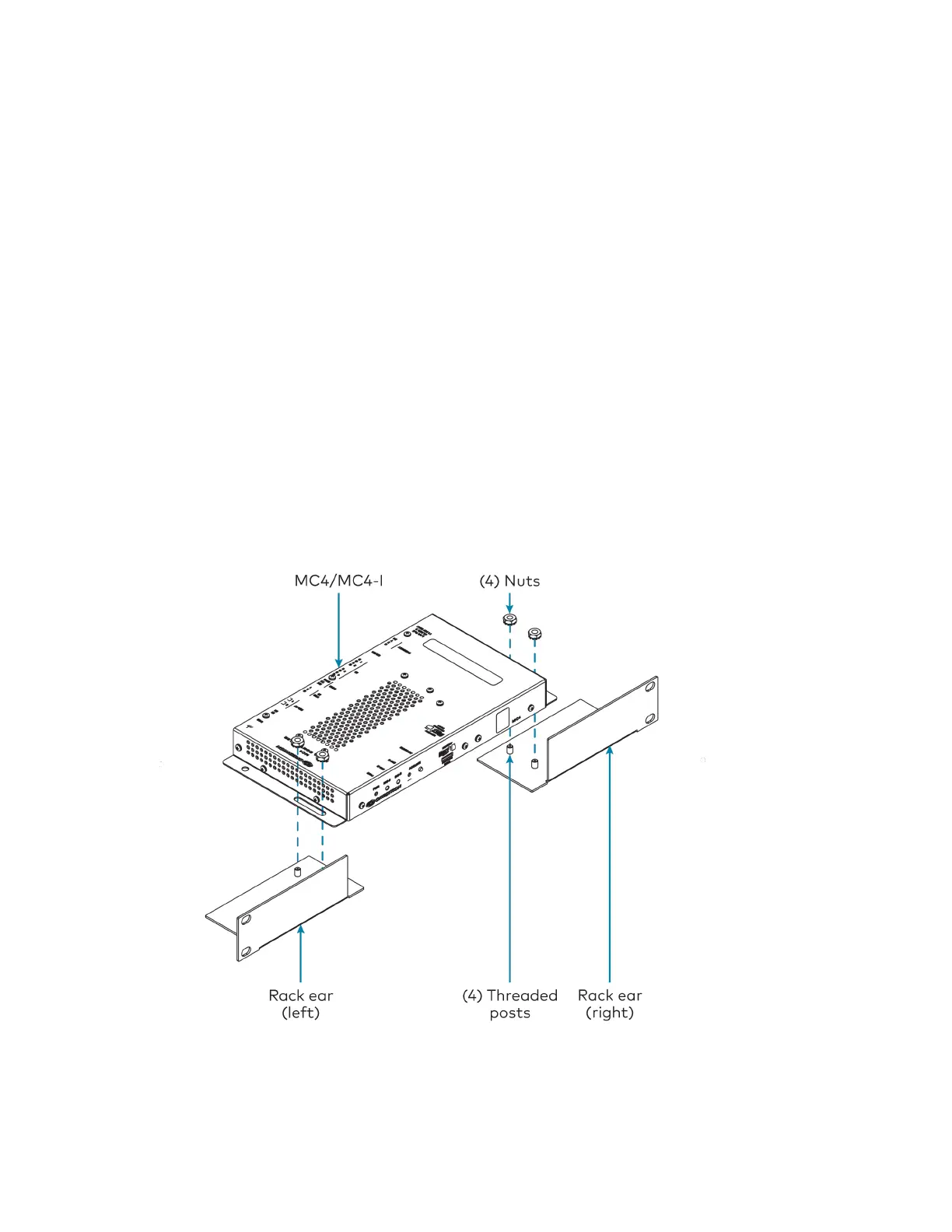
1. Attach the rack ears to the device:
a. Insert the two threaded posts on the left rack ear up and into the front opening in
the left mounting flange of the control system. Repeat this step for the right rack
ear.
b. Attach the four provided nuts to the threaded posts to secure the rack ears to the
control system.
Refer to the following image for rack ear placement.



 To Next Page