Product Manual — Doc. 8559B 4-Series™ Control Systems • 85
DIN-AP4 Installation
Use the following procedures to install the DIN-AP4.
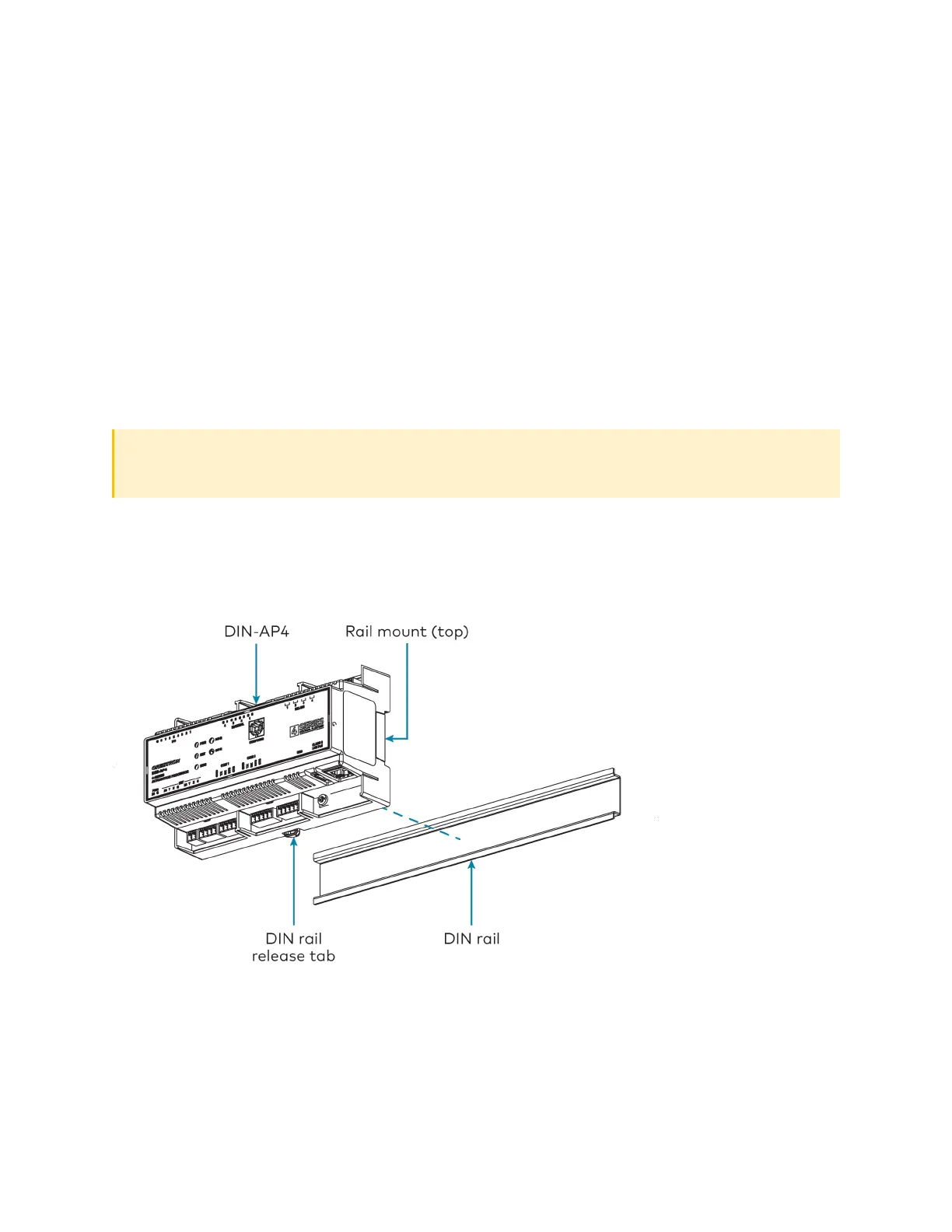
Mount the Control System
The control system can be mounted onto a standard DIN rail (not included).
Observe the following prior to mounting the control system:
l
Use in an electrical panel with DINrail mounting provisions.
l
Mount in a well-ventilated area.
l
Do not block the venting holes.
CAUTION:To prevent overheating, do not operate the control system in an area that
exceeds the environmental temperature range (41 to 113°F or 5to45°C) for this device.
To mount the control system:
1. Hang the control system on the top of the DIN rail.
2. Align the bottom of the control system with the DINrail, then snap the control system into
place.
To remove the control system from the DIN rail:
1. Turn off the power to the control system.
2. Remove all connections from the control system.
3. Use a small, flat-head screwdriver to pull the DIN rail release tab down.



 To Next Page