186 • 4-Series™ Control Systems Product Manual — Doc. 8559B
Control Subnet Architecture
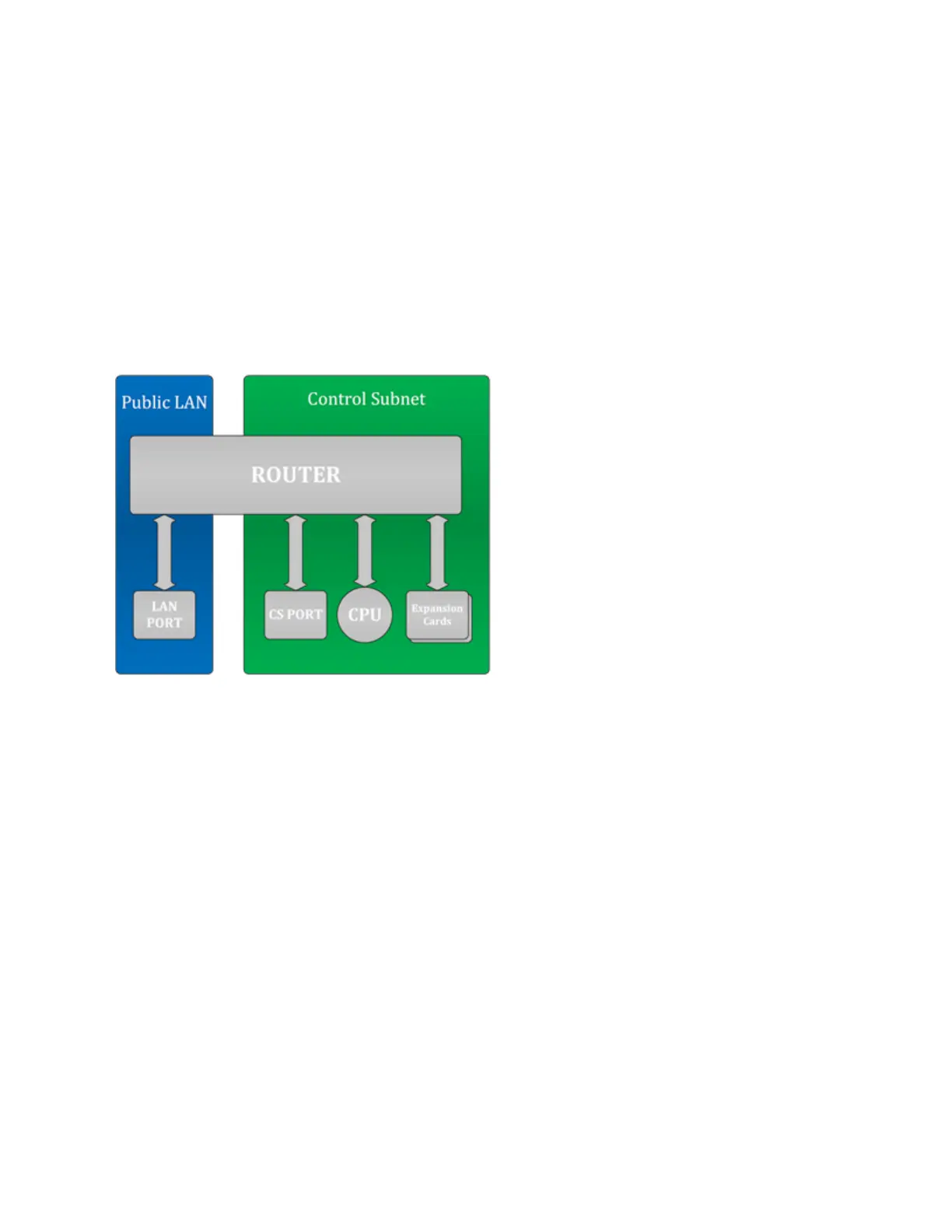
Even if nothing is plugged into the CONTROL SUBNET port(s) on the back on the control system,
the following are still present on the Control Subnet:
l
Control System CPU (where AV programs run)
l
Optional Expansion cards (PRO4 and AV4 only)
This design is in place to ensure that the Crestron CPU and optional expansion cards are
protected from malicious packets on the LAN. Refer to the diagram below for more information
on how these components work together.
Public LAN/Control Subnet Diagram
The firewall rules permit entry to only the traffic that is listened to by the CPU. As a result, a port
scan will only show ports that are listened to by the CPU. Users can set up manual port
forwarding rules to make custom connections to the devices on the Control Subnet. For more
information, refer to Port Forwarding (on page211).
Crestron Toolbox can create custom port forwarding rules in the 64000–64299 range to manage
devices on the Control Subnet. These port forwarding rules are created when the tool connects
and are broken down when the tool disconnects or when the device is rebooted.



 To Next Page