Product Manual — Doc. 8559B 4-Series™ Control Systems • 87
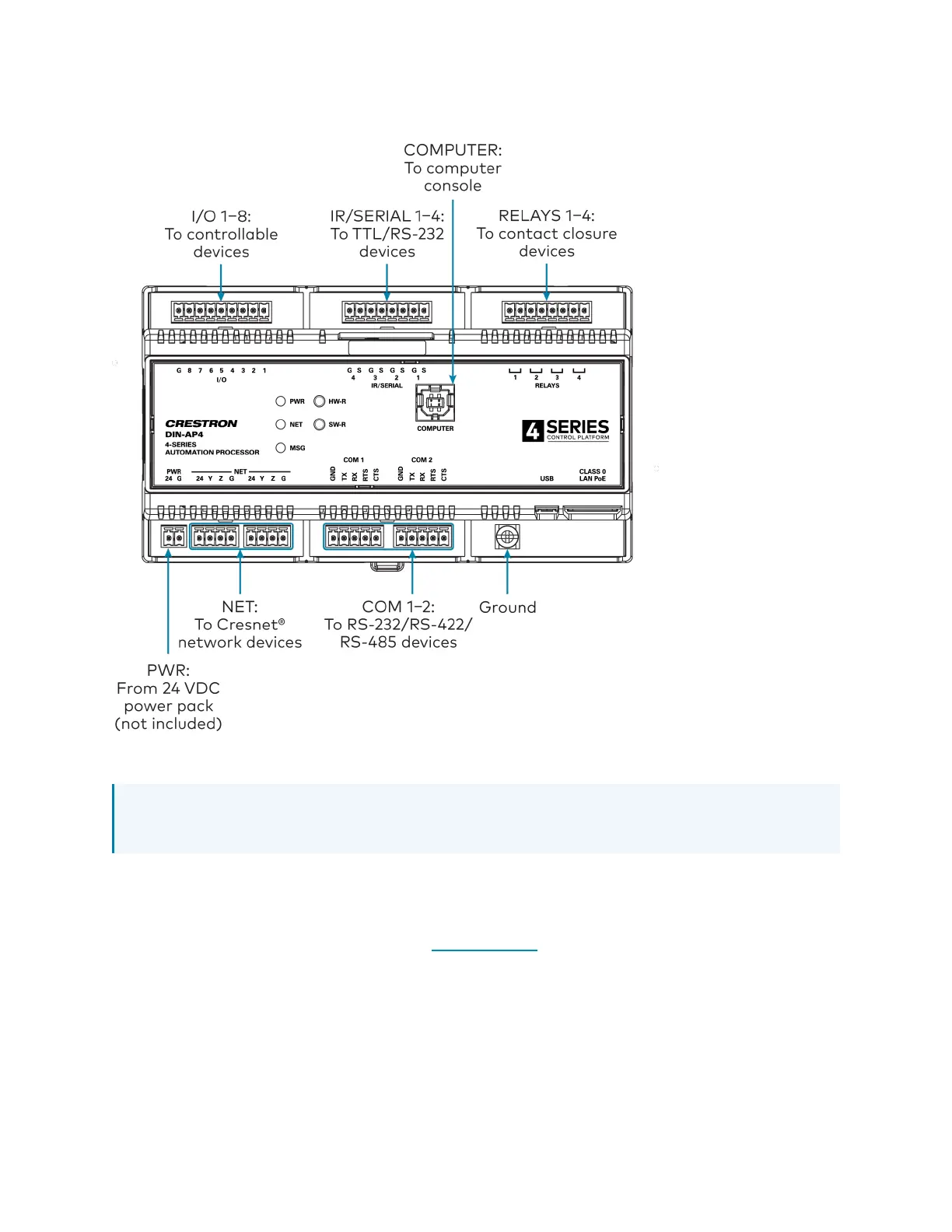
Front Panel Connections
Observe the following when connecting the control system:
NOTE:To comply with the European Directive (CE), Crestron recommends using shielded
CAT5e cable as a minimum for PoE power.
l
Use Crestron power supplies for Crestron equipment.
l
Power may be provided to the control system by a 24VDC power supply (not included) via
the PWR port or a single Ethernet cable via the LAN PoE port. A Crestron PoE (Power over
Ethernet) power supply, such as the PWE-4803RU, or a PoE-capable network switch is
recommended for Ethernet power (both not included).
l
Connect the chassis ground lug to a known earth ground circuit (such as building steel) to
ensure that the control system is grounded properly.
l
Apply power after all connections have been made.



 To Next Page