Product Manual – DOC. 8432A Crestron Pyng OS 2 for CP4-R • 61
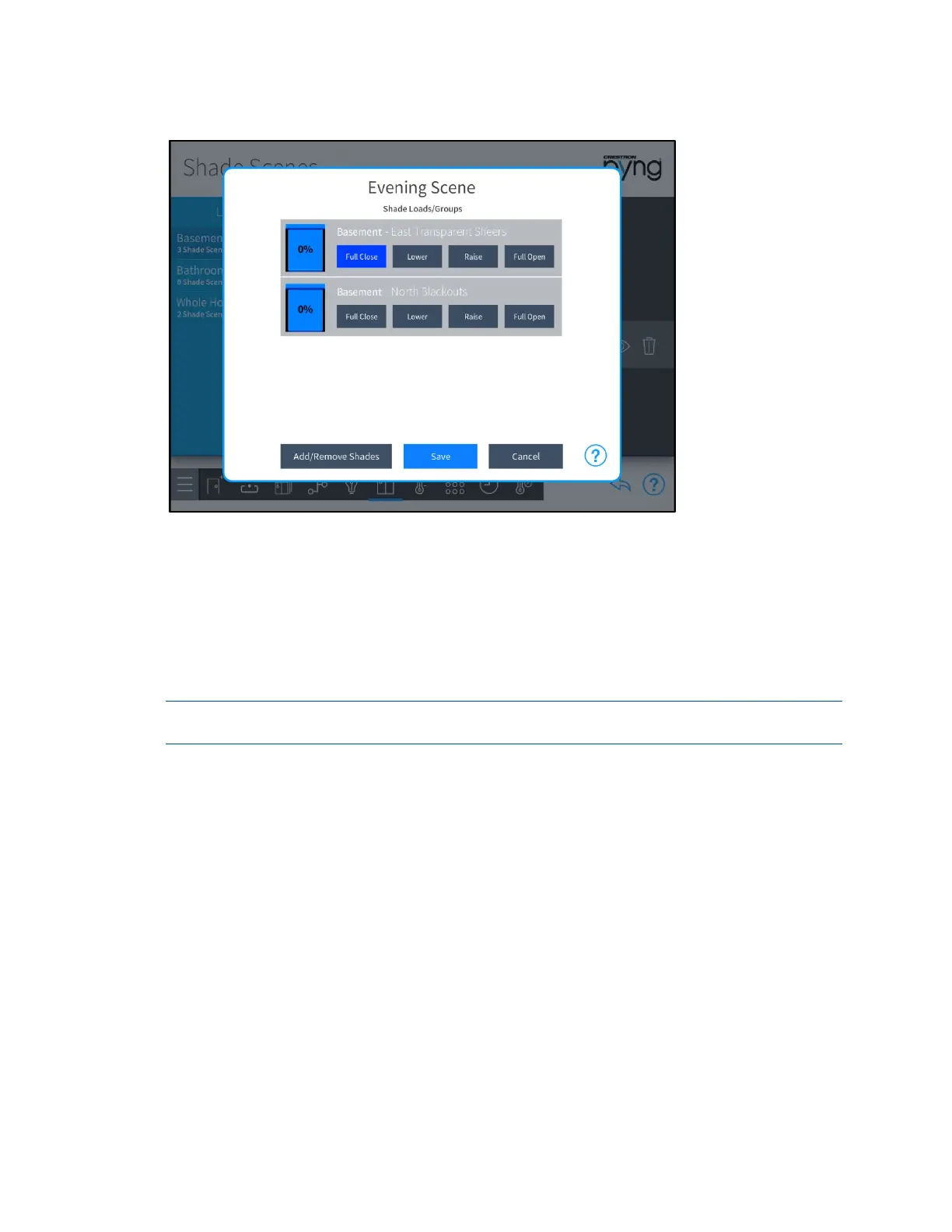
Evening Scene Dialog Box
Use the Shade Loads/Groups controls to adjust the levels for any shade groups that
have been added to the scene. Shade motors are adjusted in real time.
• Tap Raise or Lower to raise or lower the shade incrementally.
• Tap Full Open or Full Close to open or close the shade fully.
• The icon to the left of each shade load shows the percentage that the shade
group is open in real time.
NOTE: Shade loads may also be adjusted using the shade motor controls or using
keypads configured to control the shade motors.
Tap Add/Remove Loads to add shade groups from different rooms or to remove
existing shade groups. An
Add/Remove Loads dialog box is displayed.



 To Next Page