Driving
Manual disconnection of Parking Aid dis-
play (the audible sounds remain active)
●
Press a button on the main menu of the
factory-assembled infotainment system.
●
OR press the
BACK
function button.
Temporary suppression of sound in Park-
ing Aid
●
Press the
function button. If you have
the Top View Camera* system installed, you
cannot use the temporary suppression of
sound in Parking Aid.
Change from reduced view to full view
●
Select reverse gear.
●
OR: on vehicles fitted with reverse assist
(Rear View Camera “RVC”) click on the car
icon of the reduced display.
Switch to the reverse assist image (Rear
View Camera “RVC”)
●
Select reverse gear.
●
OR: press the
RVC
function button.
Setting the indications and audio signals
The indications and audio signal settings are
in the infotainment system
›››
page 84 .
●
Rear volume
*: volume in the rear area.
●
Rear sound settings/treble
*: sound
tone in the rear area.
●
Lower volume: when the parking aid is
switched on, the volume of the audio source
will be reduced, depending on the selected
option.
Error messages
If a an error or fault message appears on the
instrument cluster in Park Assist, there is a
fault.
If the fault doesn't disappear before discon-
necting the ignition, it will not be indicated
next time the parking aid is connected.
If there is a fault in a sensor, the
symbol is
displayed on the infotainment system dis-
play.
We recommend taking the vehicle to a spe-
cialised workshop to have the fault repaired.
Towing device
In vehicles equipped with a towing bracket
device from the factory, when the trailer is
connected, the parking aid will not be activa-
ted when reverse gear is engaged.
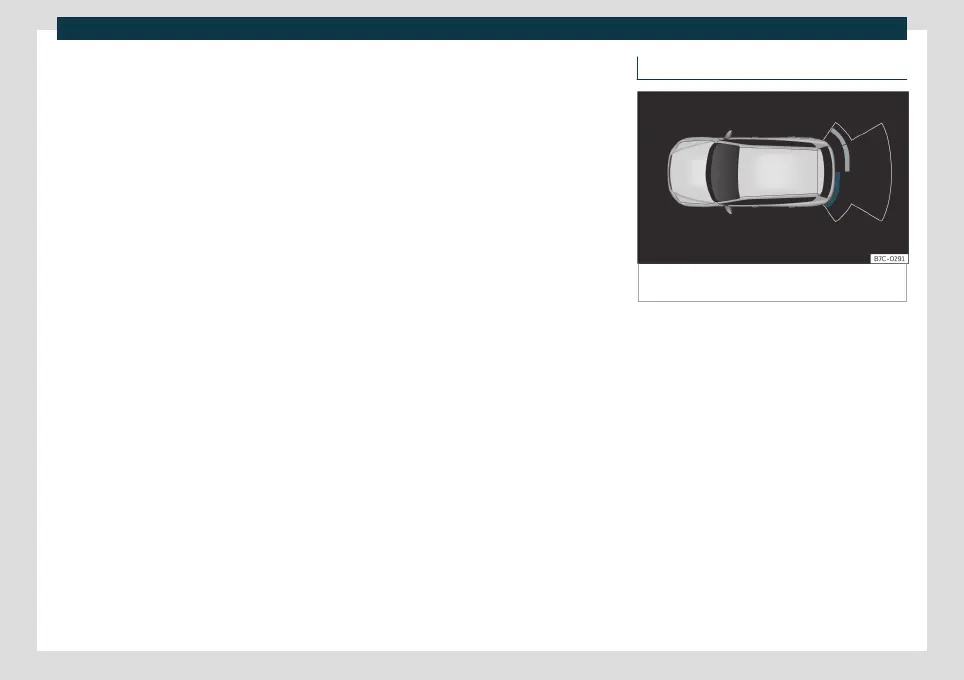
Visual indication segments
Fig. 187
Parking aid view on the Infotainment sys-
tem display.
The distance to the obstacles can be estima-
ted with the help of the segments at the rear
of the vehicle.
The optical indication of the segments works
as follows:
White segments: the obstacle is more
than approx. 30 cm away from the path
or in the direction opposite to travel.
They are also displayed when the elec-
tronic parking brake is activated.
Yellow segments: the obstacles lie on
the vehicle’s path and are at a distance
of less than approx. 30 cm away.
Red segments: obstacles are less than
approx. 30 cm away.
–
–
–
264



 To Next Page