EXPLANATORY NOTES ON THE MAINTENANCE ACTIVITIES
Removal and installation 95XF series
4-4
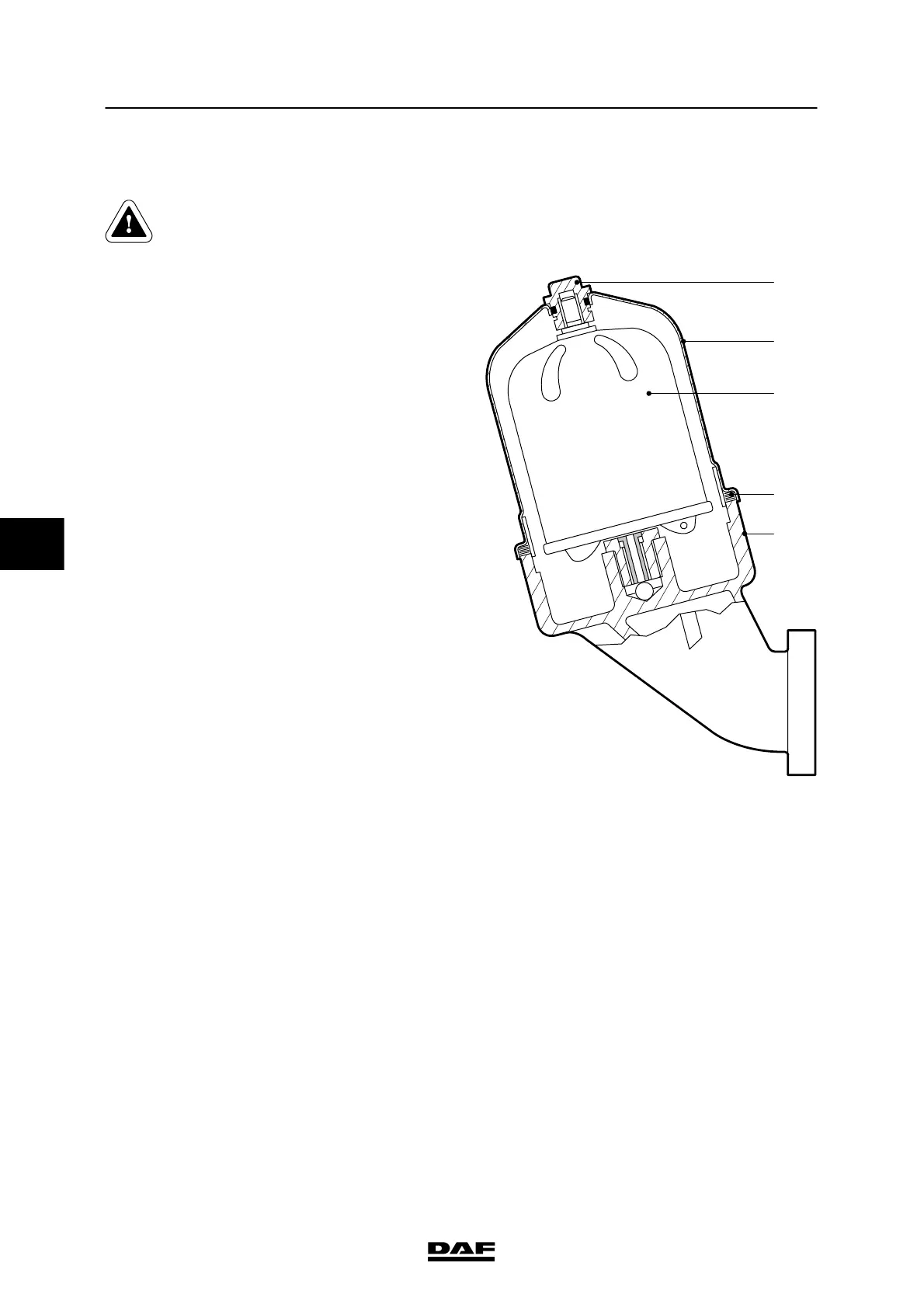
4.3 REMOVAL AND INSTALLATION, CENTRIFUGAL OIL FILTER ROTOR
To prevent skin injury, avoid
unnecessary contact with the
drained oil.
Removing the centrifugal oil filter rotor
1.
Clean the housing (3).
2. Loosen the central bolt (4).
3. Remove the housing (3) together with the
central bolt (4) and the rotor (2).
4. Remove the rotor (2) from the central
bolt (4).
5. Replace the rotor (2).
Installing the centrifugal oil filter rotor
1. Clean the housing (3).
2. Check the central bolt (4) for damage.
3. Replace the sealing ring (5).
4. Fit the new rotor into the housing.
5. Lightly oil the seal (5) and fit it in the
housing (3).
Tighten the central bolt (4) to the specified
torque. See “Technical data”.
6. Start the engine and check for leakage.
Check the oil level.
4
3
2
5
1
M200526
5
200424



 To Next Page