22
I-Class Mark II Maintenance Manual
Ad
ustments and Maintenance
2.4.1.2 Cleaning Card Procedure
This cleaning method is recommended when using direct thermal media, thermal transfer media with a wax
ribbon, or if symptoms persist after performing the cotton swab procedure (see Section 2.4.1.1).
1. Turn OFF and unplug the printer. Wait for the printhead to cool.
2. Raise the Printhead Assembly then remove the media (and ribbon, if installed).
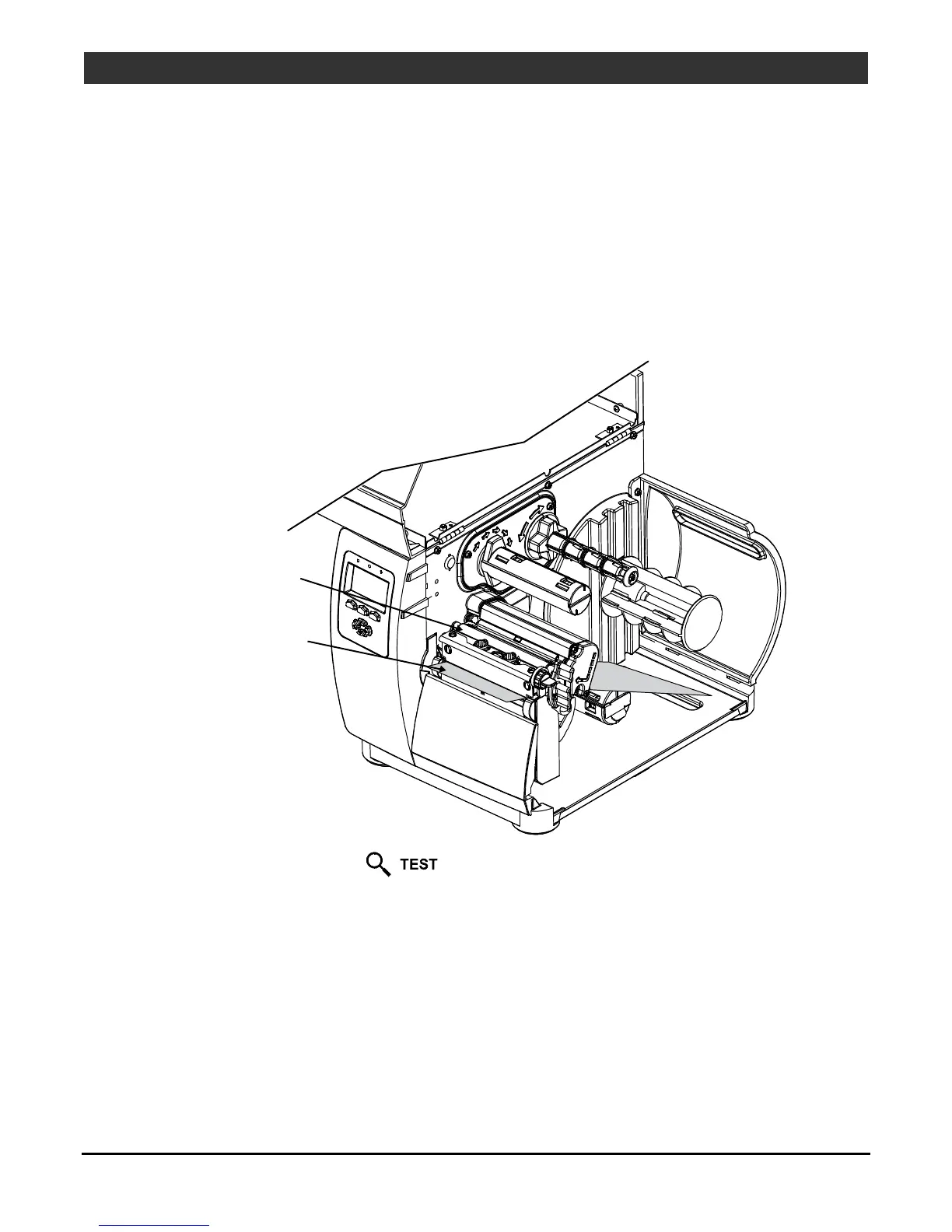
3. Place a Cleaning Card (part number 70-2013-01) under the printhead.
4. Lower and latch the Printhead Assembly.
5. Disengage the Leveling Cam; see Section 2.2.1.
Printhead
Assembly
Cleaning Card
(or Cleaning Film)
6. Close the cover. Press and hold the
button for approximately four seconds. (As an alternate,
CLEAN HEAD NOW can be selected in the menu.)
7. Install media (and ribbon, if necessary). Lower and latch the Printhead Assembly. Adjust the Leveling
Cam. Close the cover. Run a few sample labels and examine them. If streaking is still present, go to
Section 2.4.1.3; otherwise, this completes the procedure.



 To Next Page