64
I-Class Mark II Maintenance Manual
Removal and Replacement
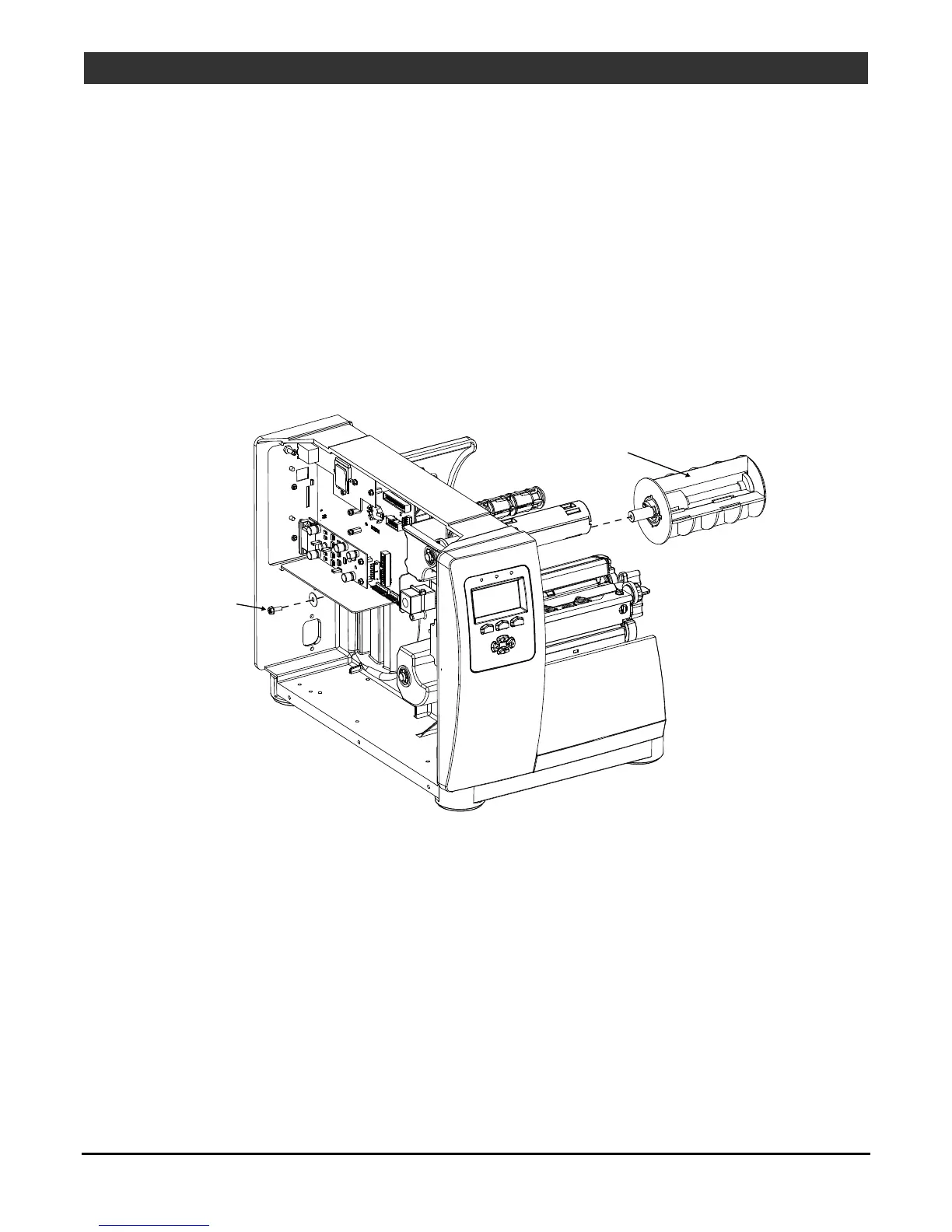
4.13 Media Supply Hub
Removal:
1. Turn OFF and unplug the printer.
2. Remove the Cover Assembly; see Section 4.1.
3. Remove the Power Supply PCB; see Section 4.11.
4. Remove the Screw securing the Media Hub Assembly to the Printer.
Screw
Media Hub
Assembly
Replacement:
1. Install the Screw securing the Media Hub Assembly to the Printer.
2. Reinstall the Power Supply PCB; see Section 4.11.
3. Remove the Cover Assembly; see Section 4.1.



 To Next Page