65
I-Class Mark II Maintenance Manual
Removal and Replacement
4.14 Thermal Transfer Assembly
Removal:
1. Turn OFF and unplug the printer. Raise the cover.
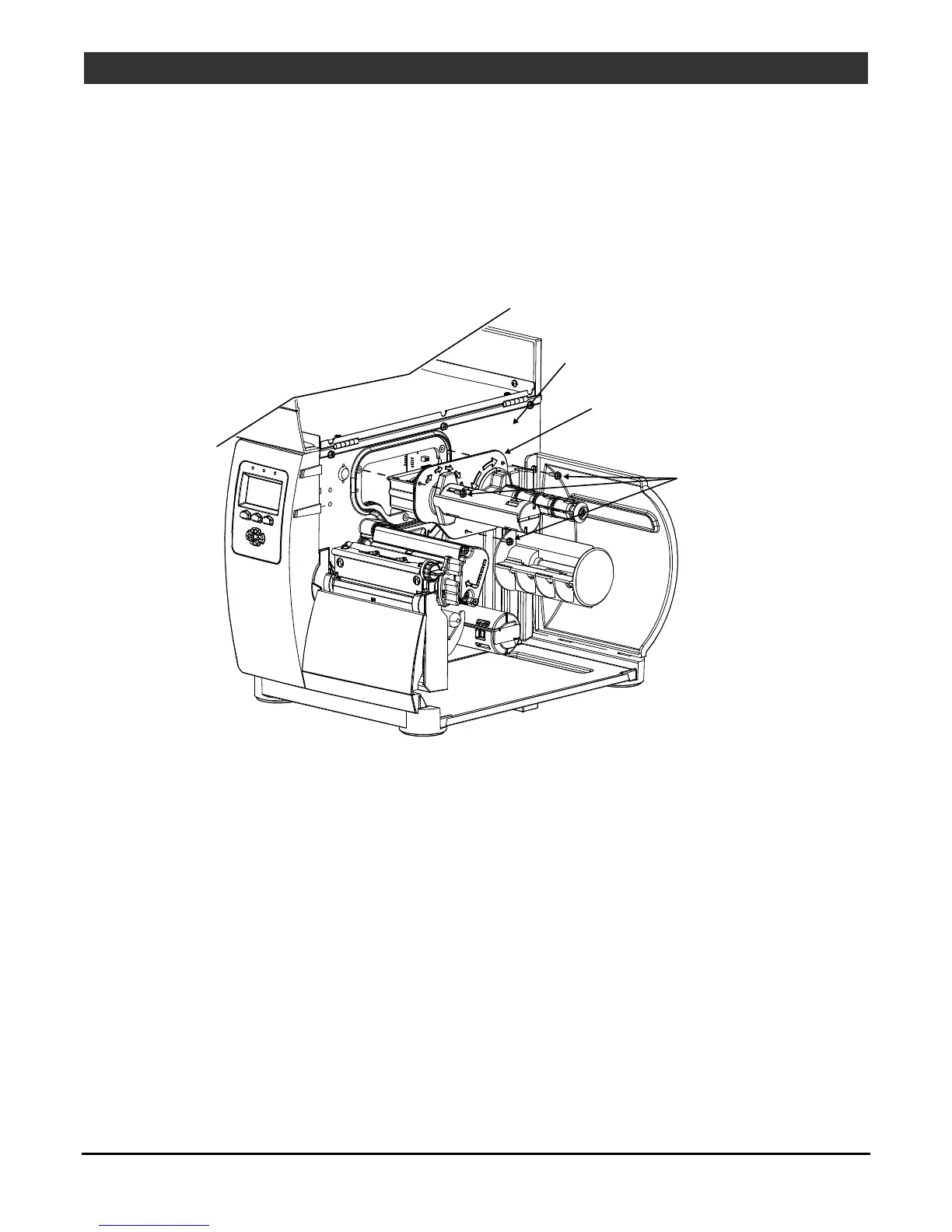
2. Remove the three Screws that secure the Thermal Transfer Assembly and then remove the assembly from
the Centerplate.
Centerplate
Thermal Transfer
Assembly
Screws
Replacement:
1. Reinstall the Thermal Transfer Assembly in the Centerplate, carefully engaging the gears, and secure it
using the three Screws.



 To Next Page
 Loading...









