42
I-Class Mark II Maintenance Manual
Troubleshootin
3.4 Hex Dump Mode
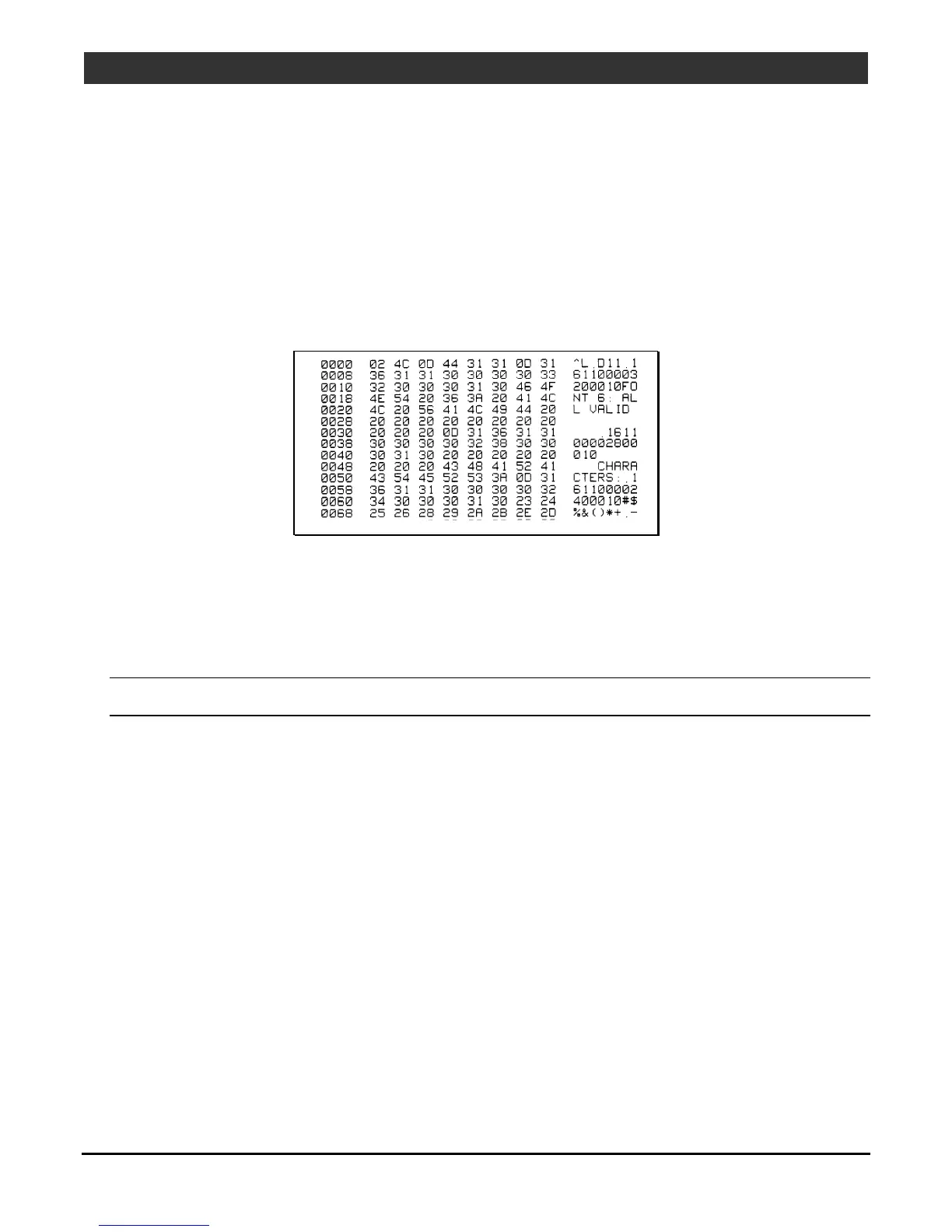
Hex Dump Mode is a diagnostic tool for isolating communications and DPL syntax errors, by
allowing input (host) data to output (printer) data comparisons. All data received by the printer will
be output in hexadecimal code along with the printable ASCII equivalents, as shown below. To
identify possible handshaking problems, repeatedly send the format and sections of missing data
can become apparent. To debug DPL label formats reference the DPL Programmer’s Manual.
After sending a label format to the printer, the output will be immediate and in the form shown
below. As a final note, many software programs use bit mapping to construct the label making
diagnosis difficult. Contact Datamax-O’Neil Technical Support with any questions.
To print a Hex Dump, load four-inch wide media (and ribbon, if thermal transfer printing) then proceed
according to the type:
• Turn ON the printer. Enter DIAGNOSTICS and enable HEX DUMP MODE. Exit the menu and save the
changes.
Note: To exit Hex Dump Mode, enter DIAGNOSTICS and disable HEX DUMP MODE then exit the
menu, saving the changes.



 To Next Page