LS10 Installation and Operating Guide Page 29
LS10 Installation & Operating Guide Document # 9301H66300 Ver. 1.01
1.6.5 Dolby PLII
Dolby PLII is available only when the speaker configuration does not include the back surround channels
(BL/BR). It is used to expand 2-channel to fill up to 5.1 speaker configurations.
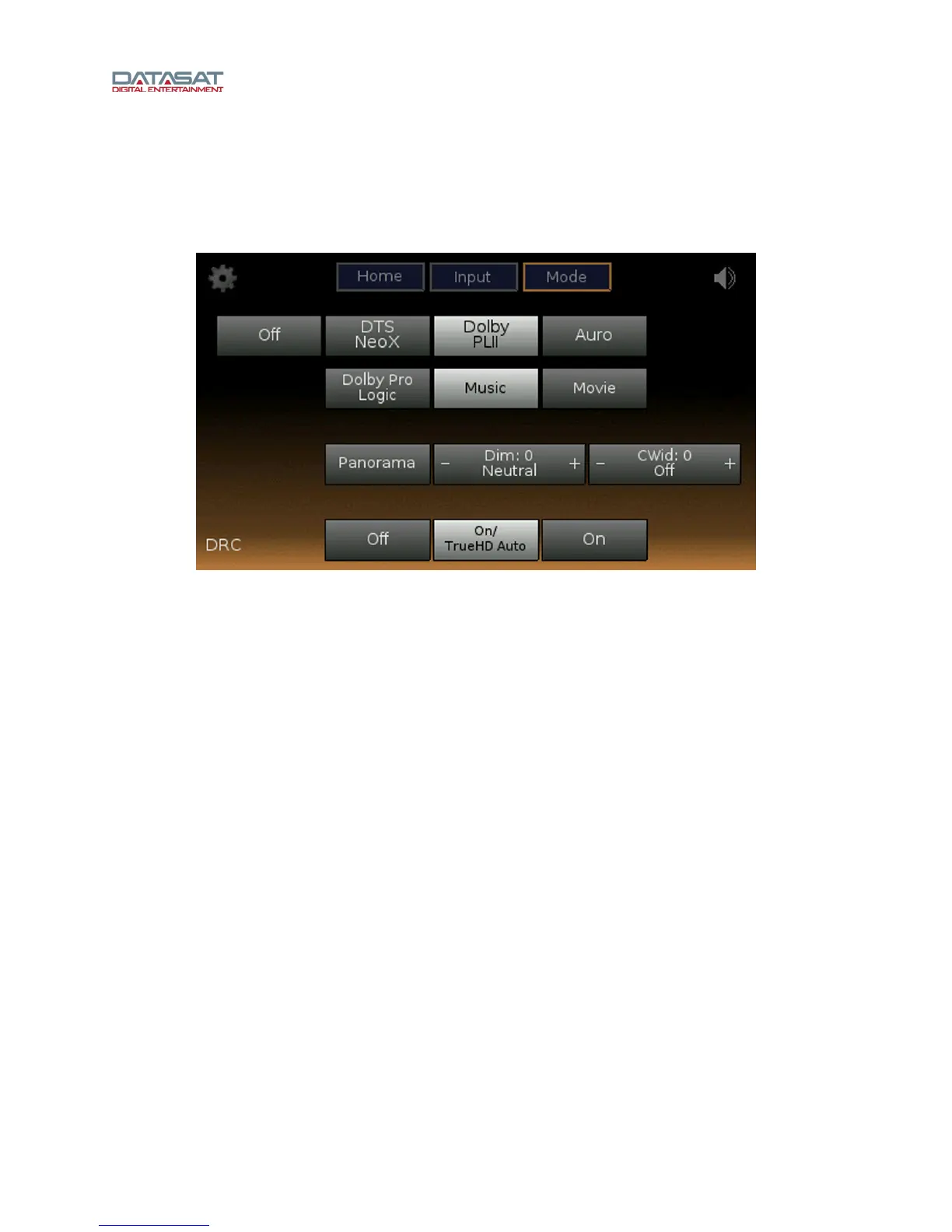
Figure 18 shows the audio processing setup with Dolby PLII select
ed.
Figure 18. Dolby PLII Mode
These are configuration options for Dolby PLII mode:
• Dolby Pro Logic
• Music
Panorama On or Off – create a seamless wraparound surround effect.
CWid (Center Width) – from 0 (off) to 7 (Phantom). This controls the balance of the main
vocals in the center and front channels for more natural sound.
Dim (Dimension) – adjusts the balance of the surround sound from +7 (Full to Surround)
to -7 (Full to Front).
• Movie – optimized for movie presentation.
1.6.6 DRC
Dynamic Range Control (DRC) is used to reduce the audio volume range between soft and loud sounds.
The louder volumes are decreased and the quieter volumes increased. The amount that the range is
reduced is determined dynamically by the metadata stream of the particular decoder that is being used.
DRC works only with some Dolby or DTS content, depending on how it was created.
• Off – no range control is applied
• On/TrueHD Auto – range control is applied on TrueHD content only if enabled by the
content. For DTS content, it is the same as ON.
• On – it is applied by the DTS or Dolby decoder



 To Next Page