LS10 Installation and Operating Guide Page 73
LS10 Installation & Operating Guide Document # 9301H66300 Ver. 1.01
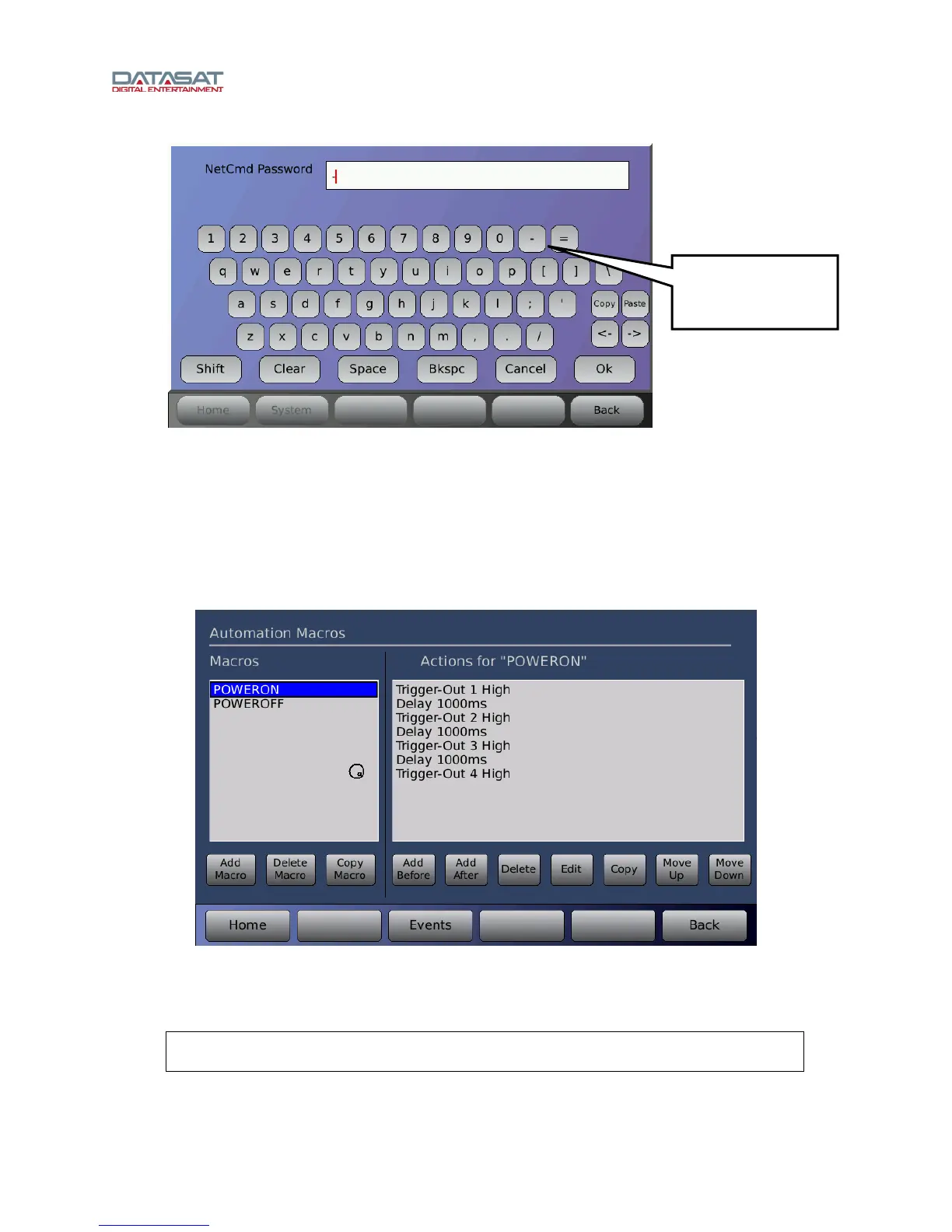
Figure 53. NetCmd Virtual Keyboard
3.20 Automation Macros
On the Setup Home screen, press Macros.
The Automation Macros feature allows you to create a script of multiple actions. A Macro may then be
assigned to an Event. The menu bar contains an Events button to allow easy navigation between the
Events screen and the Macros screen when building Macros and assigning them to Events.
Figure 54. Automation Macros
A list of existing Macros are displayed on the left. Scroll through the list of Macros using the up/down
arrow keys. When an existing Macro is highlighted the actions making up that Macro are displayed. The
example above shows the POWERON Macro.
Note: The macros named POWERON and POWEROFF are automatically executed
during the power-on and power-off cycle, respectively.
Use the hyphen - key
to remove password
protection.



 To Next Page