LS10 Installation and Operating Guide Page 21
LS10 Installation & Operating Guide Document # 9301H66300 Ver. 1.01
Press Save to confirm changes to the network configuration. If changes are not saved, the previous
configuration will display after turning power off and on again.
1.5.2 USB
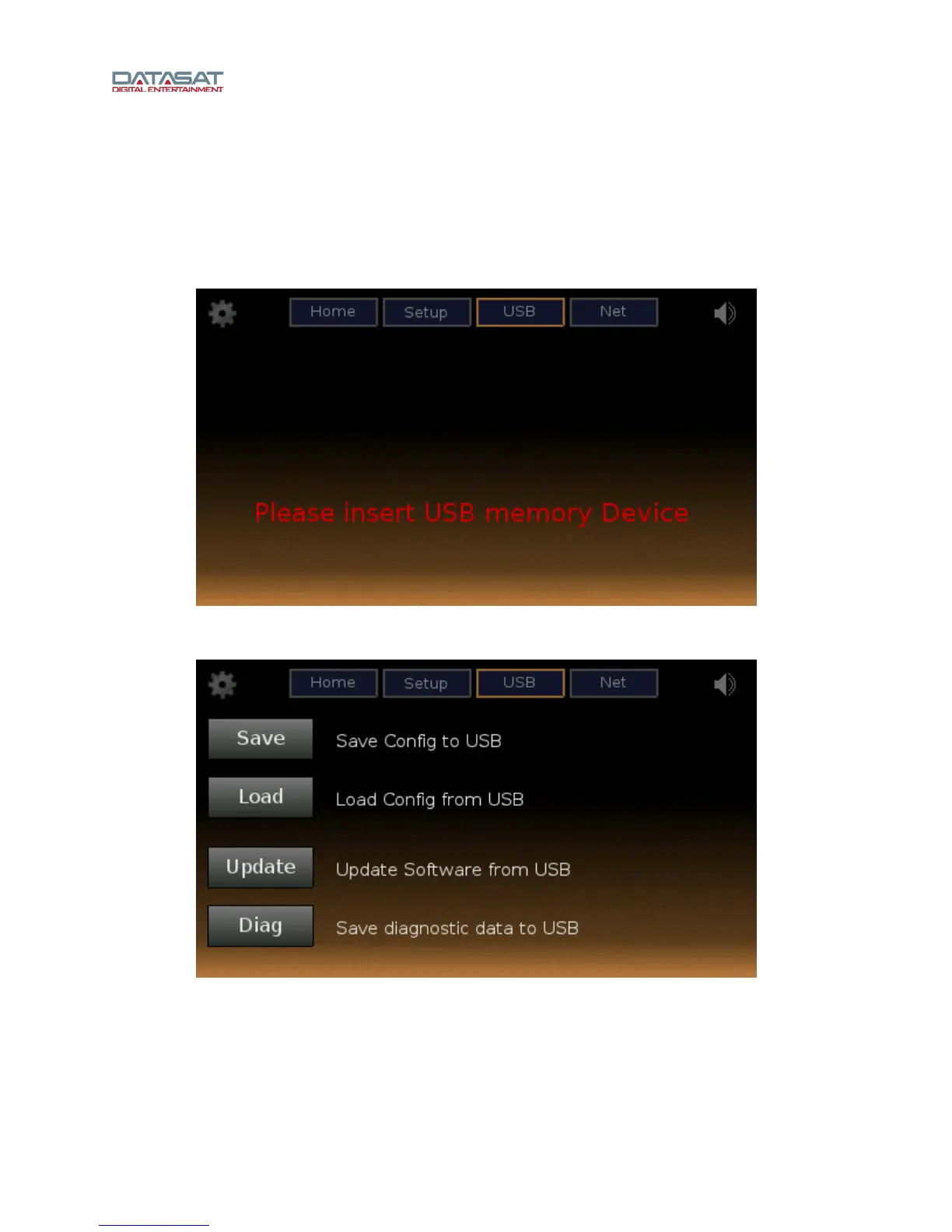
To load or save a configuration, update LS10 software, or save diagnostic data, select USB from the
upper row of buttons. The initial USB screen will prompt you to insert a USB memory stick (flash drive)
into the USB Save/Restore port on the rear panel.
Figure 8. Setup USB Screen
When a USB drive has been inserted, the LS10 USB screen will display the options shown below.
Figure 9. USB Screen, Submenu
If Save is selected, the current LS10 setup configuration will be saved to the USB drive. The configuration
file name is “ls10_nnnn.tgz”, where “nnnn” is replaced by the four-digit serial number of the unit.



 To Next Page