LS10 Installation and Operating Guide Page 30
LS10 Installation & Operating Guide Document # 9301H66300 Ver. 1.01
1.7 Inputs
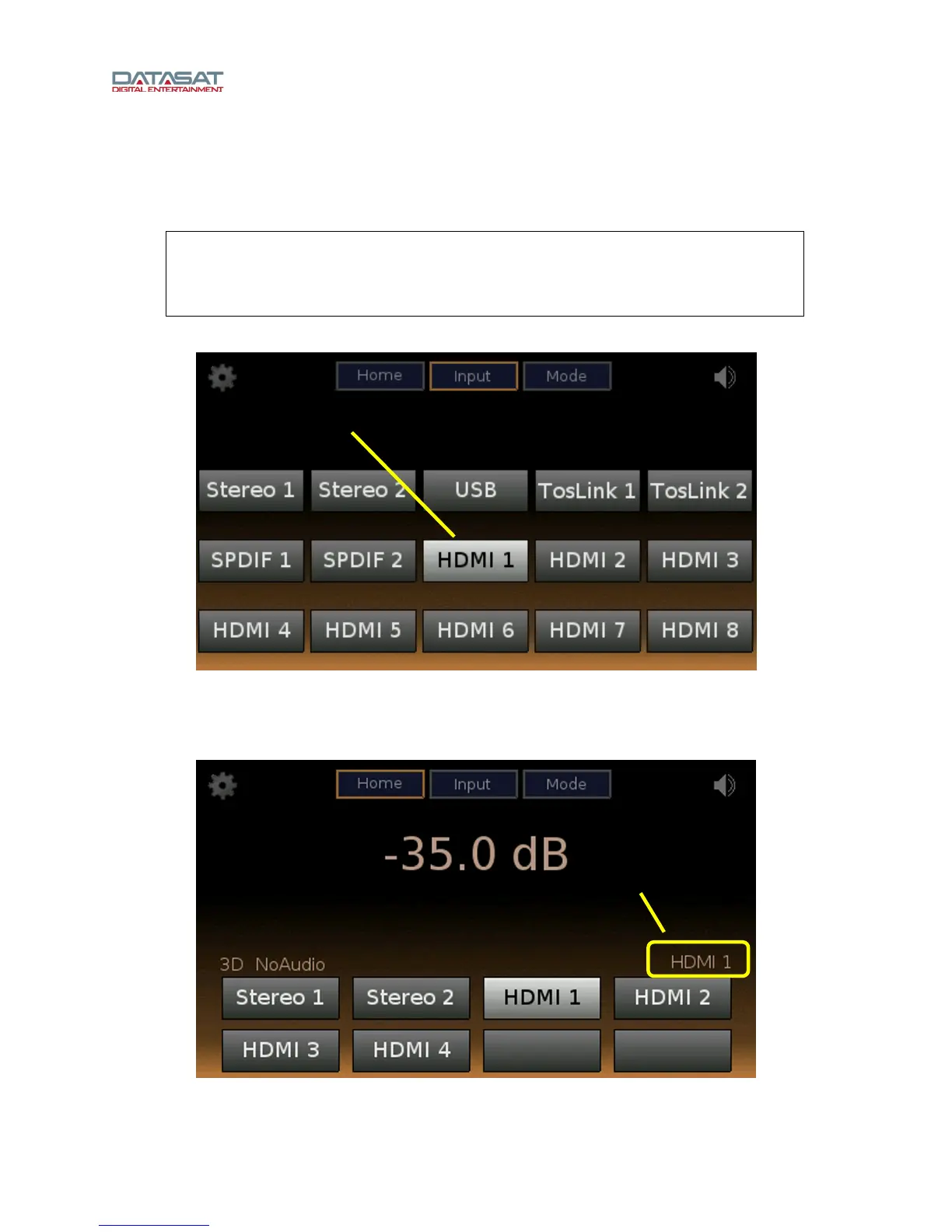
The LS10 features 15 physical hardware inputs that are available for selection: 8 HDMI,
2 TOSLINK, 2 stereo, 2 SPDIF, and 1 USB audio.
Note: Using the Setup Home screen, the installer can select an input to be visible on the
touch screen Home display and (optionally) give it a user-friendly name. See Input, page
41, for setu-p information.
Note: This application accepts only Latin alphanumeric characters.
Press the Input button to see the complete range of input options.
Figure 19. Inputs Screen
Select an input on this screen, and the Home screen displays this as the current input. For example, if
HDMI 1 is selected, the Home screen will appear like the example below.
Figure 20. Home Screen, HDMI 1 Selected
Currently selected
in
ut source
Currently selected
in
ut source



 To Next Page