LS10 Installation and Operating Guide Page 46
LS10 Installation & Operating Guide Document # 9301H66300 Ver. 1.01
3.6 EQ
The LS10 has two distinct sets of configurations for audio tuning, named EQ1 and EQ2. The configuration
set includes all parametric filters settings and the level adjustments. When EQ1 is selected, the previous
EQ1 configuration is in effect and any additional parametric filter configurations and level adjustments are
saved within the EQ1 configuration. Similarly, when EQ2 is selected, the previous EQ2 configuration is in
effect and any parametric filter configurations and level adjustments are saved within the EQ2
configuration. Switching between EQ1 and EQ2 brings back the respective configurations.
The user interface also provides a function for copying EQ1 to EQ2, or vice-versa.
3.6.1 EQ1/EQ2
Select EQ1 or EQ2 to retrieve the parametric filters and level adjustments made for that configuration set.
Any changes to parametric filter and levels will be saved under the current selection of EQ1 or EQ2.
3.6.2 Parametric EQ
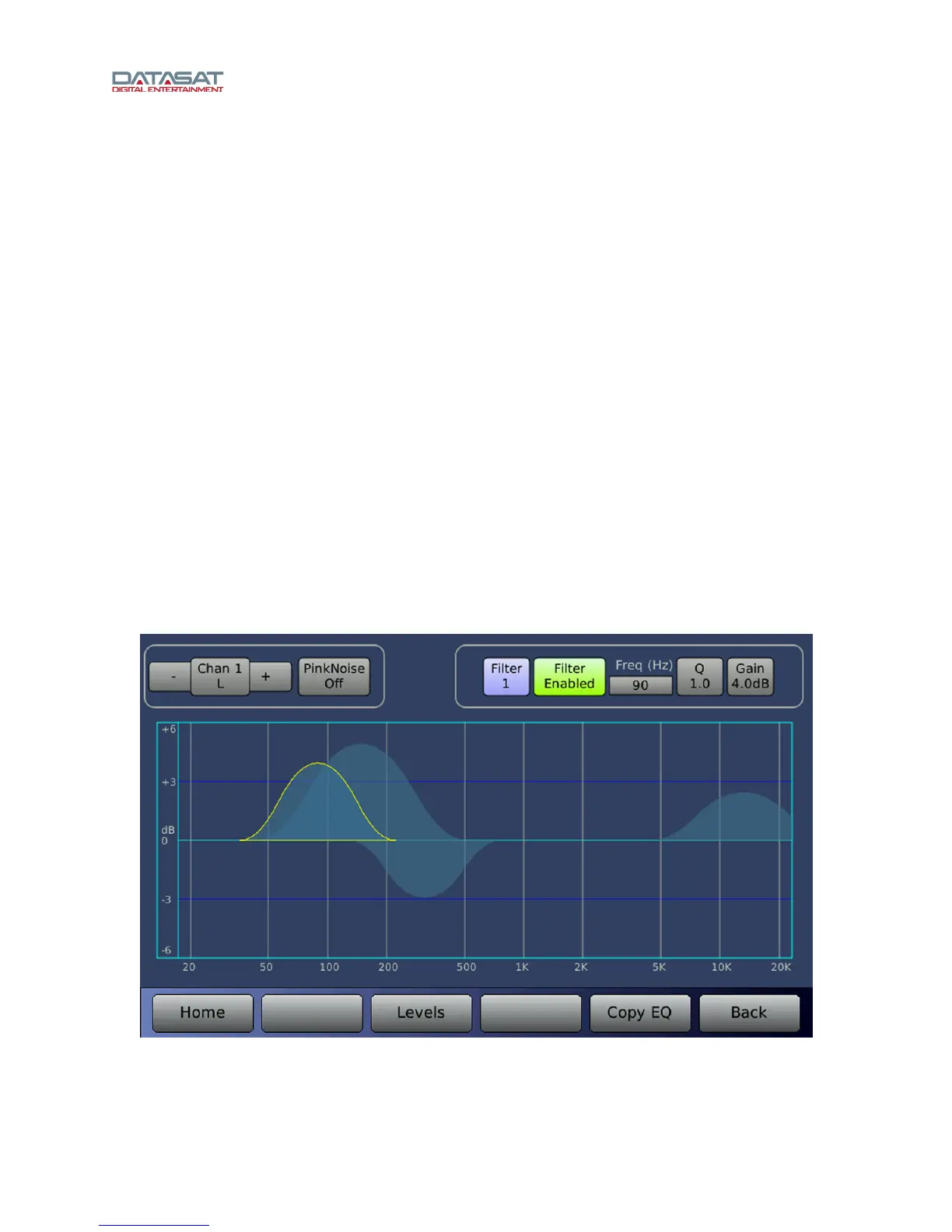
On the Setup Home screen, tap the PEQs button, or on the Audio Levels screen, tap Param EQ to
open the Parametric EQ screen.
The LS10 features Parametric EQ on every channel. The Parametric EQ screen displays a frequency
range from 20Hz to 20kHz. The screen has channel and pink noise controls, but also has controls for 10
filters.
The filters can be configured regarding Q (width of filter), Gain, and Frequency, and are either enabled or
disabled.
Filter disabled in effect turns off Parametric EQ.
Figure 34. Parametric EQ



 To Next Page